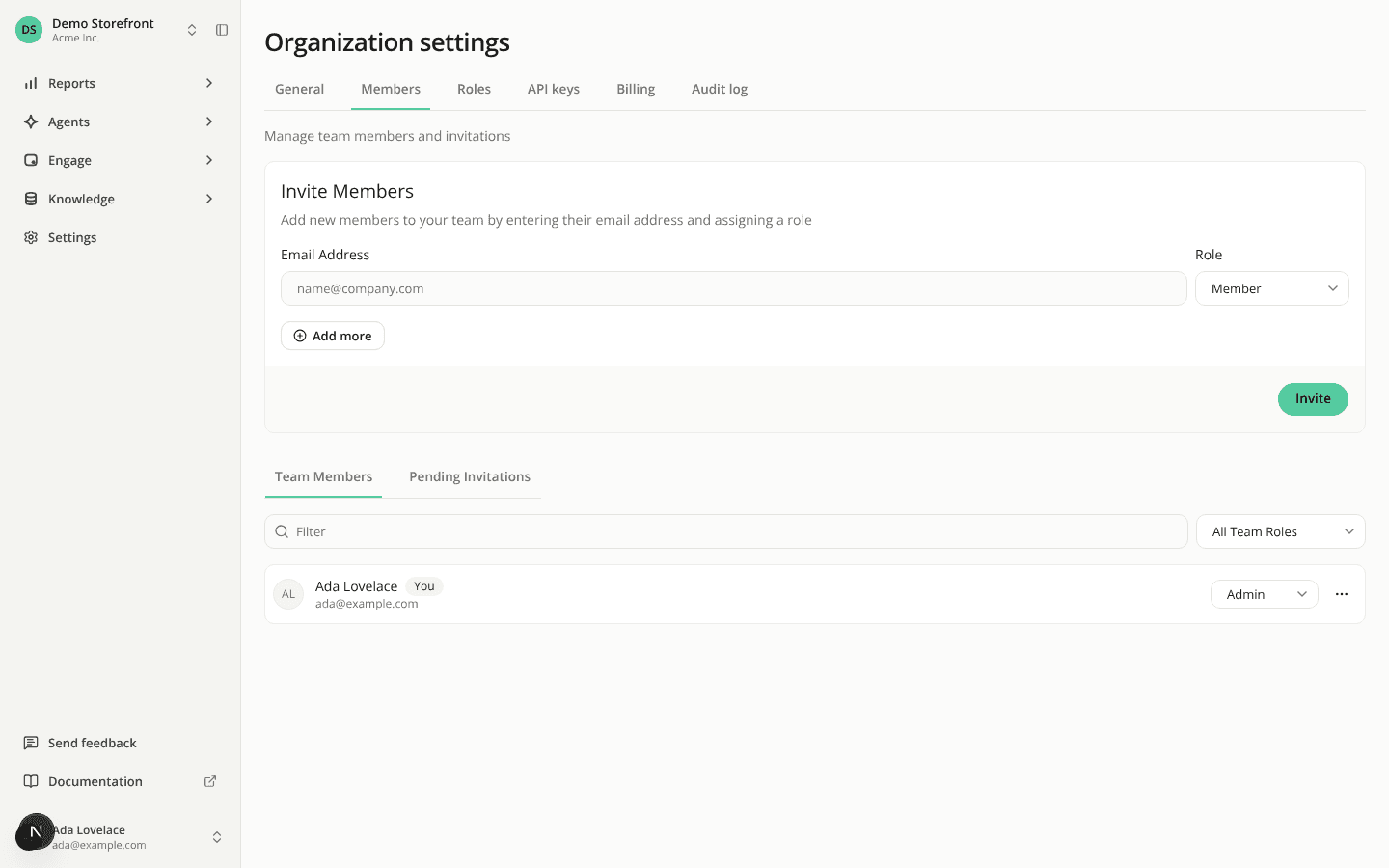
Organization settings now open on one page with tabs
ChangedMoving between organization settings used to mean reopening the user menu and its Organization Settings submenu every time you wanted another page. On a narrow screen, the menu swapped to a separate list instead.
Organization Settings in the user menu is now a single link, at every screen width. It opens an Organization settings page with a tab row at the top: General, Members, Roles, API keys, Billing and Admin activity. Switch pages from the tabs, the same way a site's Settings already works.
What stays the same:
- You only see the tabs your role allows. The link opens the first of them (General for an Admin), and it's hidden if your role allows none.
- Every page keeps its address and its content, so bookmarks and shared links still work. Opening a page your role doesn't allow still shows a restricted-access message.
- Creating or editing a role still opens its own page, with a link back to Roles.
Resources