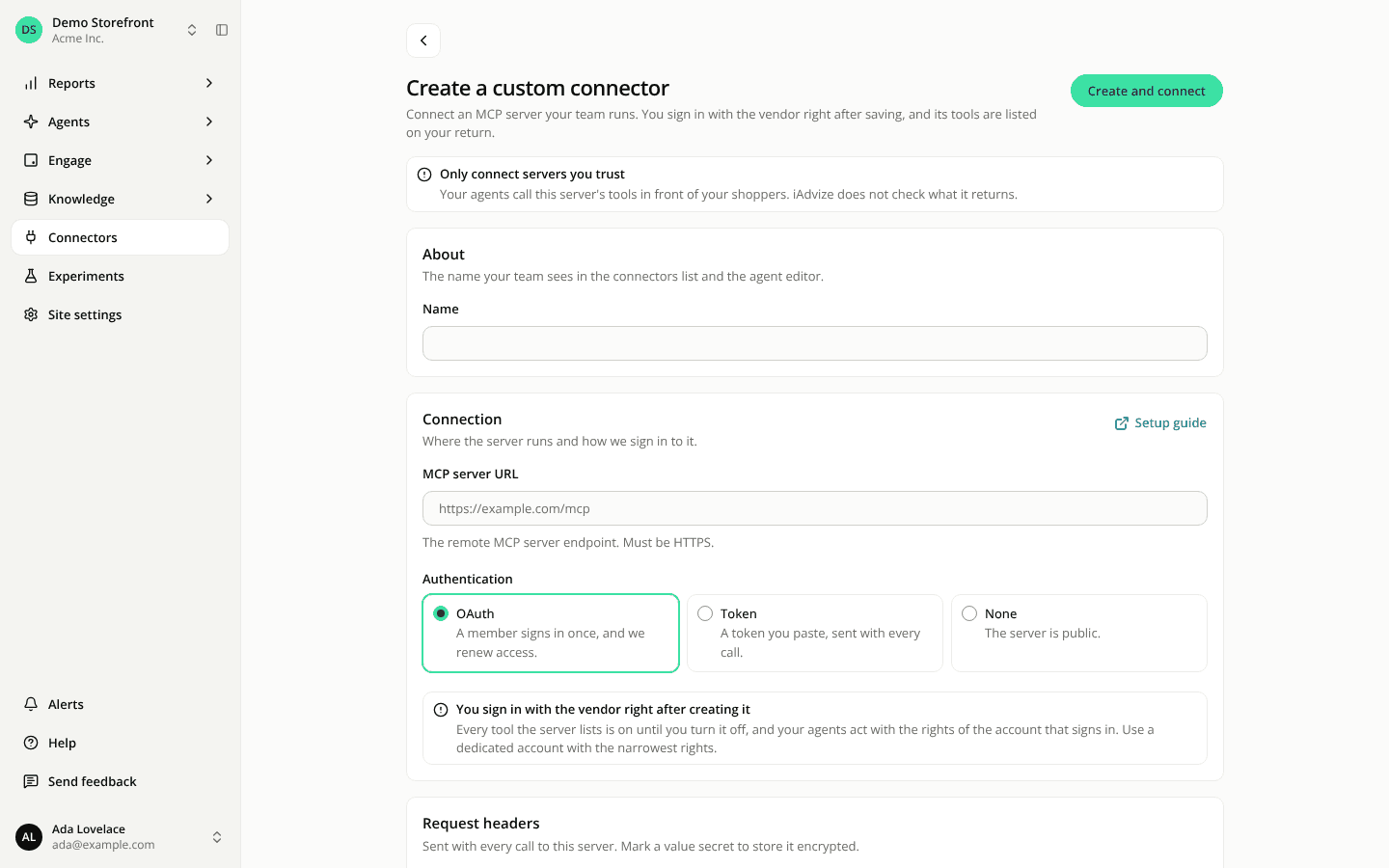
Connect MCP servers that need a sign-in, such as Atlassian's
AddedSome MCP servers, such as Atlassian's Rovo MCP server, don't take a token you paste: someone signs in with the vendor and grants access. You can now connect them as Custom connectors.
Create and connect. When you create a Custom connector, choose its Authentication: OAuth (the default), Token or None. In OAuth mode, Create and connect saves the connector and sends you straight to the vendor's sign-in. You come back on the connector's page with its tools listed, all of them on. If you leave the vendor's page without signing in, the connector reads Not connected and offers Connect.
The agent acts with the rights of the account that signed in. Sign in with a dedicated vendor account that has the narrowest rights the agent needs.
Some vendors need their admin first. Atlassian, for one, refuses the sign-in until the Atlassian organization admin allows our return address, https://iadvize.ai/api/dashboard/connectors/oauth/callback. Until then the dashboard only says the sign-in was cancelled or refused at the vendor.
Two new statuses. Not connected until someone signs in, and Reconnection required when the vendor refuses to renew access. In that case the agent answers without the connector, a Connector not answering alert opens at the next check when a live agent uses it, and Reconnect on the connector's page fixes it. Disconnect erases the sign-in, asks the vendor to revoke it and keeps the tools you switched off. A connector live agents use asks you to confirm first, naming them. Changing an OAuth connector's address or mode erases its sign-in too.
A token connector whose server asks for a sign-in is no longer stuck on a failed test: its page offers Use OAuth and connect.
Tools grouped by what they do. When a server describes its tools, the Tools card groups them into Read, Write, Destructive and Other, each collapsible with one switch for the whole group, plus a switch for every tool. The groups only sort the list: what the agent may call still depends on your switches alone.
REST API and MCP. Every connector now carries authMode and, in OAuth mode, its connection (state, connectedAt, connectUrl). You can install or switch a Custom connector to OAuth, and disconnect it with POST /api/v1/connectors/{connectorId}/disconnect or the new disconnect_connector tool. Signing in stays a browser step: open connectUrl and choose Connect.
Resources