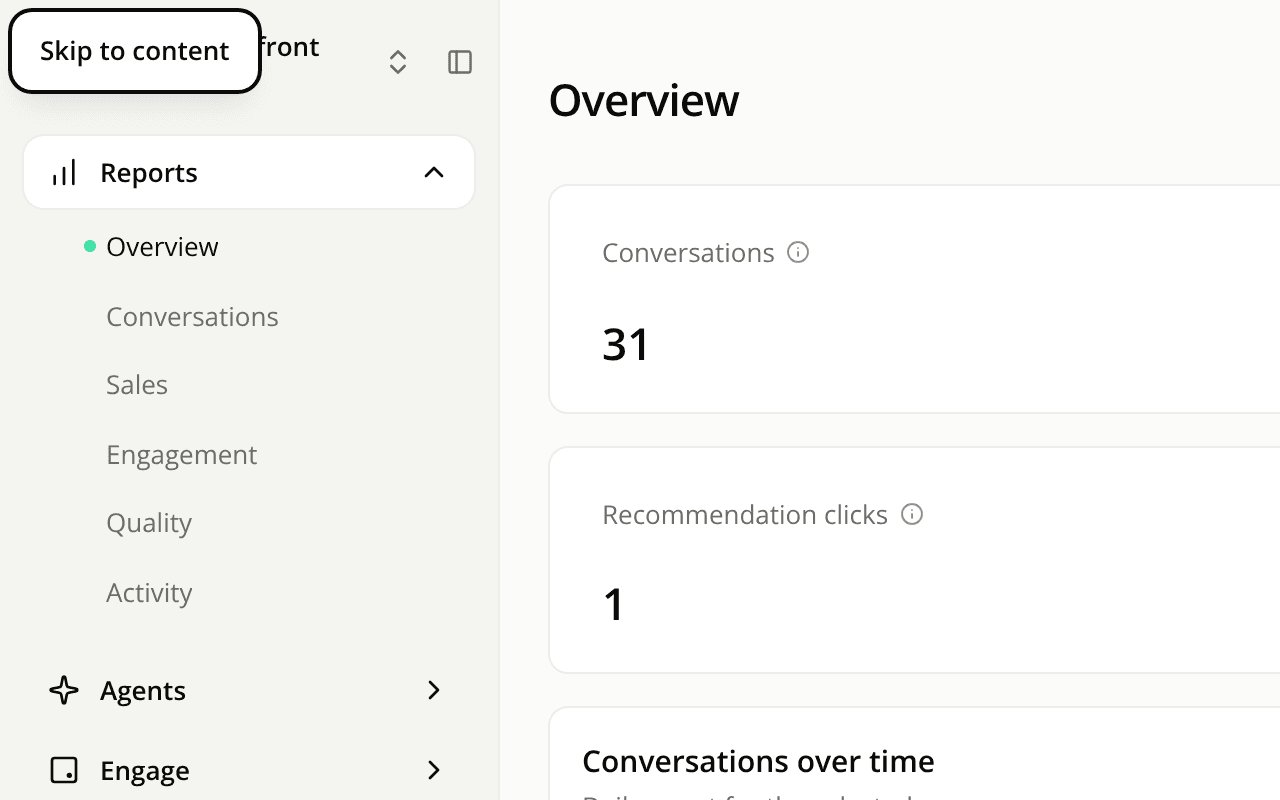
The dashboard works better with a keyboard and a screen reader
FixedMoving around the dashboard without a mouse is quicker, and screen readers name what they land on.
- Skip to content. The first press of Tab on any dashboard page shows a Skip to content link in the top left corner. Press Enter to jump past the sidebar straight to the page.
- The sidebar is announced as navigation, called "Dashboard", so a screen reader can jump to it or past it. On a phone, where the sidebar opens as a sheet, nothing changes.
- Controls that had no name now have one. On the Appearance page, the Panel side and Display mode choices are read by their label (and their hint, for the display modes). In your site's languages, the add-language list is read as "Add a language", even once a language is picked.
- Tabs no longer point at a panel that isn't there. The tabs that switch a view, such as Open and Resolved on Alerts or the tabs at the top of Conversations, used to tell assistive technology they controlled a missing panel. Tabs that are links to another page no longer point at a panel either.
- The active link in this documentation is easier to read. In the sidebar and the "On this page" list, the current entry was light green on white. It is now dark text, in the sidebar on a gray background.
Resources