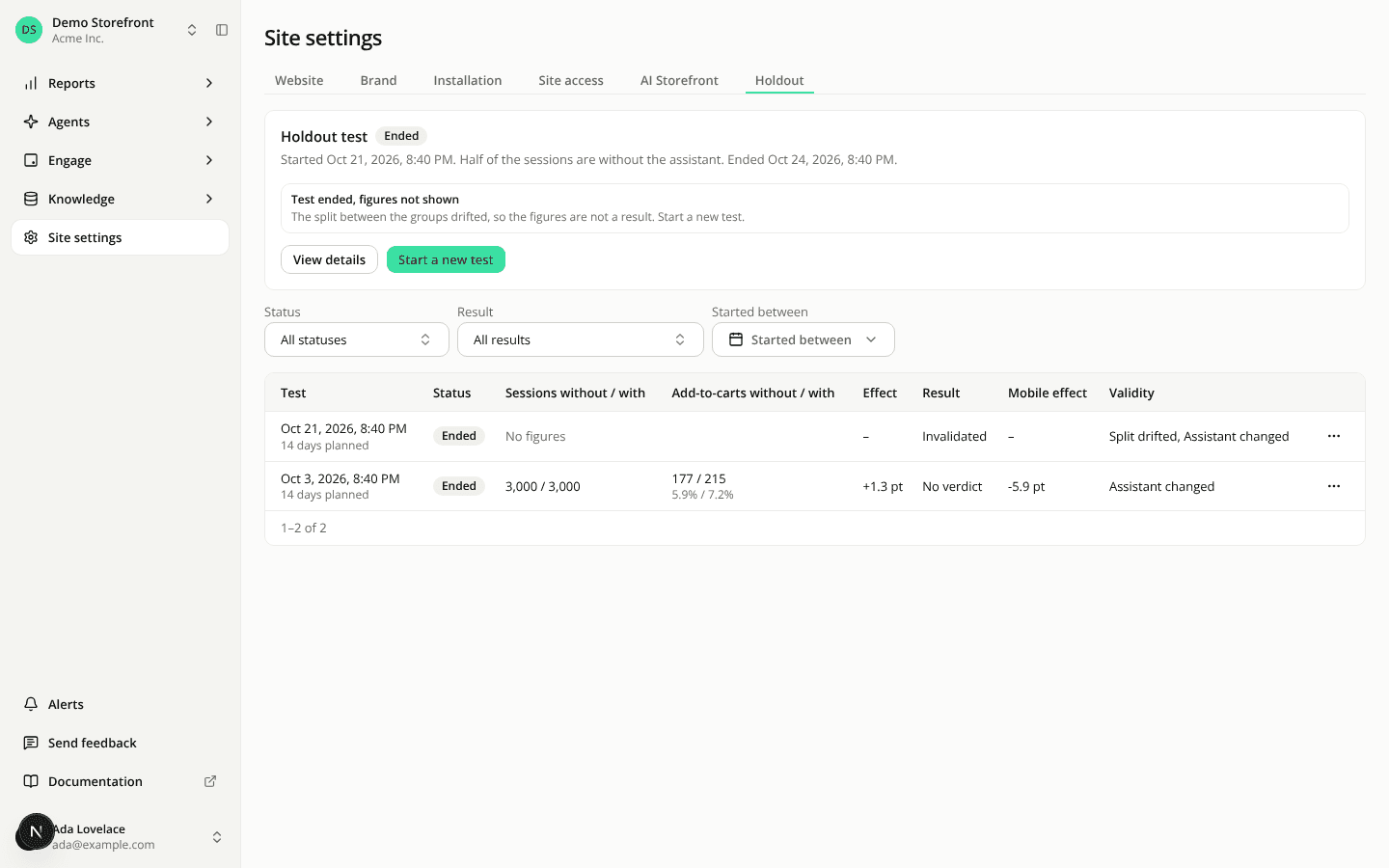
The Holdout tab lists every test and opens each one in detail
AddedThe Holdout tab used to show only the latest holdout test. Earlier tests were out of reach. Now every test the site has run is listed and can be opened.
A table of all your tests. Under the card, each row gives the start date, planned duration, assistant version, sessions and add-to-cart share of the two groups, the effect in points, the result, the effect on mobile sessions and the validity. Filter by status, result and the period the test started in. A row opens the test, and its menu has View details, Extend, Stop test and Start a new test. The last three need the Edit sites permission.
A page for each test. It gives the summary, the figures of each group, the add-to-cart share over time, the effect by device, what the group with the assistant did, whether the test can be trusted, and the changes made to the assistant while it ran. The forecast, the value added to carts and the estimate for sessions that engage moved here from the card. Value added is what was added to carts, not revenue. A device row is a lead to look into, not a verdict.
A compact card with a health line. It states four checks: the split between the groups, whether the Shopify pixel is recording, which widget did not show, and whether the assistant changed since the start. The card also shows the day of a running test. Only changes made through the dashboard, the REST API or the MCP server are counted as changes.
REST and MCP. GET /api/v1/sites/{siteId}/holdouts and GET /api/v1/sites/{siteId}/holdouts/{holdoutId} return the same data. The MCP server has a new list_site_holdouts tool, and get_site_holdout takes an optional holdoutId to read one test in detail.
Resources
- Measure what the assistant adds with a holdout test
- List the holdout tests of a site
- Get a holdout test in detail