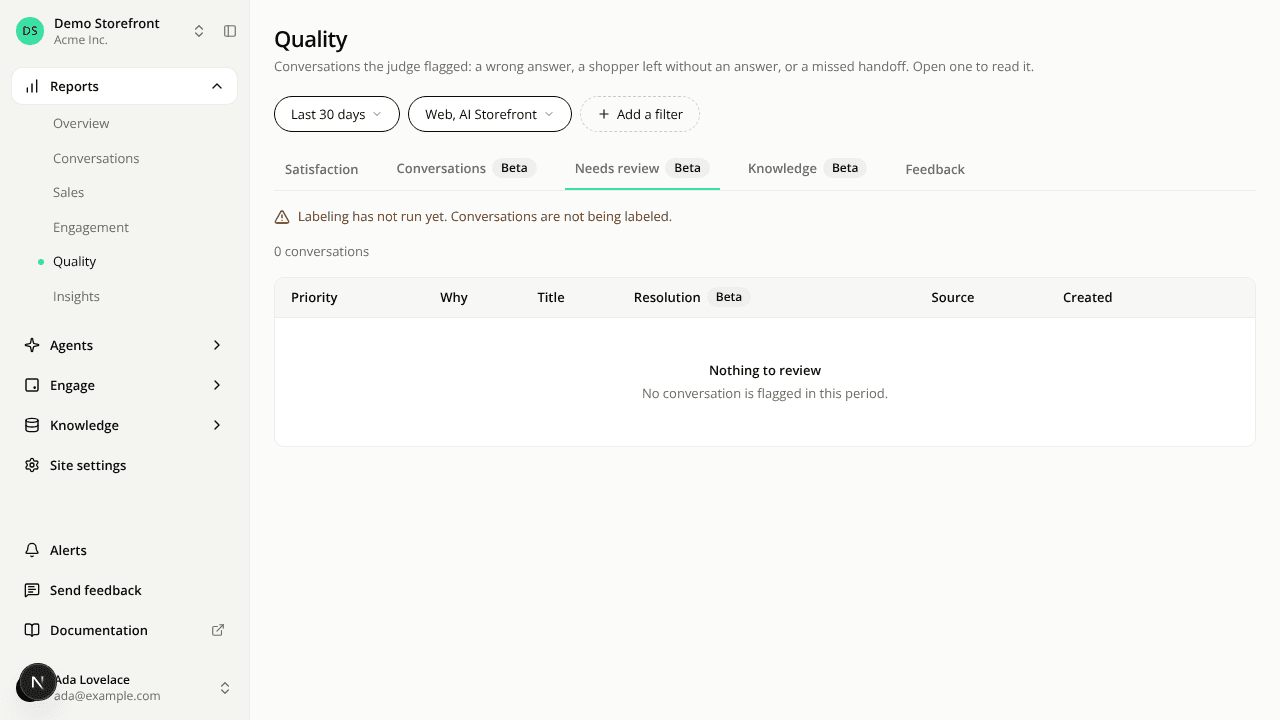
The Needs review queue moves to Reports > Quality
ChangedThe Needs review queue, the conversations the AI judge thinks are worth a person's look, is now a tab on Reports > Quality, next to Conversations. The queue keeps its order, its columns and its read-only view. Its count is a line above the table instead of part of a tab label.
The Conversations list no longer has the All and Needs review tabs. Use Reports > Quality to open the queue.
The new page also shows the labeling freshness line: when the hourly labeling pass last ran, and how long the oldest waiting conversation has waited.
Previous and Next arrows aren't available from the queue yet. A conversation opened from it has no arrows, and its back arrow goes to the Conversations list, not back to the queue.
Resources