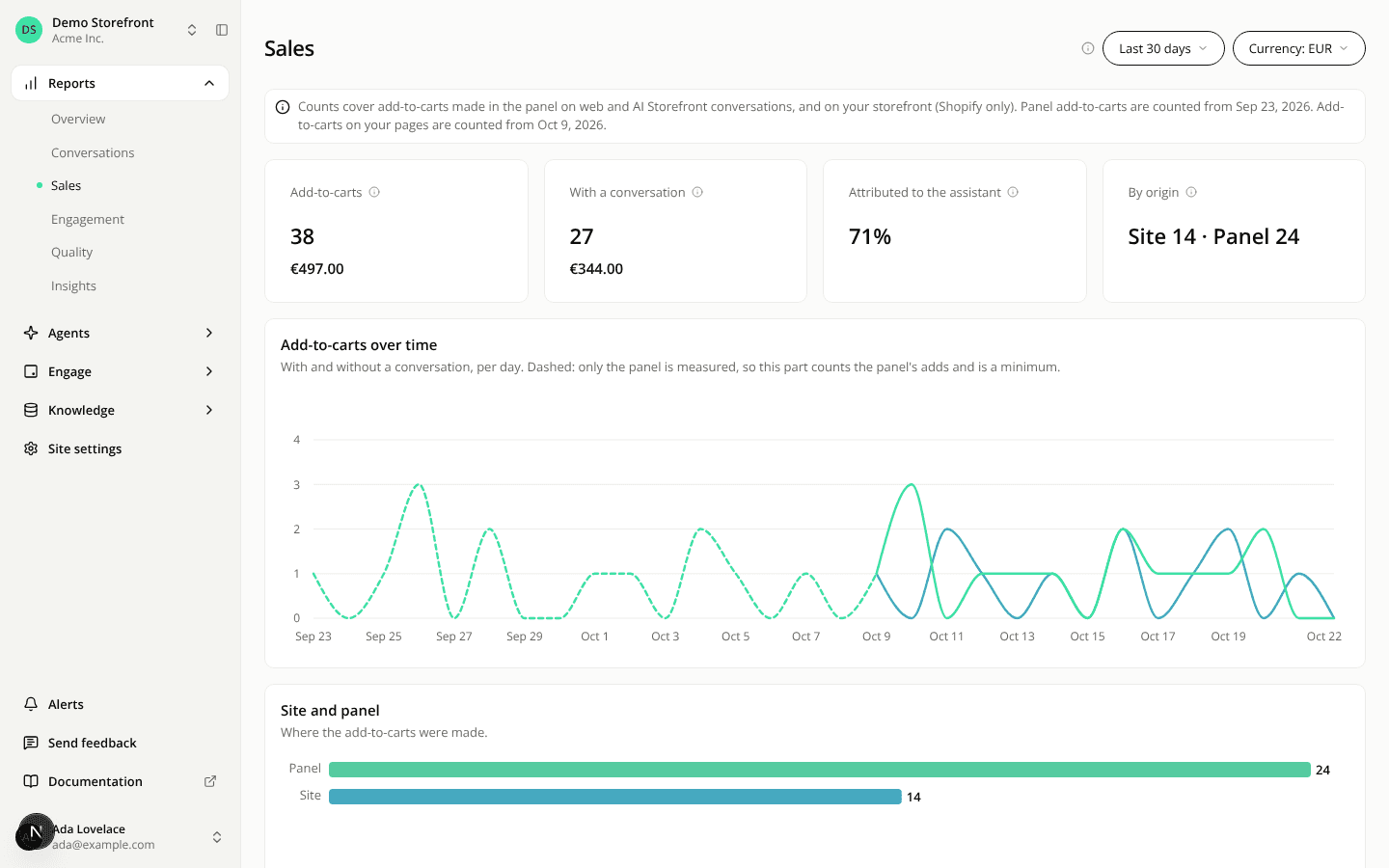
The Sales report shows the amount of your add-to-carts, with a Currency filter
AddedThe Add-to-carts and With a conversation tiles of the Sales report now show the amount of their add-to-carts under the count.
- One currency at a time. A new Currency filter sits next to the date range. Its options are the currencies of the selected period. With one currency, it is selected and locked. With several, you choose one: there is no default, and the tiles say Choose a currency until you do. With none, the tiles say No amount for this period. The choice is in the URL.
- Never a sum across currencies. An amount is always in the currency you chose.
- Coverage in the tooltip. An add-to-cart without an amount is counted and not valued, so the tooltip says how many add-to-carts carry one ("12 of 30 add-to-carts have an amount").
- What the amount is. The value of what was added to carts, not revenue and not what was bought. On your pages, the pixel declares the amount and the platform does not verify it. The amount with a conversation is an indicator, not what the assistant added on top of what would have happened anyway.
- Compare to previous period adds the change in percent on the amount, in the same currency.
- A tile that reads Not measured shows no amount.
REST API and MCP. GET /api/v1/sites/{siteId}/add-to-cart-counts and the add_to_cart report of get_report return an amounts array: one row per currency with total and withConversation, each { amountMinor, addToCartsWithAmount } or null while its count is not measured. amountMinor is in the currency's minor unit. Both take an optional currency (three letters) to keep one row. In get_report, currency on another report is refused.
Resources