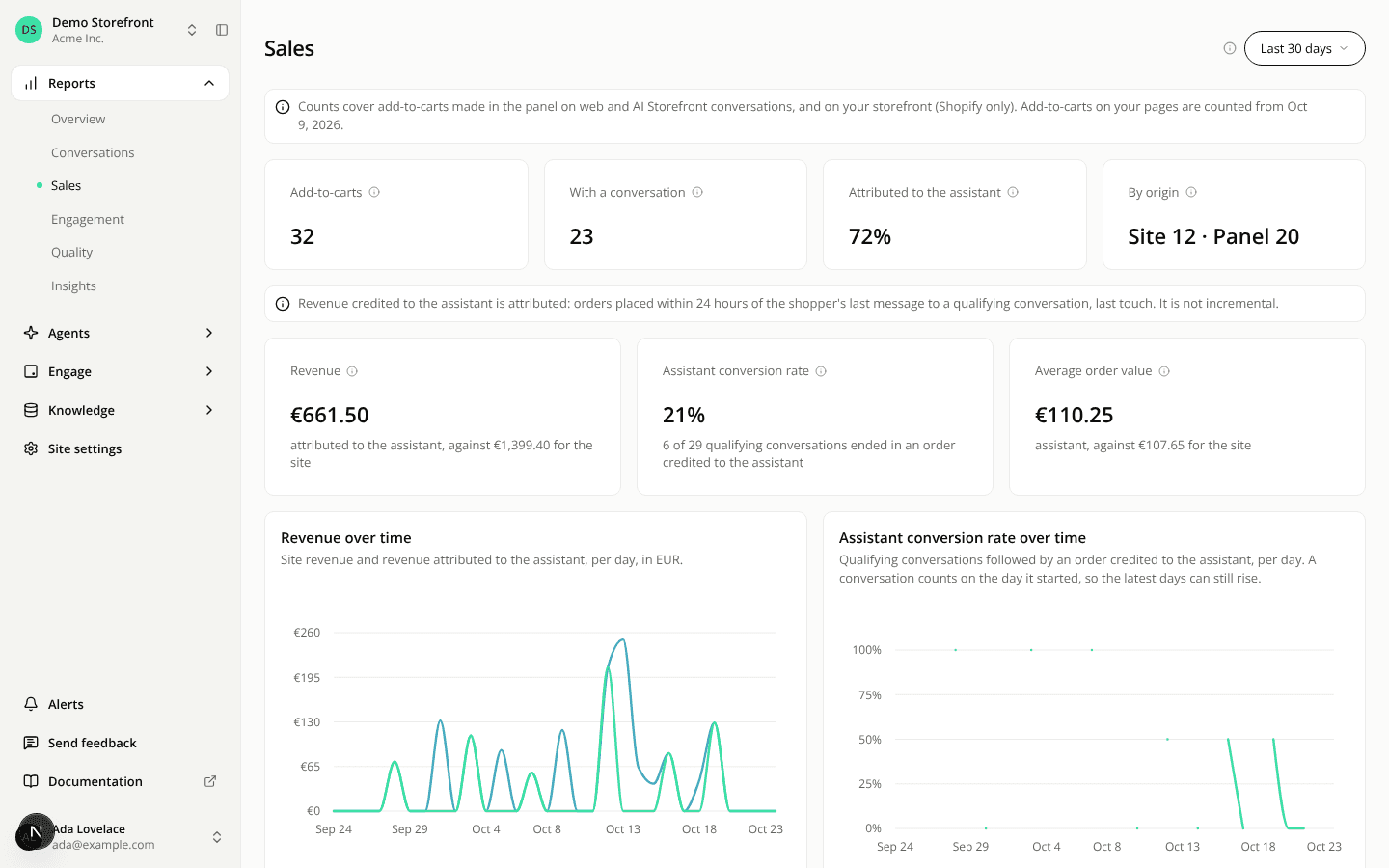
The Sales report now shows revenue attributed to the assistant
AddedThe Sales report now shows revenue, under the add-to-cart tiles.
- Revenue: the revenue of the orders credited to the assistant, next to the revenue of every order on your site.
- Assistant conversion rate: the share of conversations followed by an order credited to the assistant.
- Average order value: for the assistant and for the site.
- Two charts: revenue over time and the assistant's conversion rate over time. A conversation counts on the day it started, so the latest days can still rise.
The revenue uses the Currency filter of the filter bar, the one the add-to-cart amounts use. If your site sells in several currencies, choose one: until you do, the revenue tiles and charts ask you to. Amounts are never added across currencies.
Revenue is attributed, not incremental. An order counts for the assistant when it follows a conversation within 24 hours. It does not tell you what would have sold without the assistant. Amounts are net of recorded refunds and cancellations, after discounts and before shipping.
The assistant's figures can read "not measured". Orders are only linked to a conversation once your site has a join key. Until then expect not measured on the assistant's figures. Your site's revenue shows anyway.
The same figures are available on the REST API (GET /api/v1/sites/{siteId}/sales) and in the sales report of the MCP server's get_report tool, which also accepts compare and currency. Without currency, the API and the MCP server read the currency with the most orders in the period. The dashboard instead asks you to choose when your site has several.
Resources