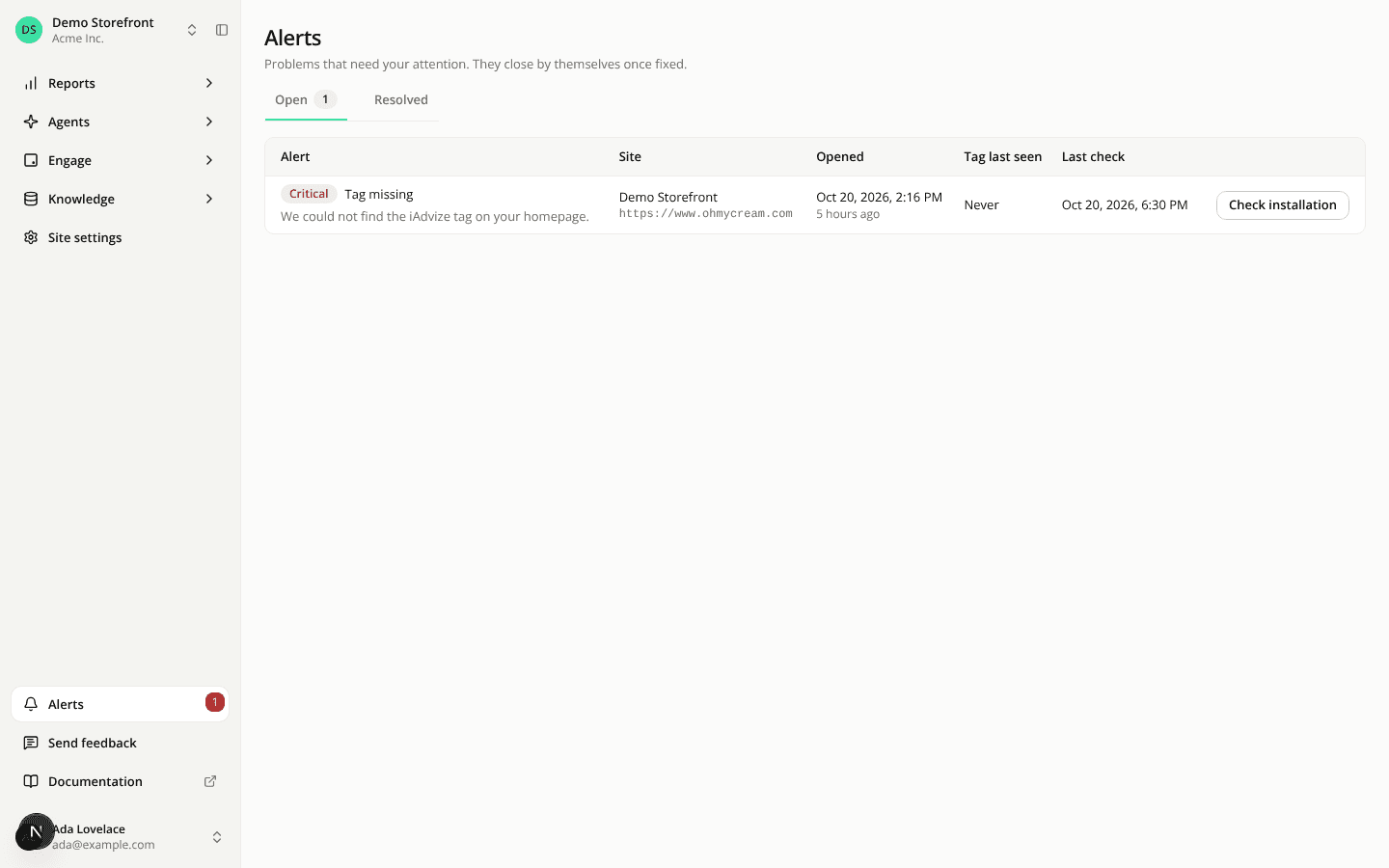
AISA now tells you when the tag disappears from your site
AddedA theme update can remove the tag, and the assistant disappears from your site without anyone noticing. AISA now checks for it.
The check. Every hour, AISA loads the homepage of each site and looks for the site's key. When it finds a readable page without the key, it loads it once more a few seconds later. Only if both loads miss it does it count the tag as missing. A page AISA cannot read (your firewall refuses the request, a password page, a bot check) opens nothing. A site that never had the tag opens nothing either.
The alert. A critical Tag missing alert opens for the site. It closes by itself when a check finds the tag again, or when you turn monitoring off for the site. Nobody can dismiss it. You see it:
- as a red count on the new Alerts entry at the bottom of the sidebar;
- as a banner at the top of the site's Overview, Widgets and Installation pages;
- on the new Alerts page, with a Resolved tab for the history.
The email. Each admin of your organization gets one email per alert, and at most one per site in 24 hours.
Control it. The Tag detection card on Site settings → Installation shows what the last check saw. Monitor the tag switches the check off for a site, and Check now runs it at once (once a minute per site). If your firewall blocks it, allow the iAdvize-AISA User-Agent.
API and MCP: tagMonitoringEnabled is on the site and can be set with PATCH /api/v1/sites/{siteId}. The alerts list is GET /api/v1/alerts (state=open or resolved), and Check now is POST /api/v1/sites/{siteId}/tag-check, limited to once a minute per site. The MCP server has three new tools: set_site_tag_monitoring, list_alerts and check_site_tag, and list_sites shows the setting. The server has 27 tools.
Resources