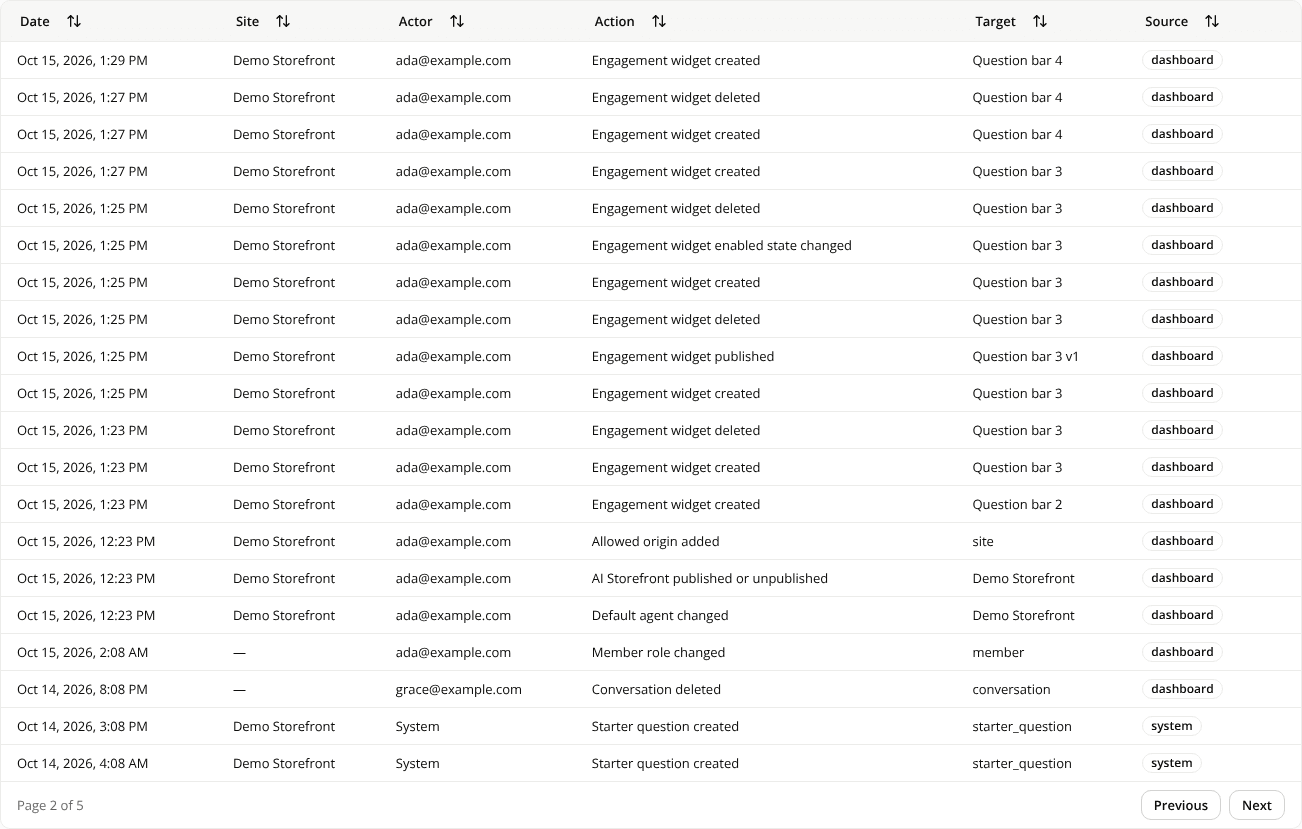
The page controls of a table now sit in its last row
ChangedThe pager is part of the table. The page count and the Previous and Next buttons used to float under a table's card. They are now its last row, inside the same frame as the rows they page. On a wide table that scrolls sideways, the row stays in place, so the buttons don't scroll out of view.
One layout everywhere. The page or range sits on the left ("Page 2 of 4", "51 to 100 of 212"), Previous and Next on the right. That's the same on Conversations, Events, Feedback, Sessions, Admin activity, Exposures, Pages and Questions, where some tables used to put everything on the right.
No buttons when the list fits on one page. Admin activity and Exposures no longer show "Page 1 of 1" with two greyed-out buttons: with a single page, the row doesn't show. Pages and Questions keep their count on a single page ("1 to 8 of 8"), without the buttons.
Resources