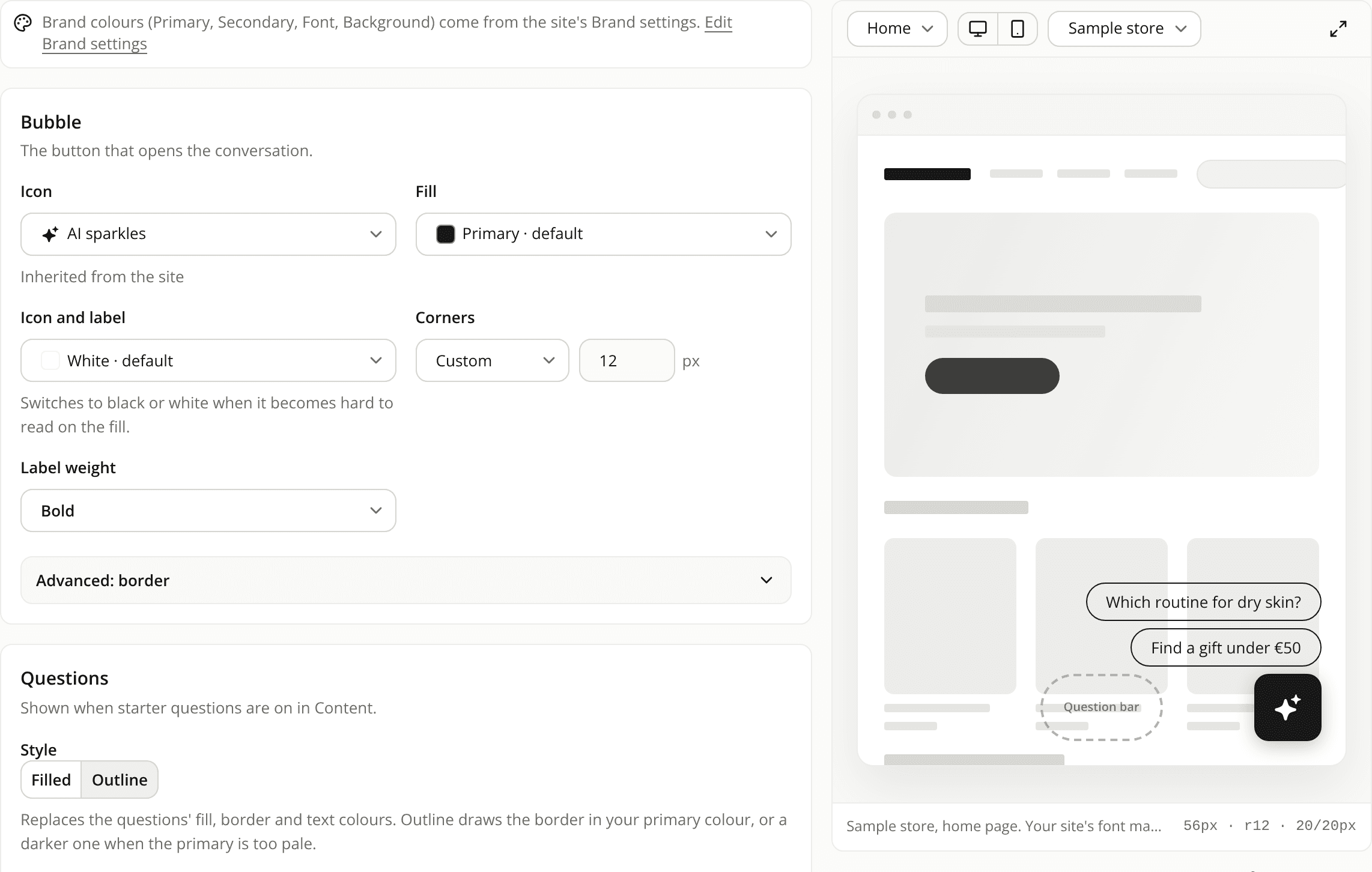
Widget corners in pixels, label weight and outlined questions
AddedNew settings on a widget's Appearance tab, all part of the draft:
- Corners in pixels. Corners take a whole number of pixels (Custom, 0 to 48) or Pill, instead of the Small, Medium and Large steps. The questions keep Automatic, which is already a pill, and the question field keeps Automatic too. A widget saved with a step keeps its shape: the step shows as its pixel value until you change it.
- Label weight and title weight. The chat bubble's and the button's label, and the Starters title, take Regular, Medium, Semibold or Bold. Semibold stays the default, so nothing changes until you pick another.
- Filled or Outline questions. One switch on the Questions card replaces their fill, border and text colours together. Outline removes the fill and sets a border and a text colour that read on a white page: your primary for the border and your font colour for the text, or a dark grey when your brand colours are too pale. The colour fields stay editable afterwards. A widget nobody edits keeps its look.
- A link to Brand settings from every colour list. Edit brand colours, at the end of each list, opens Brand settings in a new tab without leaving your draft.
- A shorter Icon list. It now offers AI sparkles and Round bubble. A widget that uses another icon keeps it, on your storefront and in the editor, until you pick a new one.
Resources