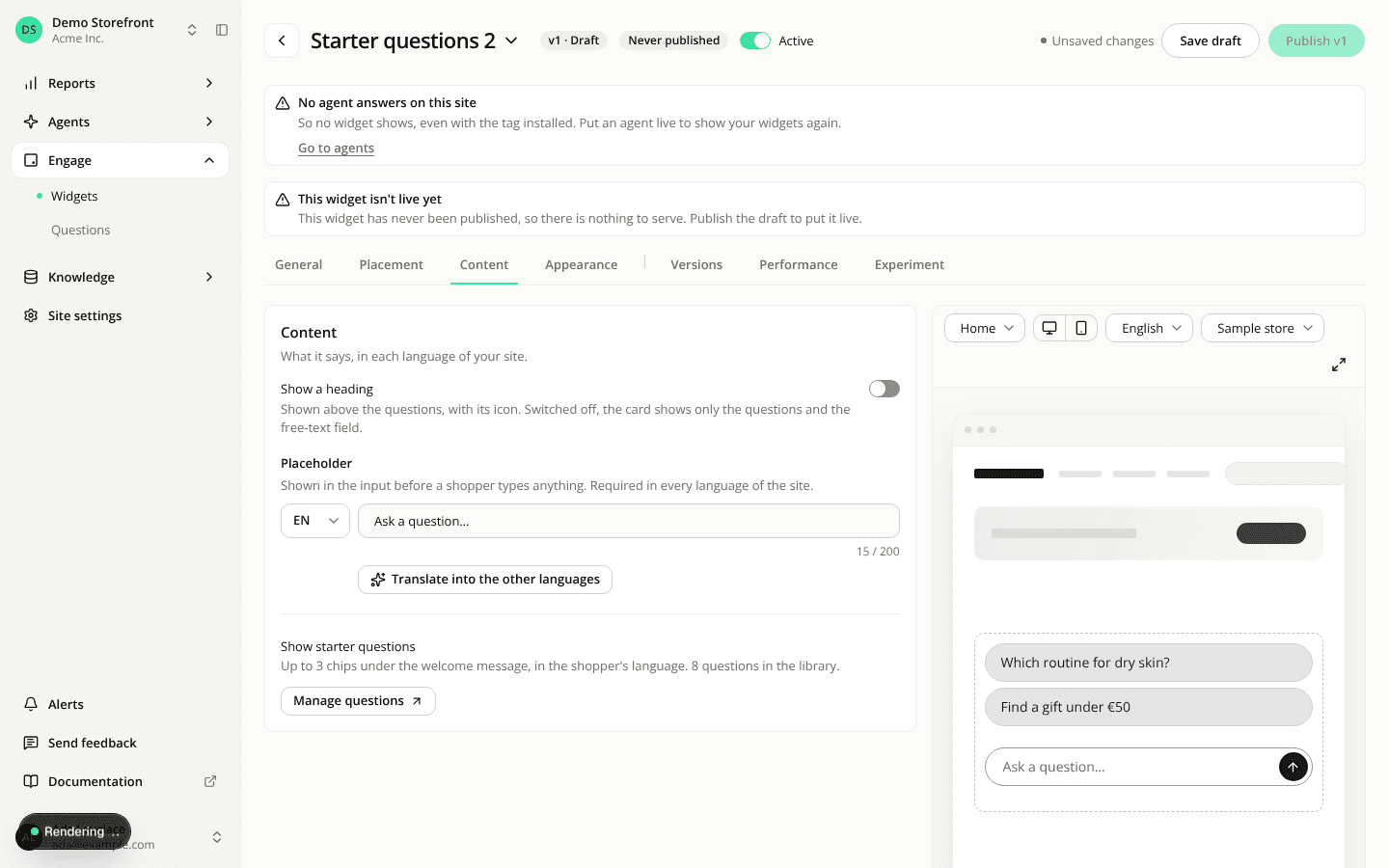
Starters: switch the heading off
ChangedA Starters card can now go without a heading. On the Content tab, a new Show a heading switch sits above the Heading field. Switch it off and the card has no header at all, icon included: just your starter questions and the question field. The questions already say what the card is for, so you can drop a title that only repeated them.
The switch is on for new widgets and for every Starters widget you already have, so nothing changes until you touch it.
Switched on, the heading is required in every language of your site. An empty language gets a red dot on its language list and reads "Required in {language}" under the field, and the draft won't save until you fill it. Clearing the field doesn't hide the header; only the switch does.
Switched off, the Heading field is hidden and the saved version stores no heading. The editor's preview and the thumbnail in the widget list show the card without a header, and the Appearance tab hides the Header card. Your header settings are kept and come back when you switch the heading on again.
Changed your mind before leaving the editor? Switch it back on and what you typed returns, with any empty language filled with the default heading ("Need help?" in English).
An inline button still needs its text: without it, the draft won't save.
Resources