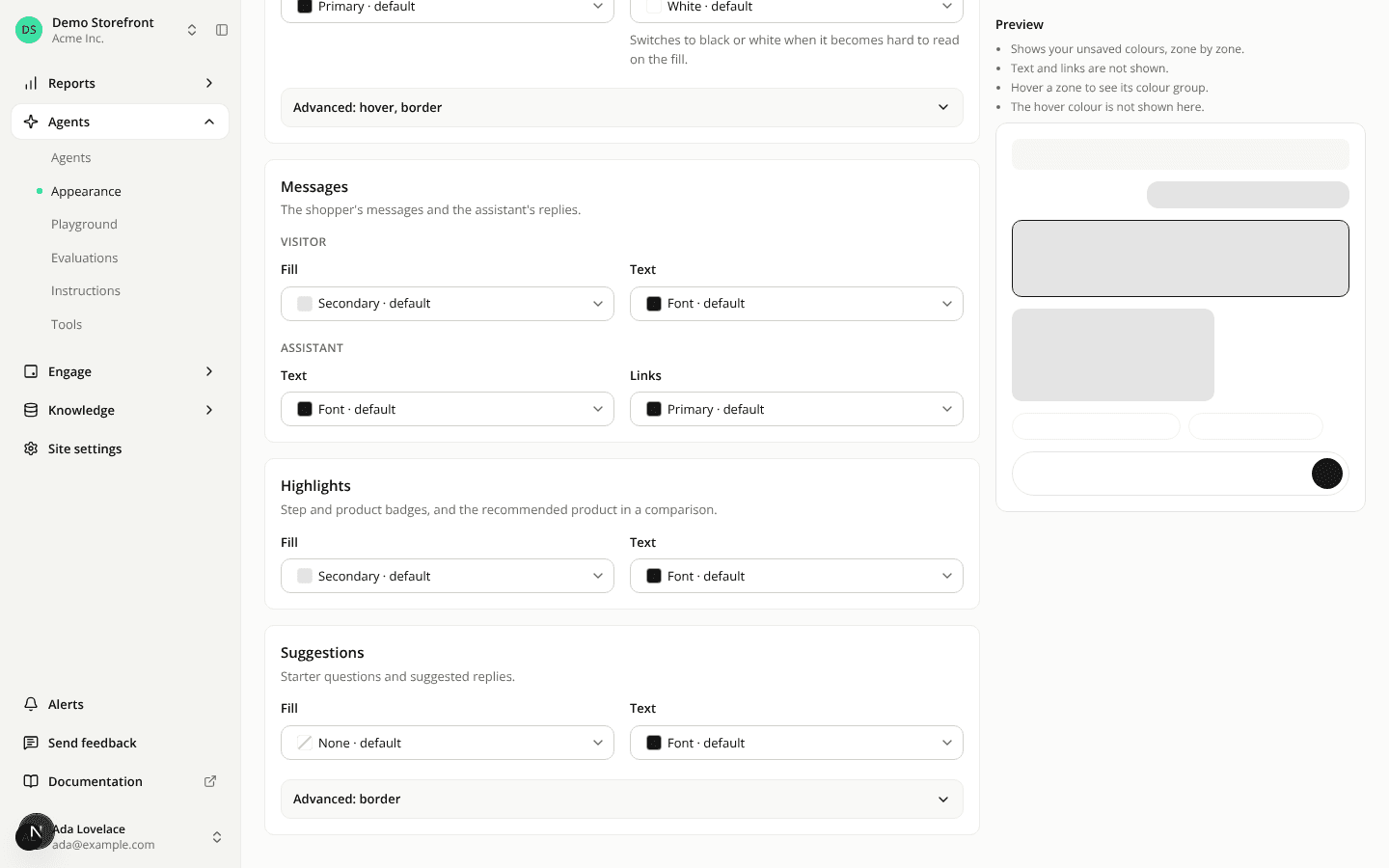
Choose the colours of the conversation panel
AddedA new Appearance page, under Agents in the sidebar. It sets the colours of the conversation panel shoppers chat in, for the whole site: on your hosted page, in the embedded panel and in the Playground. The colours come in five cards:
- Panel: the background.
- Action buttons: fill, text and icons, and under Advanced, hover and border. These are Send, Add to cart, Next and the options a shopper picks.
- Messages: the visitor bubble's fill and text, the assistant's text and its links.
- Highlights: step badges, product badges and the recommended product in a comparison.
- Suggestions: starter questions and suggested replies, with their border under Advanced.
Each colour can stay on Default, take one of your brand colours (it then follows your brand when you change it), take a custom colour, or, for fills and borders, None. A colour that reads poorly on what it sits on gets a contrast warning with the measured ratio. You can still save.
A preview beside the fields shows your unsaved colours on a sample conversation. Point at a button to see its hover colour. Save applies the colours at once, with nothing to publish. Changing them needs Sites: Edit. Members who can only see agents get the page read-only.
Your panel changes a little even if you never open the page. One default moves: the text on action buttons takes your font colour where it reads at 4.5:1 on the button, and black or white otherwise.
The same colours are the panelColors field of the site on the REST API (Update a site) and the new set_site_panel_appearance tool of the MCP server.
Resources