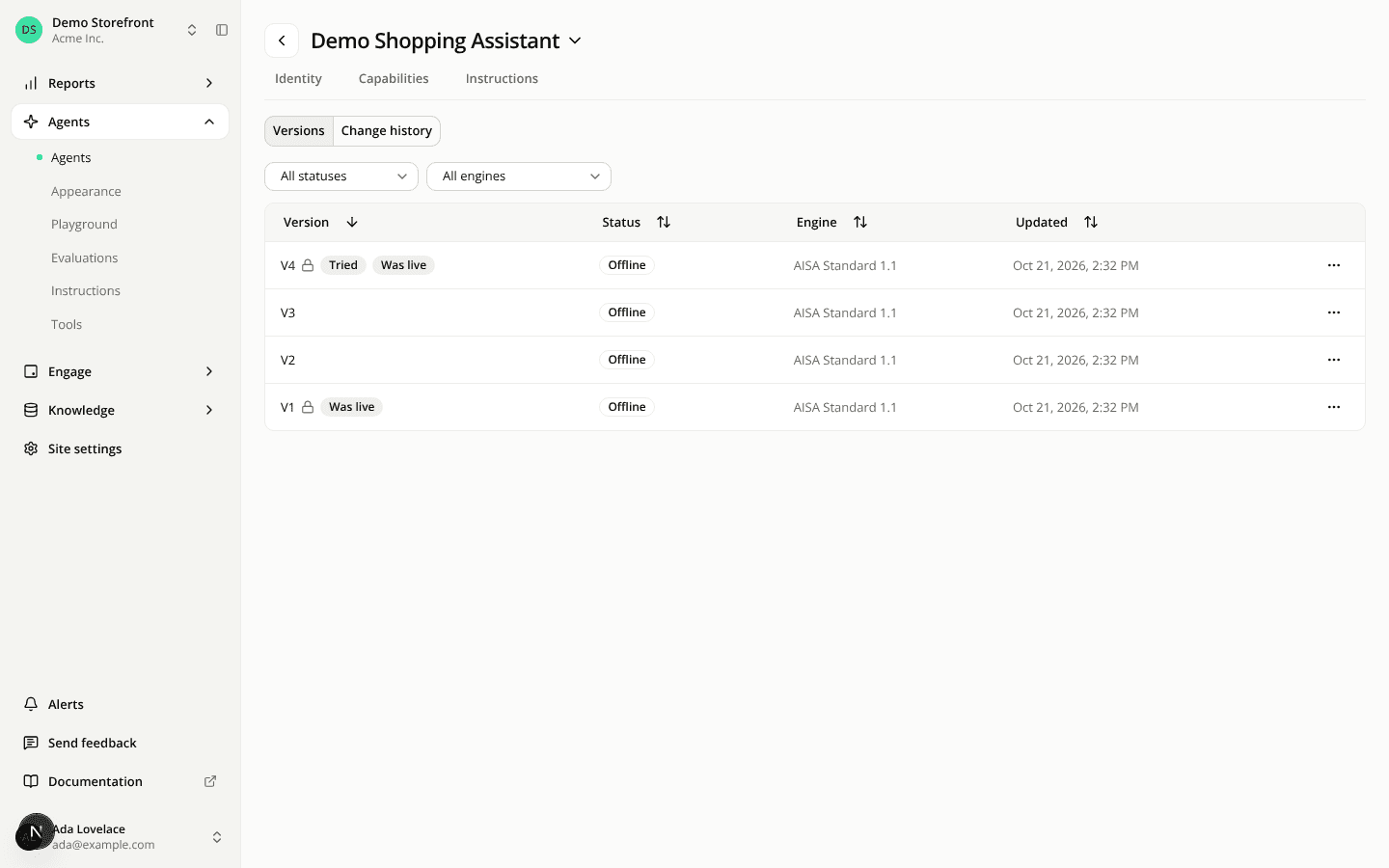
Agent versions read V1, V2, and one Go live puts them in front of shoppers
ChangedVersions are V1, V2, V3. Every save used to create a new version. Now you keep working on a version: Save opens Save on V2, which adds your changes to the version you're on, and Save as a new version, which creates V3 and leaves V2 as it was. You can give a version a name, such as "Winter sales", when you create it or later with Rename. Your existing versions keep their numbers.
Two statuses: Live and Offline. A version is Live when shoppers on your site get it, and Offline otherwise. Versions no longer read Draft, Candidate, Champion or Archived, and Publish and Save as candidate are gone.
One Go live. Go live puts a version in front of shoppers and makes its agent the one that answers on your site. Its confirmation names what it replaces: the version that was live, or the agent that answered until now. It replaces both Publish and the Answers on your site switch on the Identity tab.
Go live sends what you saved. It never saves for you: while the editor holds unsaved changes, Go live is blocked with "Save your changes first. Going live sends the last saved version." A version the editor had to clean up when you opened it (an engine no longer offered, a deleted instruction block or connector) opens with unsaved changes, so you save the cleaned-up version before it can go live.
A confirmation that tells you what you're sending. Wherever you confirm Go live (the editor, the versions page, the agent's overview), the dialog says whether the version was tried in the Playground, and whether it was evaluated, with its latest pass rate, or Not evaluated yet with a link to launch an evaluation. Neither blocks you. An optional Name field names the version as it goes live.
Take an agent offline. While an agent answers, a green Live button in its header says on which site, with which version and since when, and holds Take offline…. Afterwards no agent answers on the site, so the web tag shows no widget and the public link stops answering. No version is changed: Go live brings the agent back.
A version locks once it has been live. Its configuration stays exactly as your shoppers had it, and your next changes go into a new version. Running an evaluation doesn't lock a version.
Every change, with its author. The Versions tab is gone. Click the agent's name, then All versions: one view lists the versions with their status and markers (Tried, Evaluated with the pass rate, Was live), the other the Change history, every save with who made it. Restore brings back any earlier state.
Each save has its own label. Where the exact saved state matters, it reads V2.0 for the state that opened V2, then V2.1, V2.2 for each save on it, or Winter sales · V2.1 for a named version. You see it in the change history, a conversation's details, evaluation runs and the Agent versions filter of Reports and Conversations. Everywhere else a version reads V2, or its name.
Engagement widgets say when no agent answers. With no agent live on the site, the widgets page and each widget's editor show a notice, and a Live widget adds that it doesn't show until an agent answers. When you delete the agent that answers, the agents offered to take over are every agent with a version ready to go live.
Resources