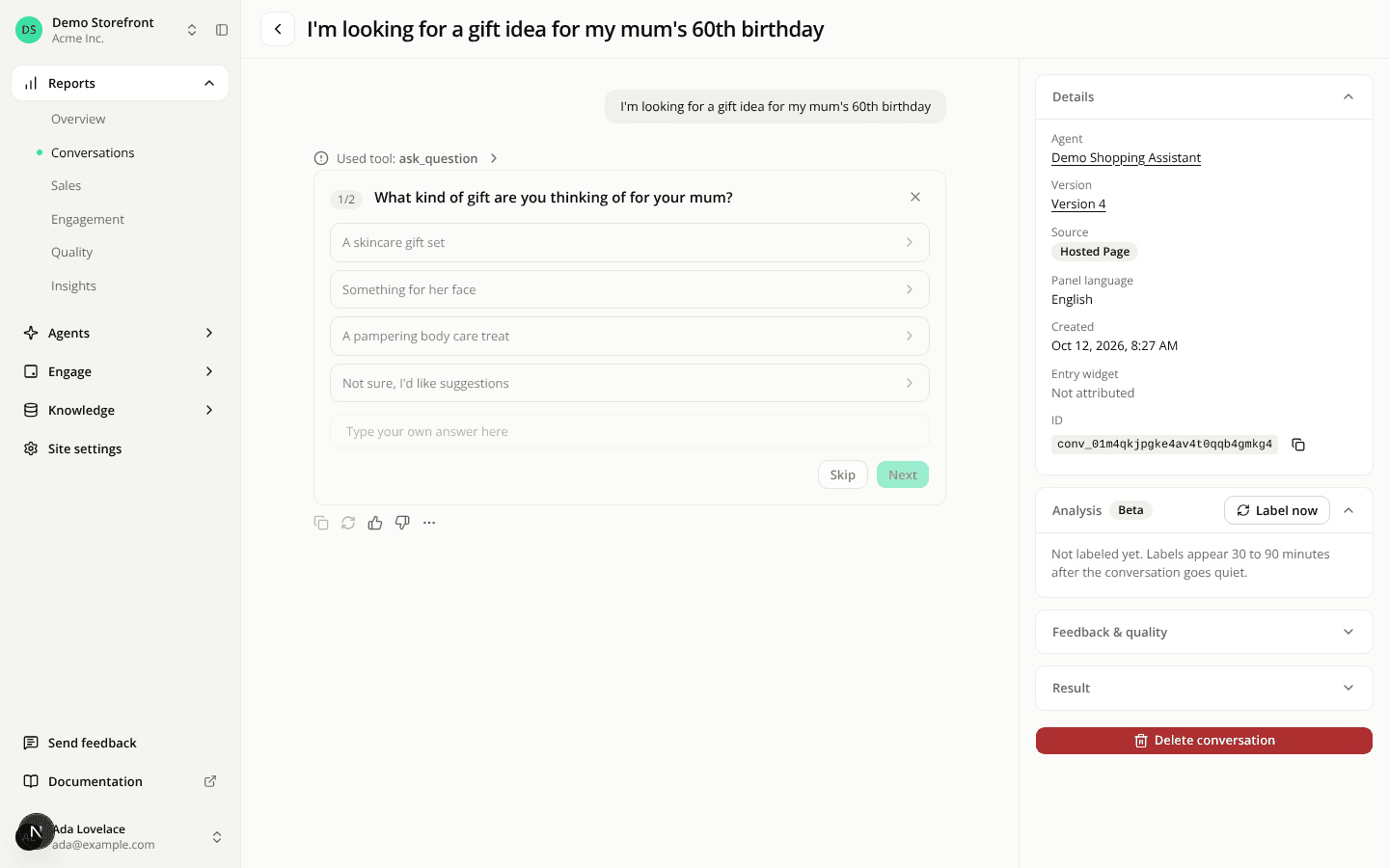
One chevron for every section that folds
ChangedThe chevron on a section that opens in place now means the same thing on every screen of the dashboard: when it points up, the section is open. Opening a section turns the chevron rather than swapping it for another icon.
Closed, a section's chevron points down, with one exception: the groups of the main sidebar keep their chevron pointing right while folded, so a column of folded groups stays quiet. Opening a sidebar group now turns its chevron a quarter-turn to point up. Before, it kept pointing right whether the group was open or not.
Elsewhere, the chevron turns from down to up. The Show content toggle of an instruction's revision history used to point right and turn down; it now points down and turns up. The sections beside a conversation's transcript (Details, Analysis, Feedback & quality, Result) used to swap the icon; they now turn it.
Three foldable blocks had no chevron at all, so nothing showed that they open. They now have one:
- each scenario result of an evaluation run;
- the scenario groups of the evaluation launch form;
- the raw runs toggle of a tag performance comparison.
The chat your shoppers see does not change.