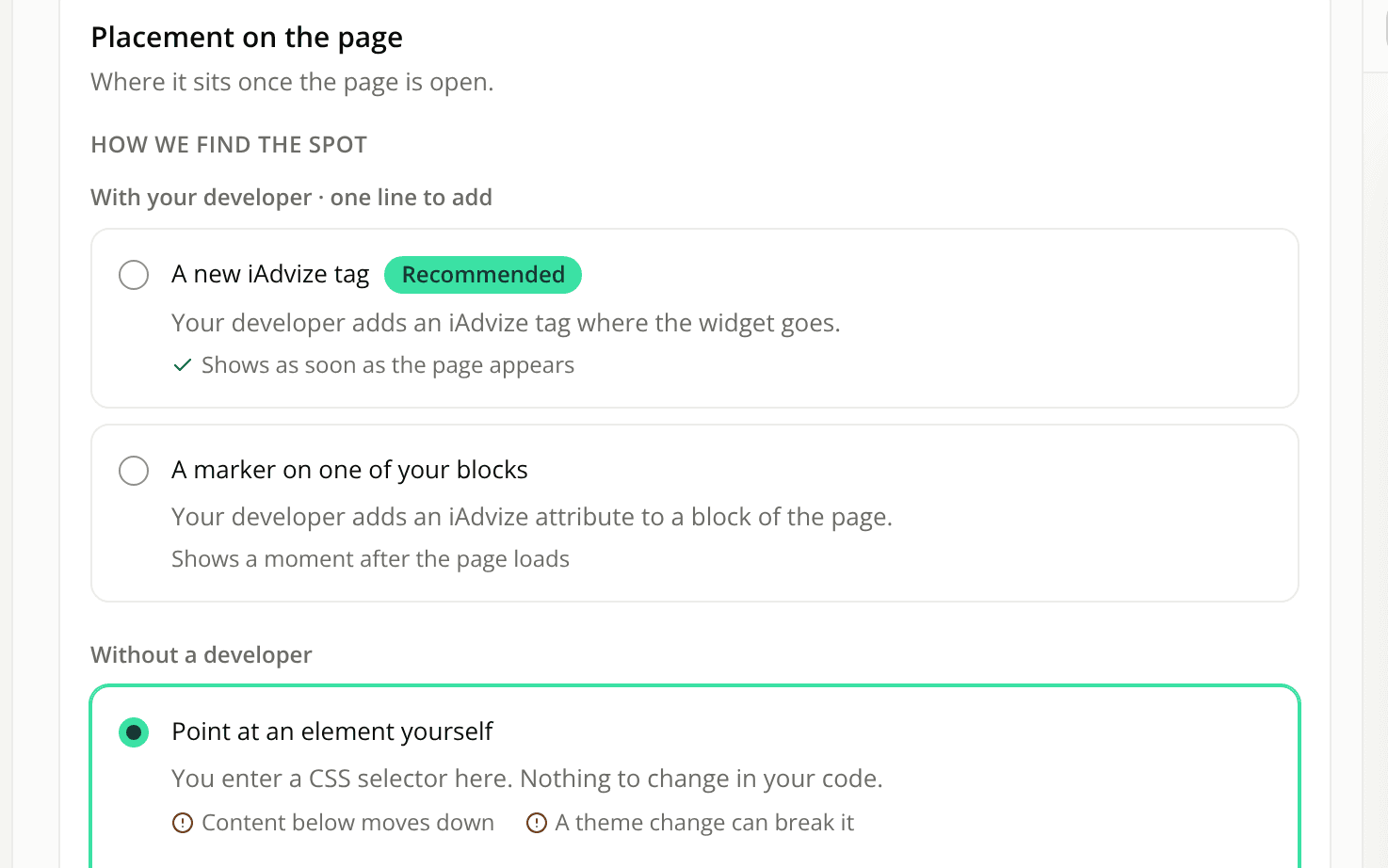
Inline widget placement now says whether you need a developer
ChangedThe first question is answered first. On the Placement tab of a Button or Starters widget, the three ways to find the widget's spot now sit in two groups. With your developer · one line to add holds the two options that need a line in your page's code. Without a developer holds the one you set up yourself in the dashboard.
The options have plainer names. They used to be "A spot in your template", "An element you already have, marked for us" and "A CSS selector, set here". They are now:
- A new iAdvize tag: your developer adds an iAdvize tag where the widget goes. It shows as soon as the page appears. Still the recommended option.
- A marker on one of your blocks: your developer adds an iAdvize attribute to a block of the page. It shows a moment after the page loads.
- Point at an element yourself: you enter a CSS selector, with no change to your code. The two costs (content below moves down, a theme change can break it) are still shown on its card.
Nothing changes for widgets you already have: the order, the default option and how each one works are the same.
Resources