Settings in four tabs, and the answering agent moves to Agents
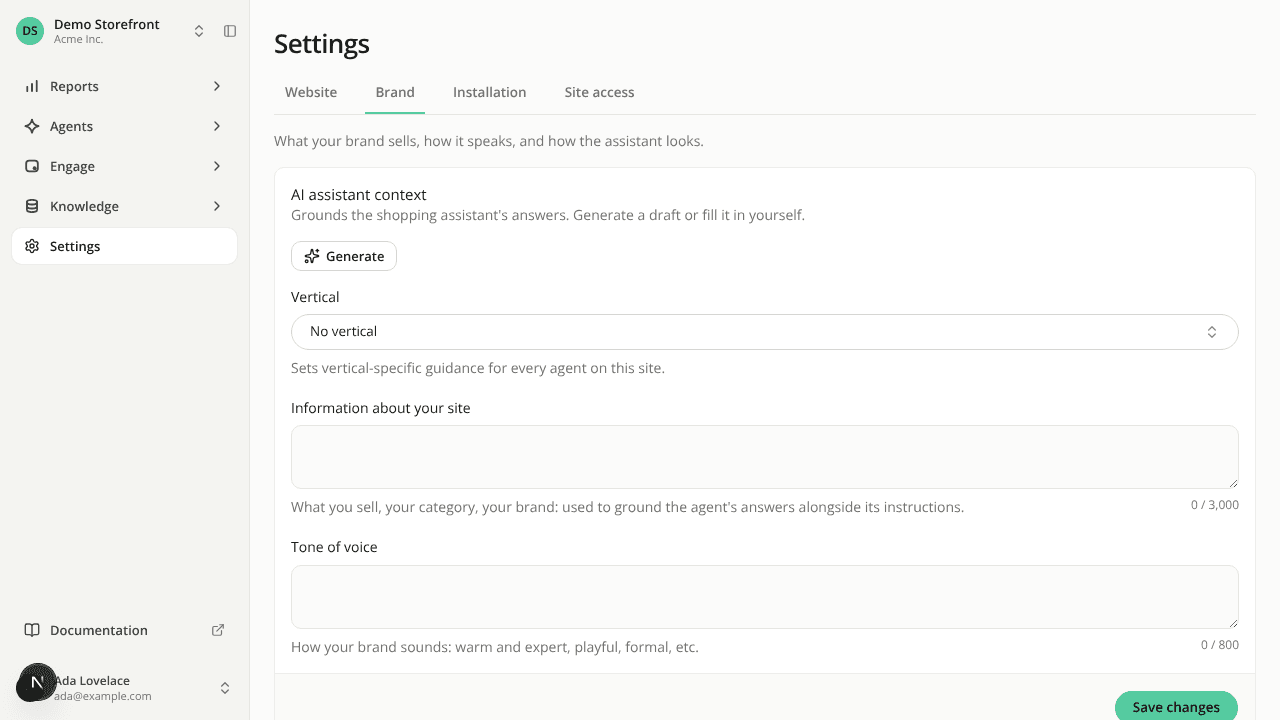
ChangedA site's settings had seven tabs, and several names didn't say what they held. The sidebar entry is now called Settings, and it opens four tabs, each named for a job:
- Website: the site's name, URL and platform, its languages and default language, and deleting the site.
- Brand: the AI assistant context (what you sell, tone of voice, vertical, with Generate), then the assistant's appearance.
- Installation: the site key, the Authorized domains (formerly "Allowed origins"), the install tag and the hosted page, then a Performance check and an Event check to confirm the install works.
- Site access: page-view counting, automatic reading, automatic starter questions, and the page signal.
Nothing was removed. Every card works as before, and the name and URL card now saves only its own fields, separately from the AI assistant context. Generate works from the name and URL saved on the Website tab. Old settings addresses and bookmarks redirect to the tab that now holds their content, filters included.
The agent that answers on your site is chosen from Agents. The Default public agent select left Settings. The agents list shows an Answers on your site badge on that agent, and the agent's Identity tab ends with a switch of the same name. Switching another agent on asks you to confirm, switching the answering agent off asks which agent replaces it, and an agent with no published version can't be switched on. Changing it needs the Edit sites permission, as before.
A site that has an answering agent now always keeps one. Deleting that agent asks which agent takes over first, or explains why it can't be deleted yet. Over the API, deleting it returns a 409 with the code agent_answers_on_site.
Resources