Read all pages with one click, and a daily read budget of 25,000
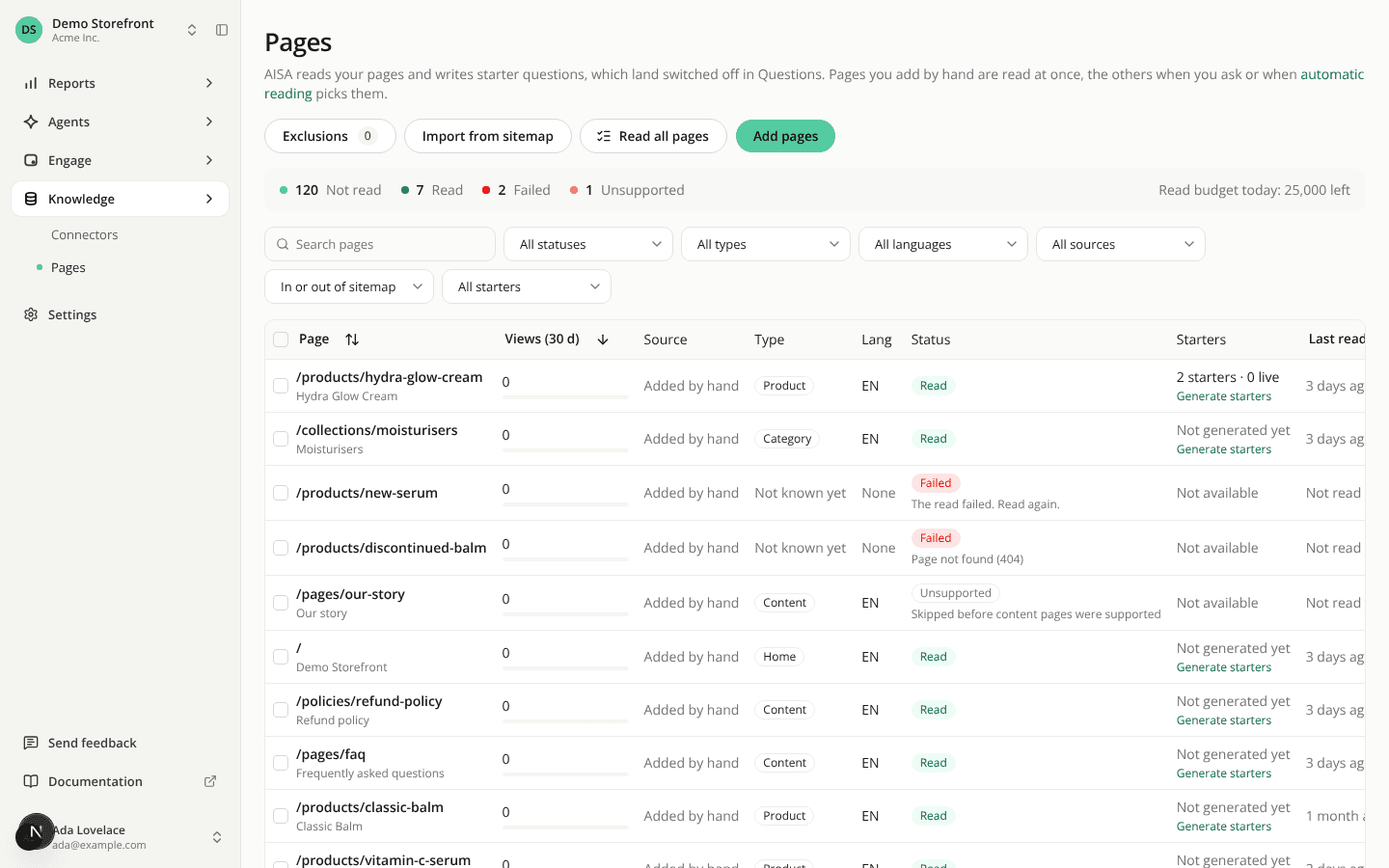
AddedRead all pages is a new button in the header of Pages. It reads every page marked Not read on the site, even with automatic reading off. You no longer need to select pages 50 at a time.
Click it and a confirmation tells you how many pages it will read. Then keep working: reading goes in small steps and can take hours.
- What it reads: the Not read pages found when you click, in the languages the site has enabled. It skips pages in a disabled language and pages that failed.
- What it never does: write starter questions, even if automatic generation is on. Generate them afterwards from the pages that are read.
- When it stops: when the site's reads for the day are spent. A site with 50,000 pages takes two days. Click again after midnight UTC to read the rest.
While pages are being read, the button shows Reading in progress and a notice above the list says how many pages are being read and how many are still Not read. A summary bar under the header counts the pages by status and shows how many reads are left today.
The daily read budget per site goes from 1,000 to 25,000 pages, shared by every read. Automatic reading still reads at most 1,000 pages per daily run. Generation stays at 200 pages a day.
Read all pages needs Site pages: Edit. It is also available as POST /api/v1/sites/{siteId}/pages/read-all and as the read_all_site_pages tool of the MCP server, which now has 22 tools.
Resources