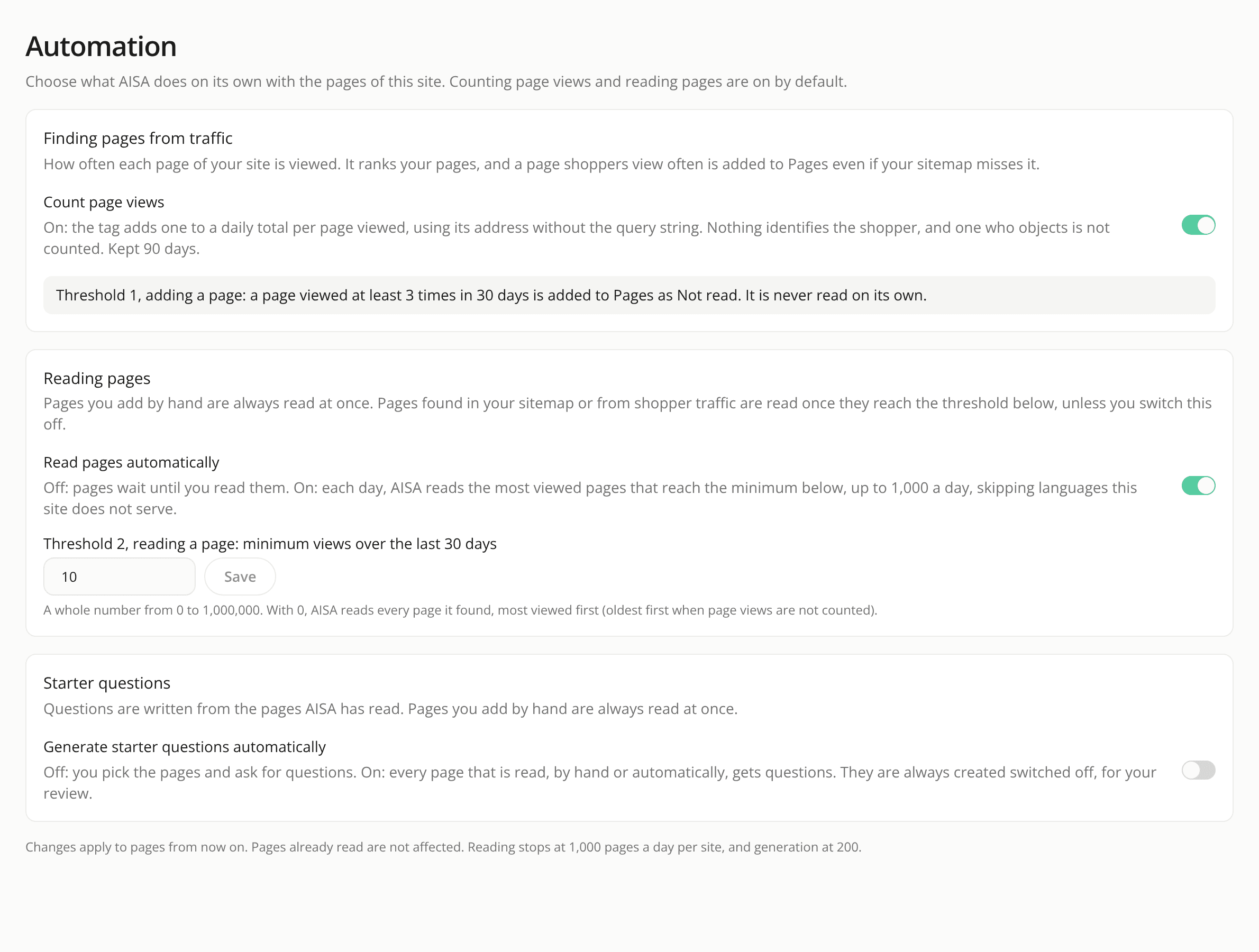
Automatic page reading is on by default, and read pages stay fresh
ChangedRead pages automatically is now on, with a threshold of 10 views over 30 days (it was off, at 50). Once a day AISA reads the pages found by a sitemap import or from traffic that reach the threshold, most viewed first, within the site's 1,000 reads a day. Existing sites were switched on too, unless a member had changed the reading setting: that choice is kept. A site still on the old threshold of 50 moved to 10. Switch it off, or change the threshold, under Site Settings → Automation.
Old pages are read again. What is left of the day's reading limit goes to pages read a while ago: a page that reaches your threshold after 7 days, every other read page after 30 days. A refresh replaces the page's text and content and never writes starter questions again. A refresh that fails for a reason about the site, such as a timeout, a rate limit or a bot check, leaves the earlier read in place and the page stays Read. This is what keeps the assistant answering from the last good read of a page.
AISA waits when a site asks it to. A site that answers a read with a 503 or a 429 is now given the wait it asked for with Retry-After (between 10 and 60 seconds) and read once more, instead of the page failing.
Shopify policy pages are found. A sitemap import on a Shopify site now also looks for the seven store policy addresses under /policies/ (refund, shipping, terms of service, privacy, contact information, legal notice, subscription), which a Shopify sitemap never lists. Each one that answers is added as a Not read page, so a returns or delivery question has a page to be answered from.
Read pages count against the daily limit like any other read, so a site with many pages may take several days to read them all.
Resources