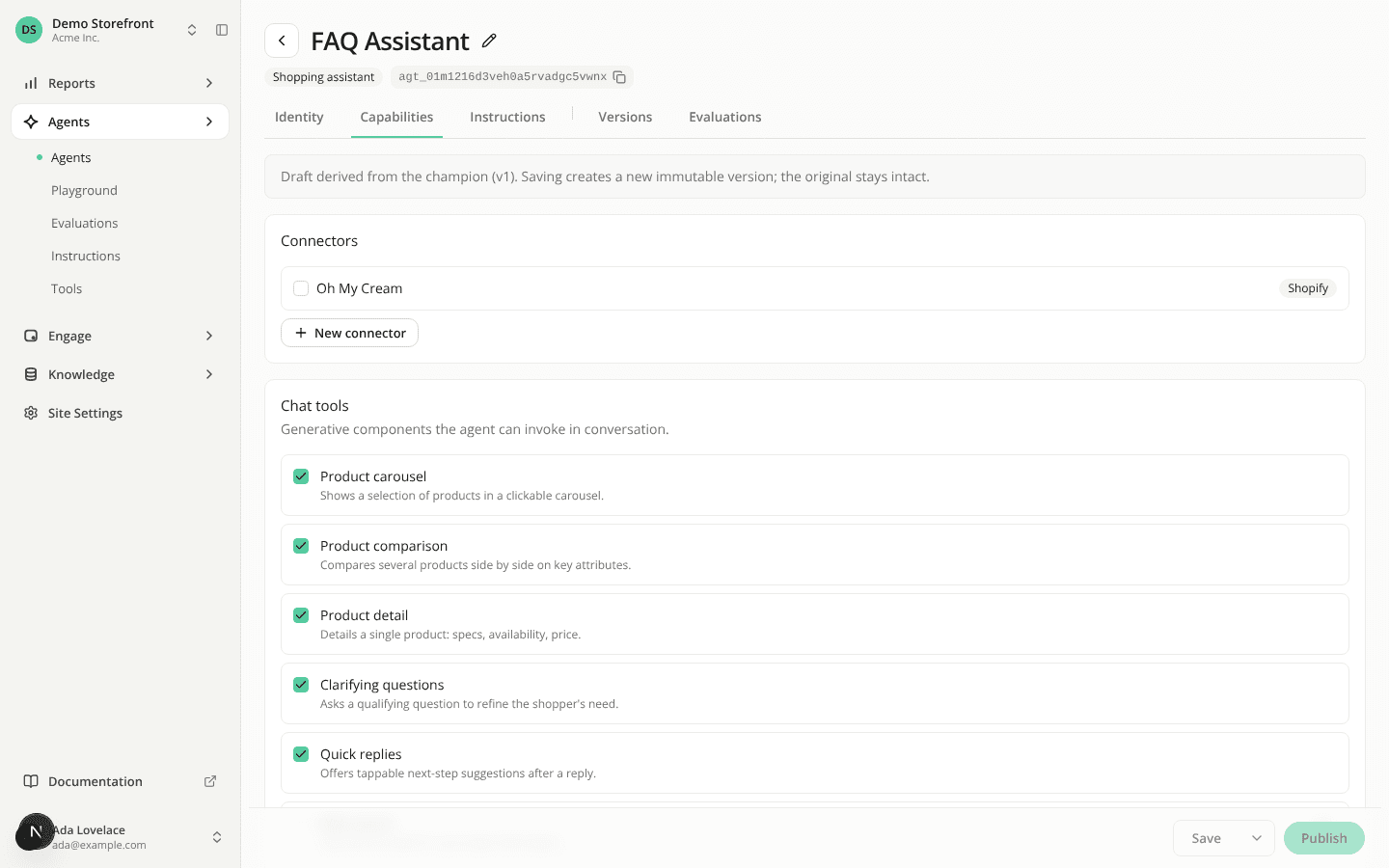
Opening an agent now takes you straight to its settings
ChangedWhen you open an agent, you now land on its Identity tab, ready to edit, instead of an Overview page you had to click through. The tab bar has one tab fewer: Identity, Capabilities and Instructions, then Versions and Evaluations.
If you don't have the Agents: Edit permission, opening an agent takes you to Versions, its read-only history.
Two layout changes come with it:
- Capabilities and Instructions now show each setting in its own card, the way Identity already did. On Capabilities that's one card each for connectors, chat tools, capabilities and the engine.
- On Identity, a site with a single language no longer shows a language tab above the display name and the welcome message. With two or more languages, the tabs are still there to switch between them.
To test a version, use Playground from the Versions table or from a version's own page.
Resources