One list of page types, and no more Checkout
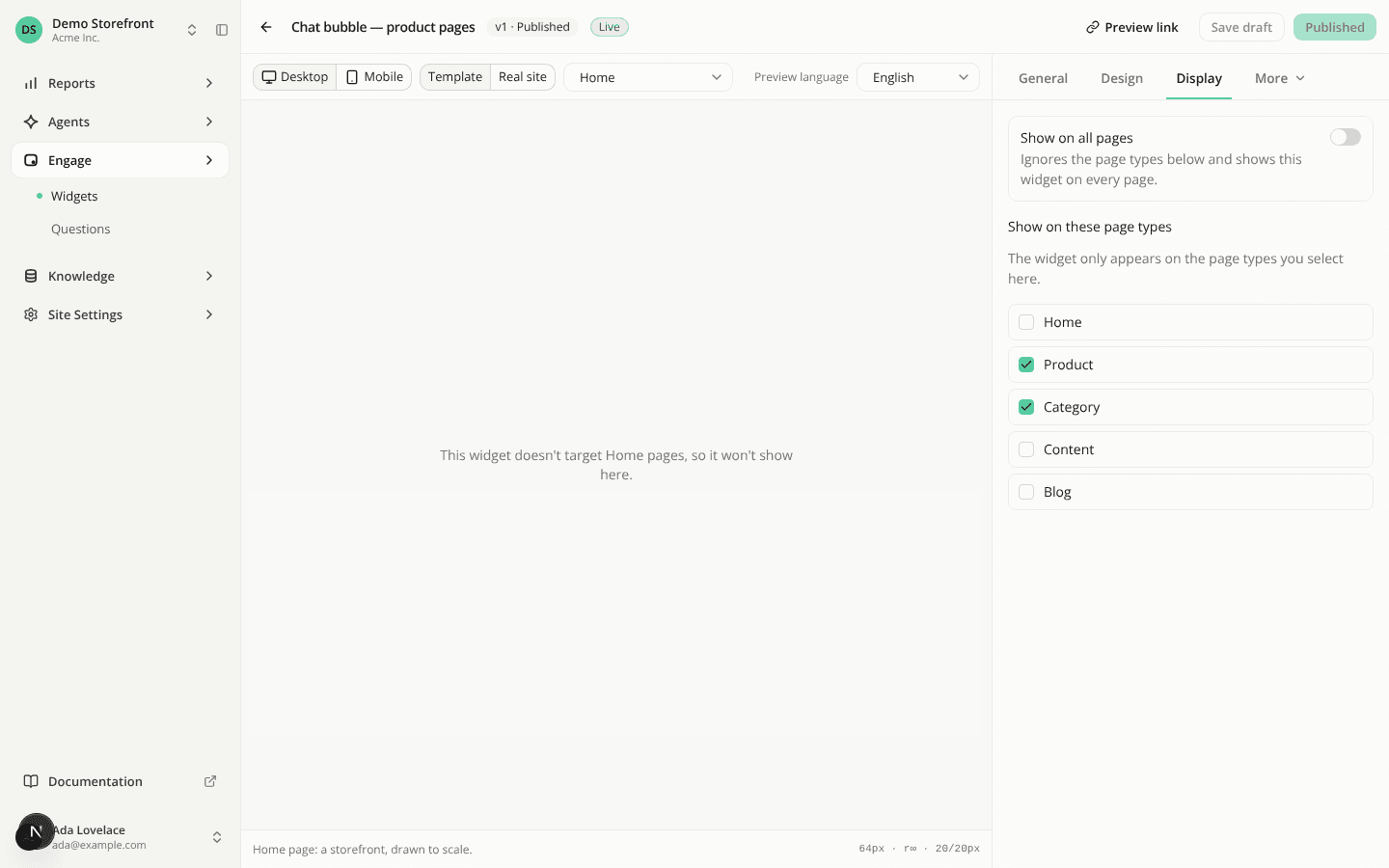
ChangedA page type now means the same thing everywhere: in the tag, in widget and question targeting, in the Pages list, in the reports and in the API. There are five: Home, Product, Category, Content and Blog.
Checkout is gone
checkout is no longer a page type. If your pages still call iadvize('set', { customData: { pageType: 'checkout' } }), the tag treats the call as if you had declared nothing. Two things that call used to do stop happening:
- A chat bubble or question bar is no longer hidden on that page because Checkout was left unchecked.
- The assistant now reads the page (address without its query string, title, description) on that page like on any other.
Checkout is removed from every allow-list that held it. A widget whose list held only Checkout is left with no page type, so it renders nowhere and shows Needs setup until you pick one.
If you want no assistant on a payment page, don't load the tag there. You can also call iadvize('set', { pageSignal: false }) on that page, which stops the page reading only: a widget can still show and the panel can still open.
Widgets and chips follow your site's pages
When you declare no page type, the tag now uses the type your site's Pages hold for the current address, read from the page or guessed from its address. It applies to widget targeting (floating and inline), to the starter-question chips on widgets and to the chips on the panel's welcome screen. What you declare always wins. The type from Pages is never sent to the assistant and never supplies a product id or a category name.
This changes what a site that declares nothing sees. A widget targeted by page type used to treat every such page as having no type, so it showed everywhere. It now follows the type of the page. Check the page types on your widgets if one appears or disappears somewhere you didn't expect.
The tag asks for the type as the page loads and waits up to one second for the answer. A slow or failed answer leaves the page without a type. It asks again after each client-side navigation, and not at all for a shopper who objected to measurement. This adds one request to the pre-interaction count: five on a first page view without a visible widget, six with one. The tag grew to 10 541 B transferred and 32 330 B uncompressed, with the uncompressed ceiling moved from 31 KB to 32 KB. See Web tag performance.
Starter questions for every page type
Pages now reads every page type, and you can generate starter questions for any page that has been read: Home, Content, Blog and pages of unknown type, as well as Product and Category. Pages that were marked Unsupported because they were home or content pages went back to Not read, so the next read decides them again.
A question generated from your home page shows on the Home page type rather than on a URL. Questions are still created switched off, for your review.
For Content, Blog and unknown pages the assistant does not read the page's text during a conversation. A generated question can ask about the page itself and get only a partial answer. Read these before you switch them on.
In the dashboard
- The page-type checkboxes for widgets and questions list Content and Blog and no longer list Checkout. The widget preview offers the same types.
- The engagement report's opens-by-page-type chart lists the five types. Opens with no page type are labelled No page type (it was Not declared), and that bucket also holds old Checkout opens.
- A widget created before today keeps its page types. Check Content and Blog on it if you want it there.
Resources