See which starter questions a page shows, and why the others are missing
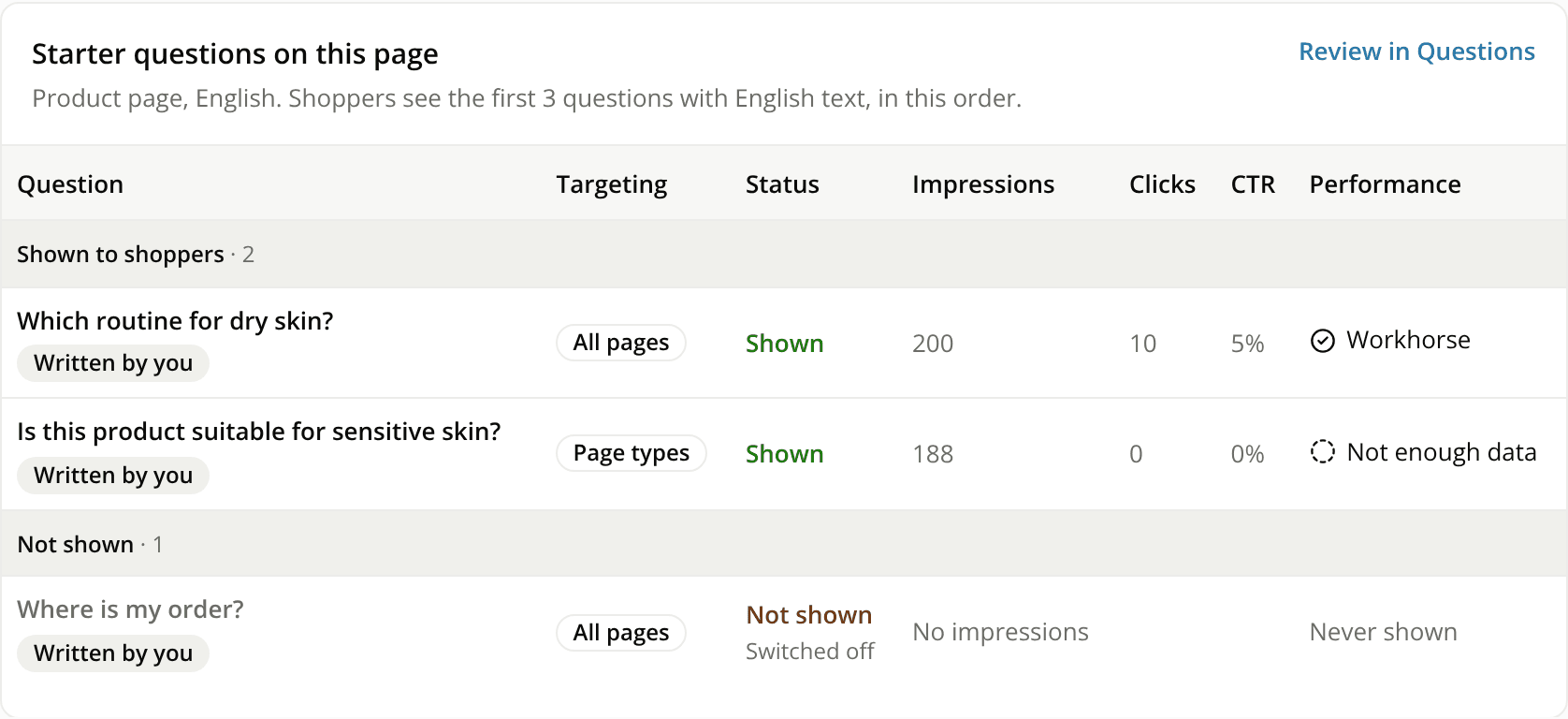
AddedOpen a page in Pages to see exactly which starter questions it shows. The Starter questions on this page card used to list only the questions generated from that page. It now lists every starter question eligible on the page's address, written by hand or generated, switched on or off, in the order shoppers are offered them.
Shown to shoppers holds the first three switched-on questions with text in the page's language. Every other question sits under Not shown with one reason: Switched off, no text in the page's language, or Ranked below the first 3. The list uses the same selection as your storefront, for the page type and language held in Pages. When that type is a guess, or the language is not known and your site's default is used, the card says so.
The summary at the top of the page view now reads "2 of 5 shown": shown out of eligible. The 14-day figures in the card still cover only the questions generated from the page.
The card only reads. To change what a page shows, reorder, switch or edit questions in Questions. The same list is available over the REST API and as starterOrder in the MCP list_site_pages result for one page.
Resources