Stop a test from the top of its page or from its card
ChangedThe stop button of a running test is easier to find.
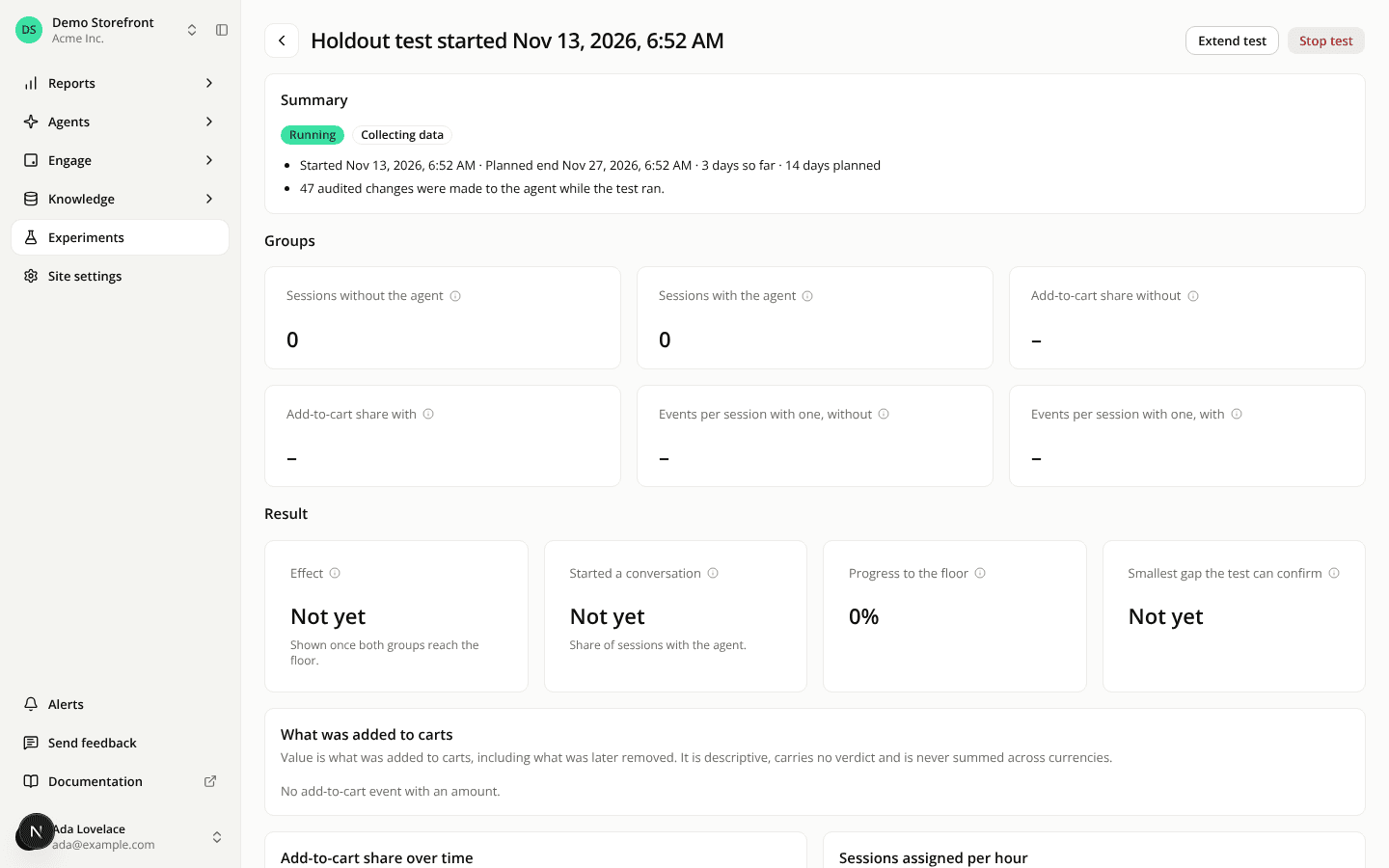
On a test's own page. The red button is now at the top right, next to the title. It reads Stop experiment on a widget test, Stop the test on an agent test and Stop test on a Holdout test. On the widget and agent pages it used to be at the bottom of the page. On the Holdout page it was under the header. Each stop button asks you to confirm first. On a widget or agent test that already has a winner, the header holds Make live and the button that keeps the live version. Only the plain stop button is red. On a test that has ended, the page offers Start a new test in the same place, for members who can edit.
On the Experiments page. A running test's card now opens the result when you click anywhere on it, not only on View details. This holds on the Widget, Agent and Holdout tabs. Members who can edit also get a Stop test button on the card, so you can stop a test in an emergency without opening it. On the Widget and Agent cards, and on the widget test's page, the dialog says the live version stays live, the figures stay on the results page, and the test cannot be resumed. On the Holdout card it says every session sees the agent again from its next page view, and the figures stay on the page. The button is not shown to members who cannot edit.
On the Holdout tab the card is now a short preview: the title, the Running badge, the day of the test, the start and planned end dates, and the progress to the 5,000 session floor, plus a notice when the verdict is paused or the figures are not a result. The figures, the verdict and the health checks are in the run view, and Extend test now sits there too, at the top right next to Stop test.
Holdout run page. The page now has one Summary card instead of a header line and a separate list of sentences. The first bullet is the timeline: the dates, how long it ran, the planned duration and why it ended. The second is the agent version, then the summary sentences. The line about the share of sessions without the agent is gone, since that share is the premise of the test. The French and German wording now says "incrément" and "Inkrement" where it said "holdout".
Warnings when you start a test. Two warnings are now shown in an alert box: the widget test's warning that its targeting does not match the observed traffic, and the agent test's error when the chosen agent is not answering.
Resources