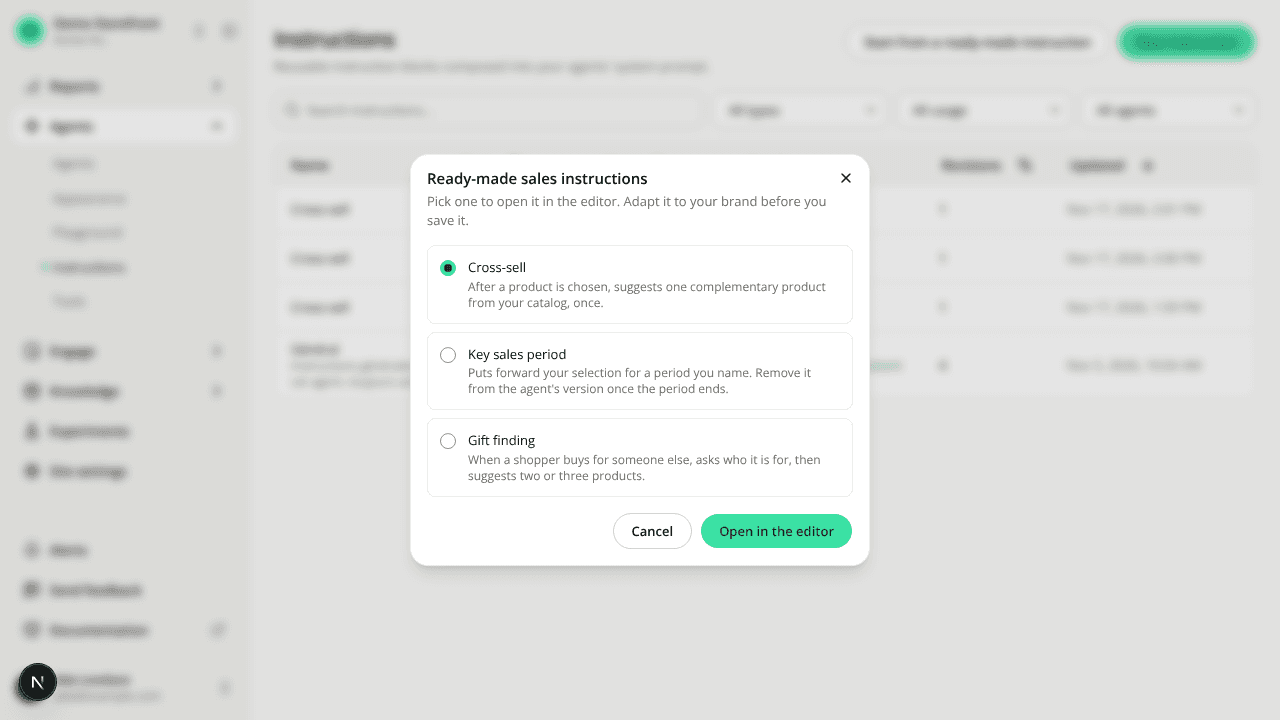
Start an instruction from a ready-made sales instruction
AddedYou no longer have to write a sales instruction from a blank page. Start from a ready-made instruction offers three texts written by iAdvize:
- Cross-sell: once a product is chosen, the agent suggests one complementary product from your catalog, once.
- Key sales period: you name the period and what to put forward, and the agent starts its suggestions there. Remove it from the agent's version when the period ends: it doesn't switch off on its own.
- Gift finding: when a shopper buys for someone else, the agent asks who it's for, then suggests two or three products.
Find the button on the Instructions page (in the ⋯ menu on small screens) and under the instruction picker of the agent version editor. Your pick opens the editor pre-filled in your site's default language (English, French or German, English otherwise). Nothing is saved until you click Create block, and the block is then an ordinary instruction you can edit like any other. Every text tells the agent never to state a price, discount or stock level it did not read from a tool, such as your catalog.
Update with AI now adapts a pre-filled text before its first save, and every AI draft uses your site information, tone of voice and vertical. When the site has no information or tone of voice, the editor says so.
Resources