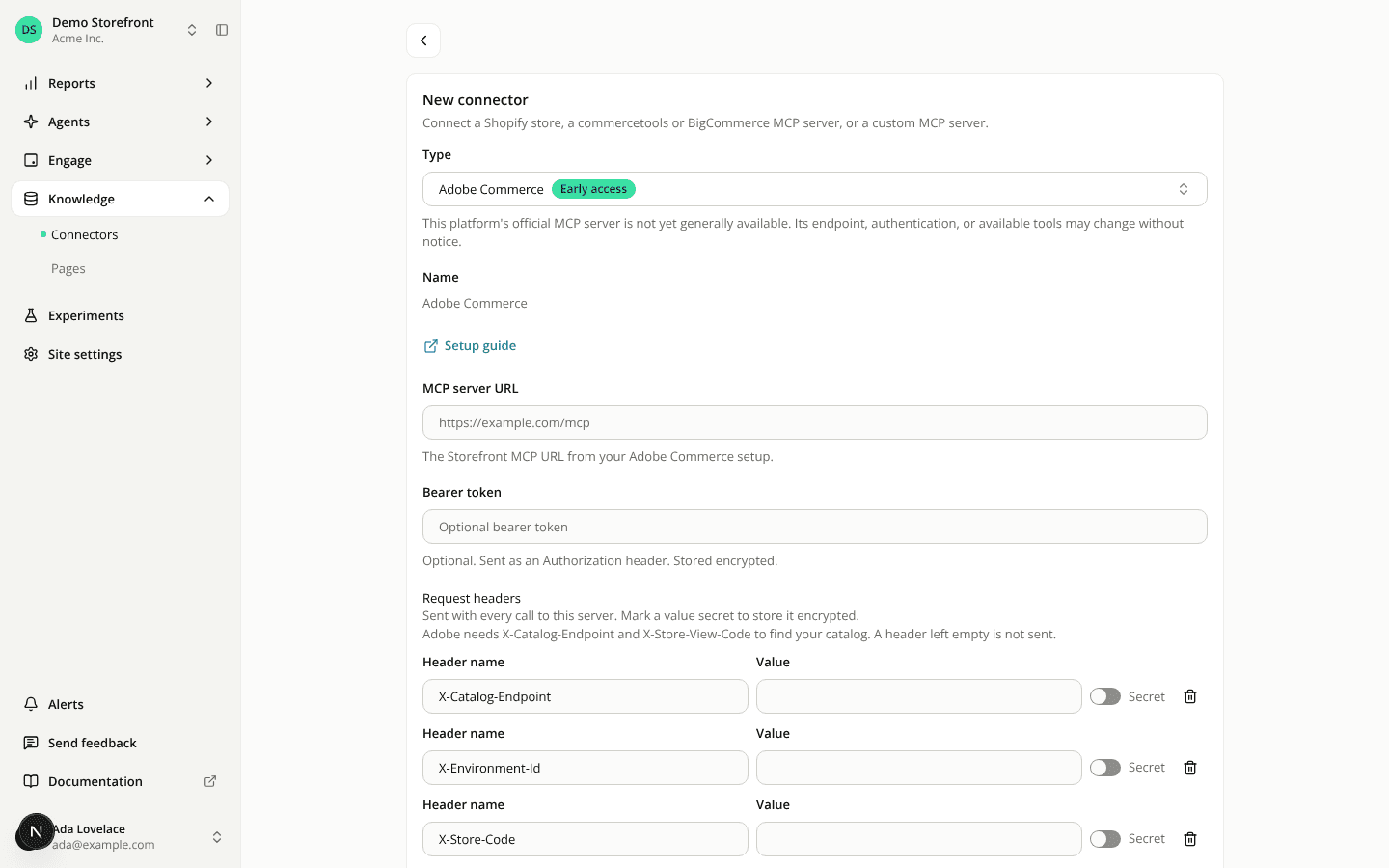
Native connectors are named after their platform
ChangedA connector for Shopify, commercetools, BigCommerce or Adobe Commerce is now named after its platform, and the form no longer asks for a name. Only a Custom connector still gets the name you type.
Your existing native connectors were renamed once to their platform name: a connector you had called "Shopify FR" is now "Shopify". Custom connectors keep their names. The Shopify connector created during onboarding is named "Shopify" as well, no longer after your site.
The connector form changed in three other ways:
- Shopify takes a store domain when you edit it too. The field is now Store domain or MCP URL. Enter
your-store.myshopify.comor paste a URL on your store, at creation or later, and the connector storeshttps://{host}/api/mcp. Editing used to refuse a bare domain. - Adobe Commerce headers are ordinary rows. A new connector still starts with the five header names, but you can now rename, remove or mark any of them secret. A row left empty is not saved or sent, and editing shows only the headers you saved.
- A Setup guide link sits above the address field and opens the documentation for the connector's type.
A URL the server refuses now shows a message in your language under the URL field, instead of the English "Invalid connector URL".
Resources