The agent now qualifies catalog prices when a discount app lowers them on your pages
FixedSome discount apps lower the price on your product pages after they load, in the shopper's browser. The agent reads prices from your catalog, so a shopper could see a lower price on the page than the one the agent gave in chat.
The agent still quotes the catalog price. While the new setting is in effect, it now qualifies that price:
- Product cards say "Price before the site's promotions" under the price, on the carousel, the comparison and the product detail. The price on the card does not change.
- The agent's instructions gain a standing paragraph. It is told to give a catalog price as the price before your site's promotions, to tell the shopper the final price shows on the product page and in the cart, and never to state a discounted price, a discount rate or a promotion it did not read from a tool. A price from a cart tool already includes the cart's discounts.
That paragraph is an instruction to the model, not a guarantee. The note on the cards does not depend on the model.
It turns on by itself. The web tag reads the price your product page declares once its scripts have run, when the shopper leaves the page, and compares it with the price the page declared when the agent last read it, within the last 8 days. After 3 lower prices reported over 30 days, the setting is in effect for 30 days. Only daily counts per site are kept, nothing that identifies the shopper, and nothing is sent for a shopper who objected to measurement.
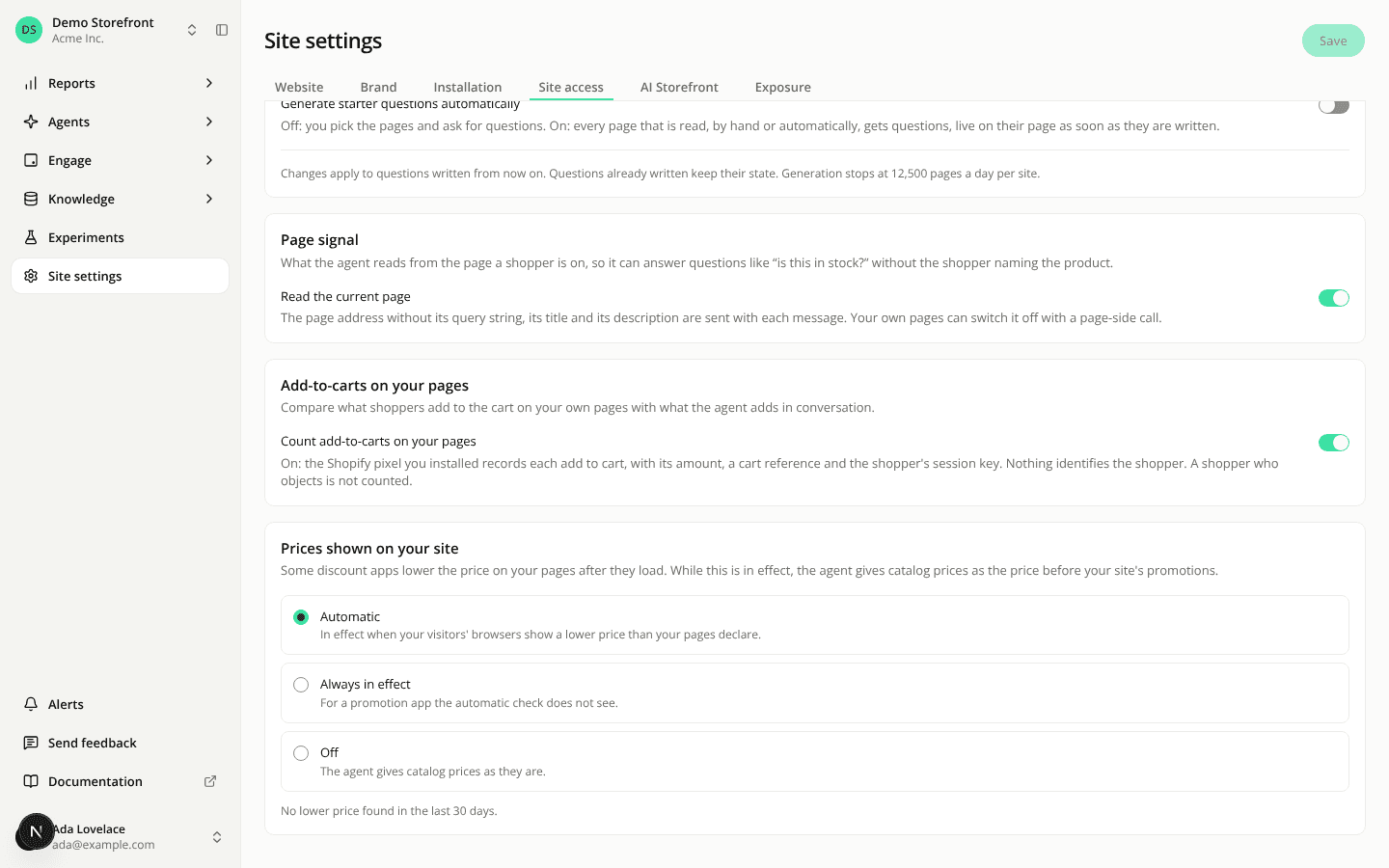
You can force it. The new Prices shown on your site card, in Site settings → Site access, offers Automatic (the default), Always in effect and Off. Choose Always in effect when the check can't see your promotions: a site with no visitor traffic yet (tested only in the playground), or an app that changes only the price displayed and not the price the page declares. The setting is also on the REST API (displayedPrice on the site) and the MCP server (list_sites, set_site_automation).
Resources