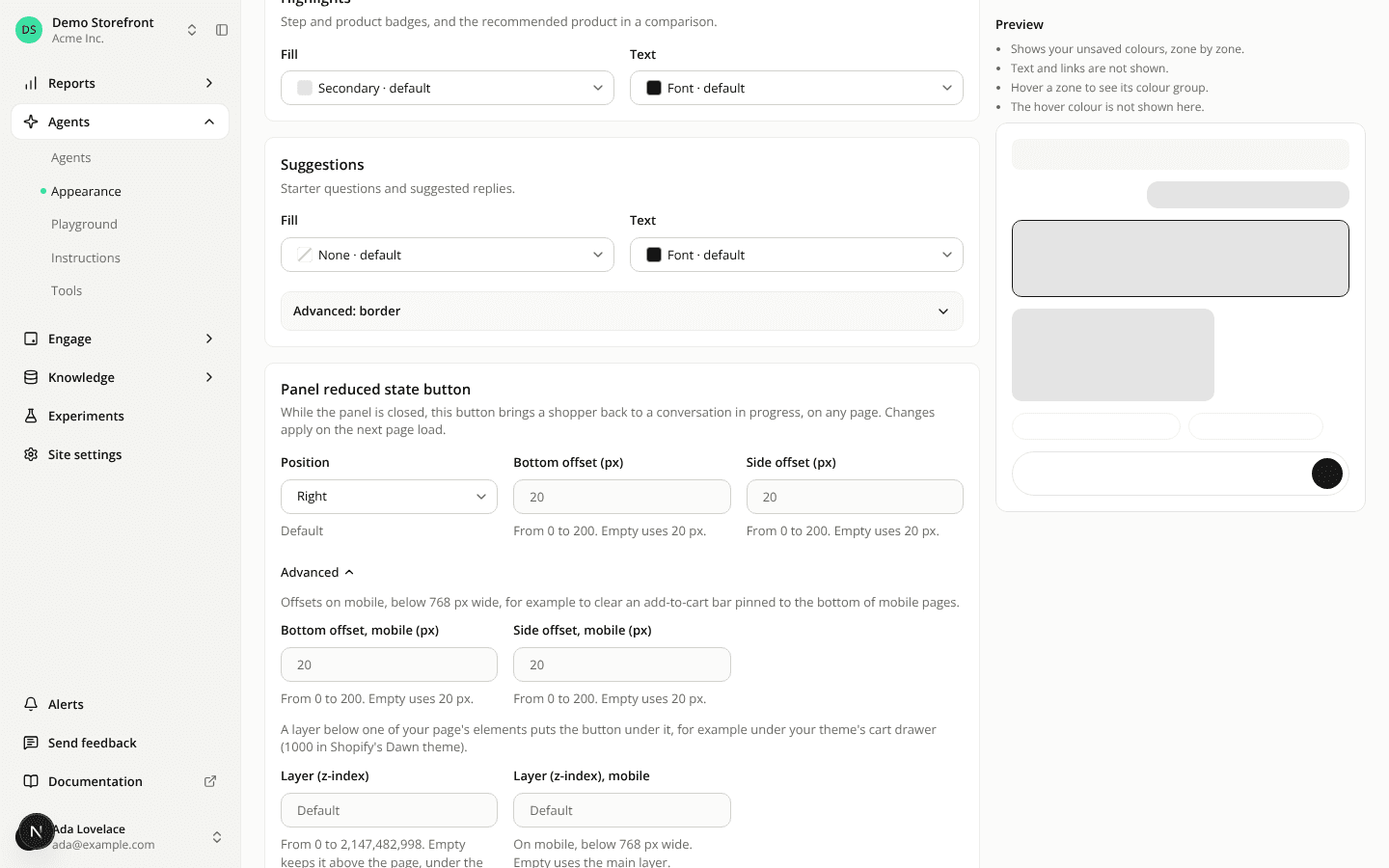
The Panel reduced state button moved to the Appearance page
ChangedOne page for how the assistant looks on your store. The Panel reduced state button card used to sit on Site settings → Brand. It is now the last card of the Appearance page, under Agents, after the panel's colour cards. The page's Save writes it with the panel's side, display mode and colours. The fields and their defaults haven't changed, and neither has anything already set: your button looks and sits where it did.
The Brand tab points the way. It keeps a short Panel reduced state button card that says the button is set on the Appearance page, with a link to it.
No more lost changes on the Appearance page. If you leave the page with unsaved changes, through a dashboard link or your browser's back button, a dialog asks whether to save and leave, discard and leave, or stay. It covers the whole page, colours and button alike.
"Mobile" instead of "narrow screens". The fields that apply below 768 px wide now say so in plain words: Bottom offset, mobile (px), Side offset, mobile (px) and Layer (z-index), mobile on the button, and Offsets on mobile in a chat bubble's or question bar's placement. Only the labels changed. The 768 px threshold and the REST API and MCP field names (offsetBottomNarrow, zIndexNarrow and the others) are the same.
Resources