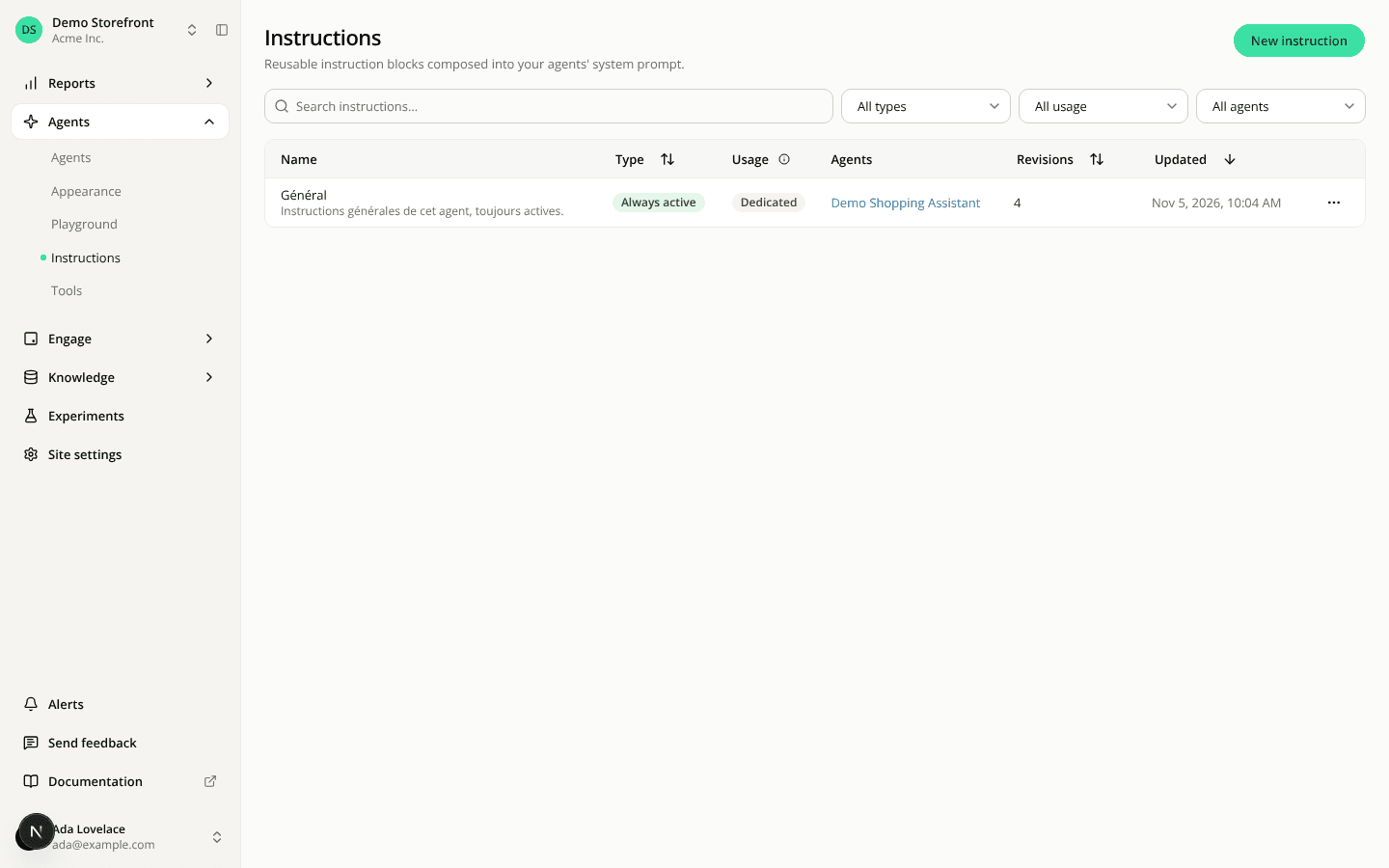
See which agents use each instruction
ChangedThe Instructions list now tells you where each instruction is used.
- Usage reads Unused, Dedicated (one agent) or Shared (several agents). An agent uses an instruction when its live version includes it, so an instruction that only a draft holds reads Unused. The info icon on the header explains it.
- Agents names those agents as links. Past two names, +N opens the full list.
- The filters are now Type, Usage and Agent. Below 860 px they move to the filter icon in the top bar.
- Search, filters, sort and page are kept in the address, so you can share a filtered view. The list shows 50 instructions per page.
- The page header shows first and the table fills in after, with the filters disabled until then.
The Created by column is gone.
An instruction's text can now be up to 25,000 characters, up from 3,000. The AI draft still aims for about 3,000, so a longer instruction is one you write yourself.
Resources