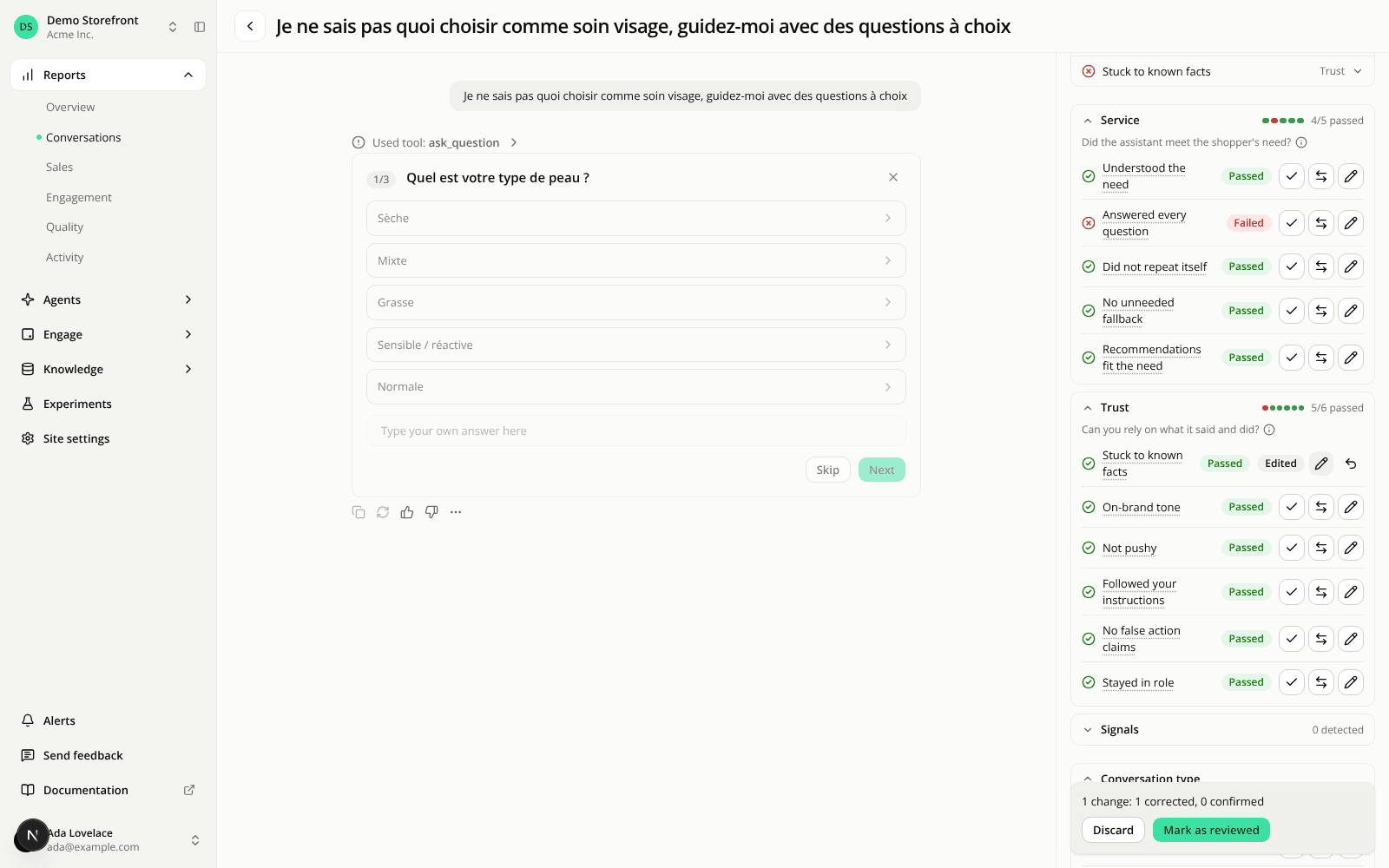
Review a conversation's labels and mark it as reviewed
AddedThe AI judge can get a label wrong. You can now fix it. Open a conversation, click Switch to review mode at the top right of its Analysis tab, fix what's wrong and click Mark as reviewed.
In review mode, the resolution and every criterion and signal get review buttons at the end of their line. A yes/no signal or a passed or failed criterion flips in one click. Any of them can be corrected in an editor with an optional reason and an optional note of up to 500 characters that only your team sees, or confirmed with its own click.
The facts (conversation type, objections, content gaps, order issue) stay as chips at the top of the tab. Each line gets an Edit button: yes/no facts are checkboxes, an AI badge marks what the AI answered, a gap that needs a topic, such as Missing capability, opens a list of topics with Remove, and the order issue is a list of values with None, open once After purchase is set. A chip you changed shows a dashed border until you save. Once saved, it has a solid border and its definition title ends with Human.
A combination the label rules forbid is refused with the rule it breaks.
You can mark a conversation as reviewed without changing anything. The labels you leave alone keep the AI's value and aren't recorded as confirmations.
What changes after a review:
- The conversation leaves the Needs review queue as soon as it's marked as reviewed. New messages can bring it back, with fresh AI labels to review.
- A changed label shows Human (corrected, with what the AI said) or Confirmed.
- The Conversations list, its filters, report figures such as the resolution rate and the Quality report's label figures, the REST and MCP conversation lists, and the MCP label breakdown all read the reviewed values. In the label record, the API returns
source: "human"for a corrected or confirmed answer. The reviewer, the reason and the note are never returned. - Opened from the Needs review queue or the Conversations list, the next conversation opens once you mark one as reviewed. A conversation opened from the queue now has Previous and Next arrows that follow the queue.
Reviewing needs the Conversations: Review permission, which the built-in Admin role has. It's separate from the permission to delete conversations.
Resources