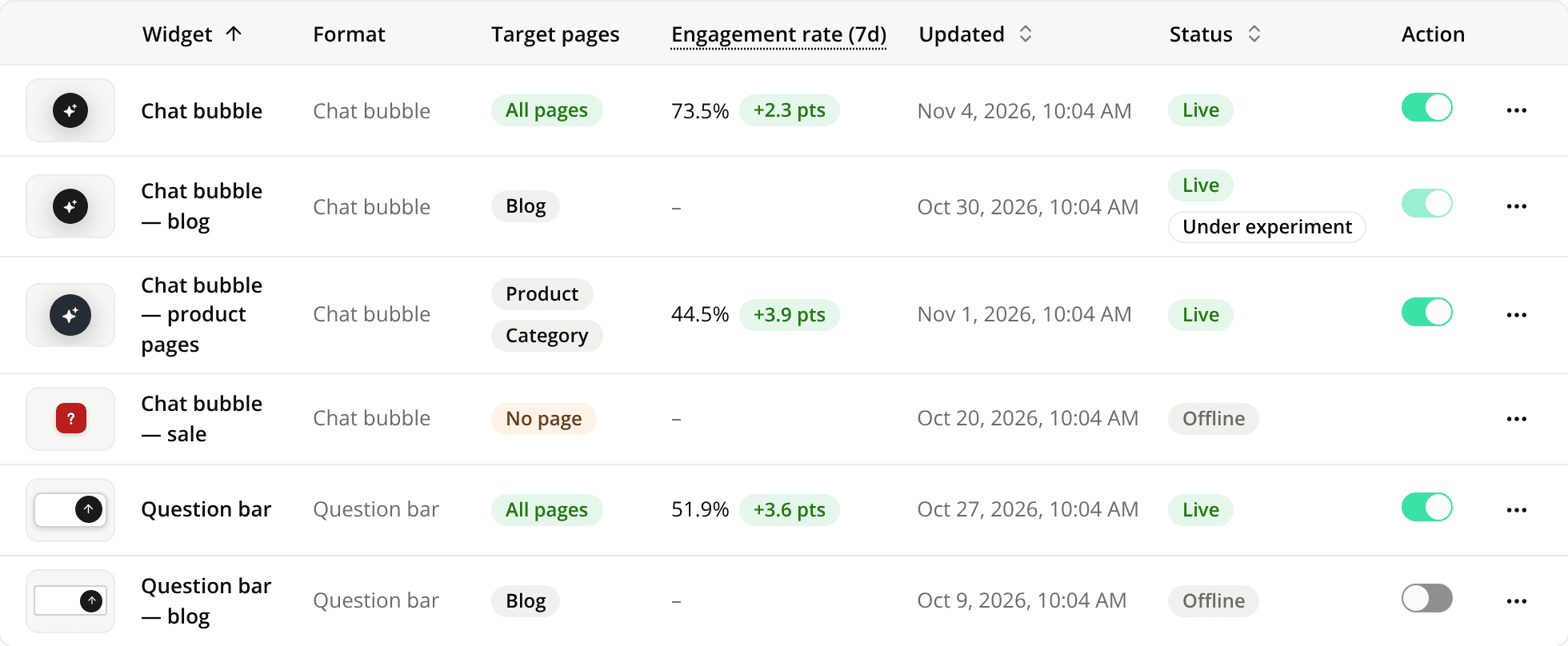
A live switch in the widget list
ChangedThe Action column of the widget list shows a switch for each widget. It is on while the widget is live. The gallery shows the same switch on each card.
- Switch it off to take the widget offline. You confirm first, as before, because shoppers stop seeing it straight away.
- Switch it on to go live. It sends the widget's last saved version online at once, with no confirmation.
While an A/B test runs on a widget, its switch can't be used. Hover over it to read why. The reason is the same one the editor gives.
Members who can only view widgets don't see the column. A widget with no page type shows its switch dimmed: hover over it to read the reason, then add a page type in the editor. A widget with no saved version has no switch.
The widget editor is unchanged. It still has Go live and Take offline, and no on/off switch.
Resources