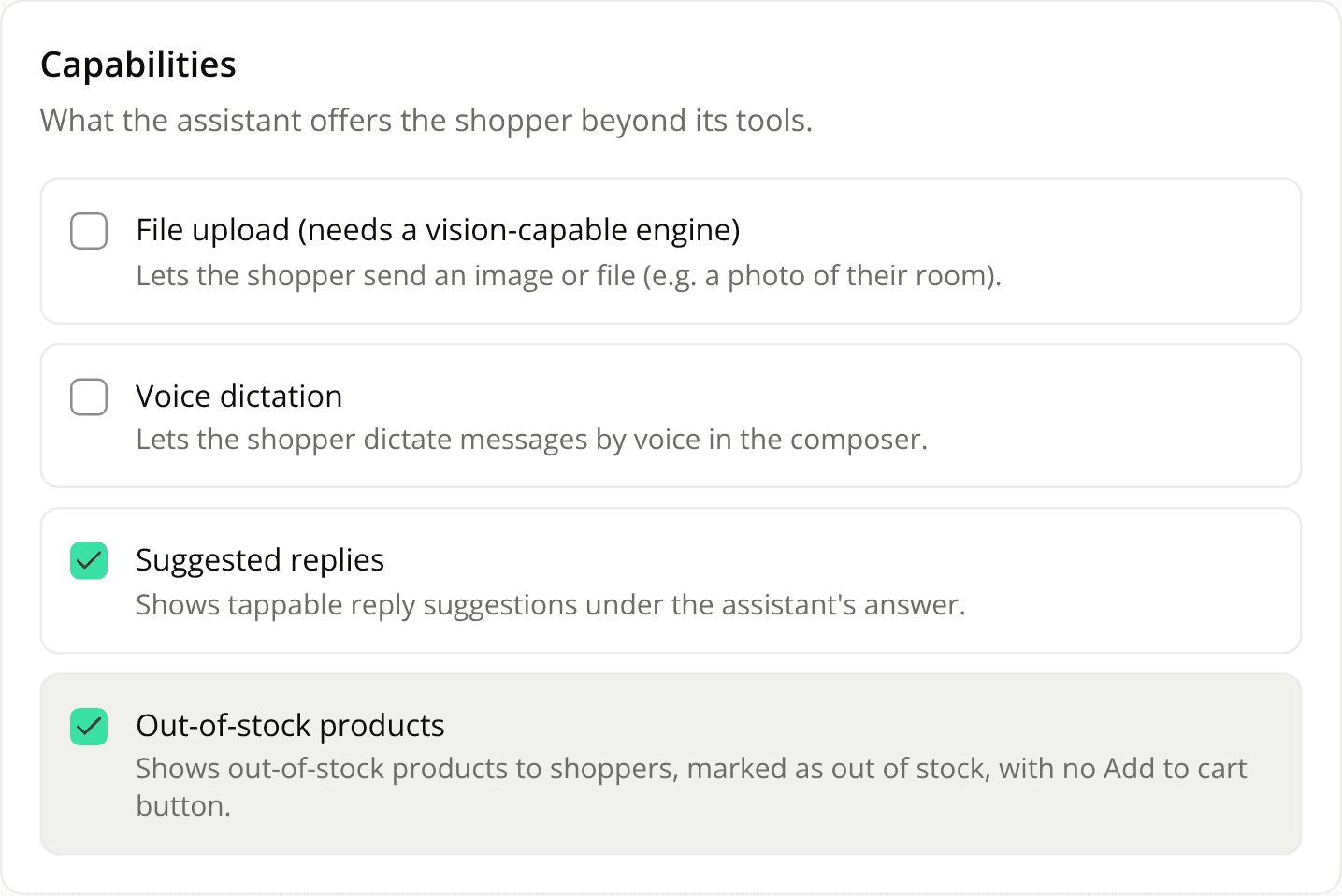
Choose whether your assistant can show out-of-stock products
AddedUntil now the assistant never showed a product that was out of stock. A shopper asking for one by name was told it couldn't be found, even when the product exists and your store offers a back-in-stock alert. You can now choose.
Turn on Out-of-stock products in an agent version's Capabilities tab. It is off by default, so nothing changes for your existing versions, and it is offered on Shopping assistant agents only.
With it on:
- Your products stay visible when stock runs out. Out-of-stock products are kept in Shopify and Adobe Commerce catalog results, and in the products the assistant reads from your pages when the agent has no catalog.
- The card says it plainly. Carousels, product detail cards and comparisons show an Out of stock pill and the price, with no Add to cart button. View product opens the product page instead.
- The assistant is told to say it too. Its instructions are to always tell the shopper the product is out of stock, never to offer the cart or an order, and to suggest available alternatives when there are some. It mentions a back-in-stock alert only if your instructions say your store has one. This part is a model instruction, not a code check: the missing Add to cart button is the guarantee.
- Suggested replies never push it to the cart. An "add to cart" chip for an out-of-stock product is rejected.
Starter questions are unaffected: they are still generated from in-stock products only.
The REST API accepts and returns the new out_of_stock_products capability on agent versions, and the MCP server's get_agent_version tool lists it.
Resources