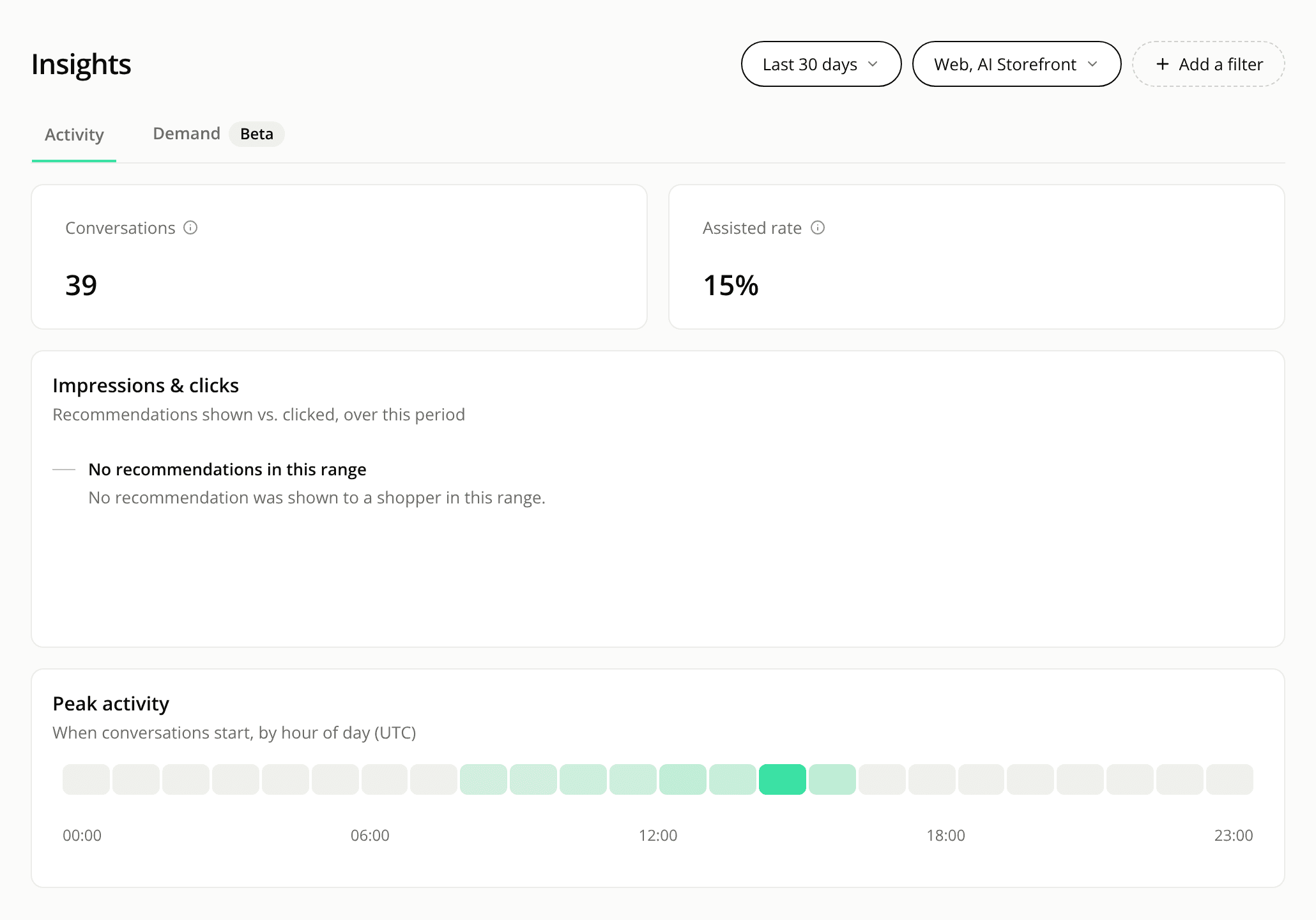
Insights keeps four figures, and the others moved
ChangedThe Insights report now shows four figures: the Conversations and Assisted rate tiles, then the Impressions & clicks and Peak activity cards. The other figures moved to the reports that own them.
- Conversion rate is on the Sales report, in its revenue part. Its tile states its window, 24 hours by default. Add-to-cart rate is on the Carts page of the Sales report, with and without a conversation.
- Avg. messages / conversation and Avg. conversation length are on the new Averages tab of the Conversations list. They follow the list's filters. A range with no conversation shows the list's empty state, not a zero.
- Conversations over time, Conversations by agent, Tool usage and Chat panel language are on the Overview report.
The filters, the date range and Compare to previous period work on Insights as before. With the comparison on, only the two tiles show a change.
Resources