
iAdvize
Back

Peak activity shows hours in your time zone

Changed

The Peak activity strip on the Insights report now places each conversation in the hour it started in your time zone, not in UTC, and the card names the zone it uses. Set your time zone in your settings.

Resources
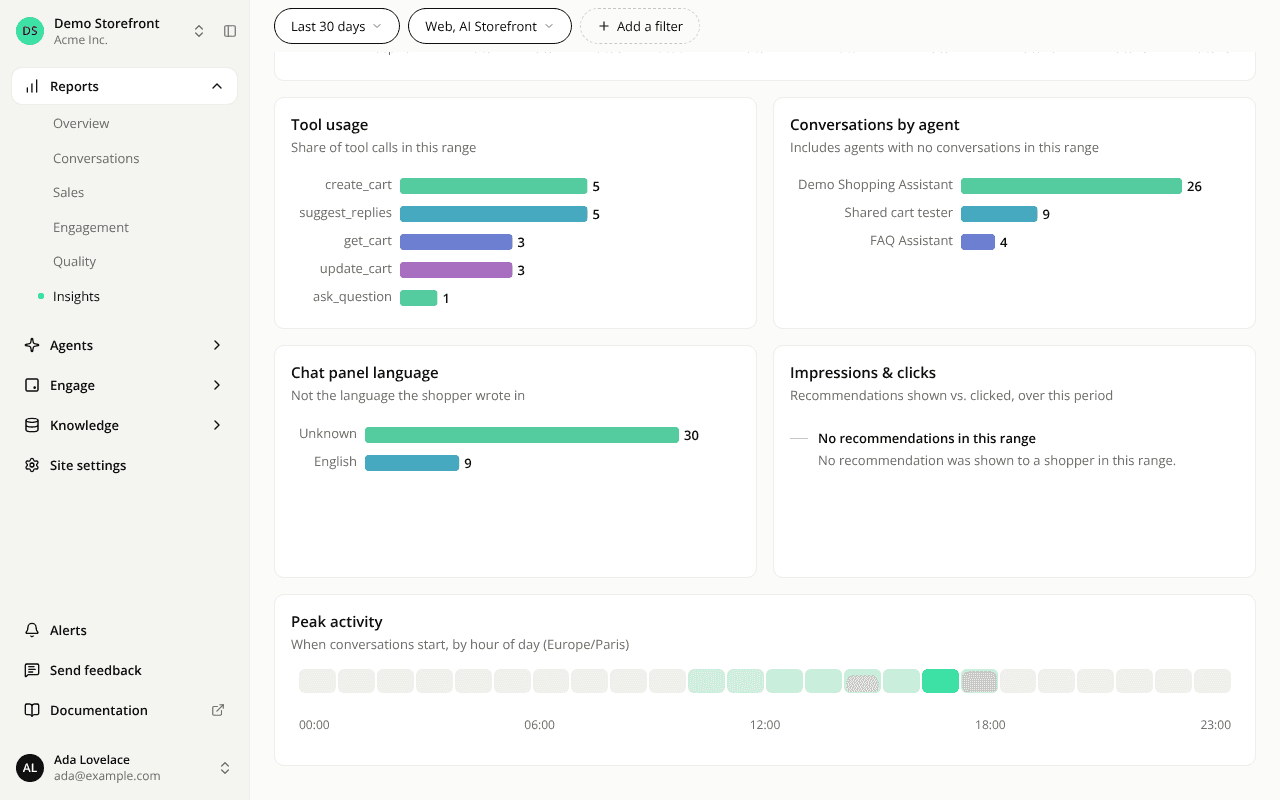
The Insights report scrolled to the Peak activity card. Its description reads "When conversations start, by hour of day (Europe/Paris)", naming the time zone, above a strip of 24 hourly cells from 00:00 to 23:00 with the busiest hours shaded darker.