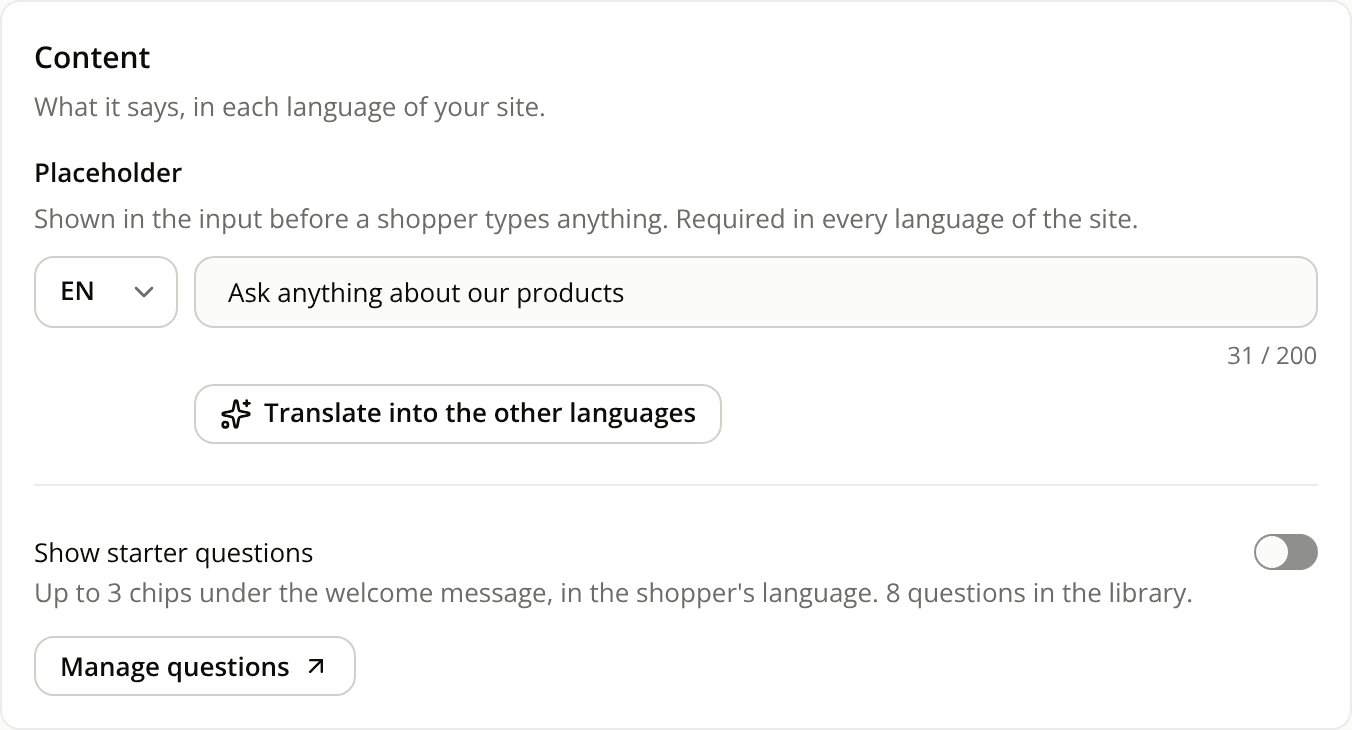
Translate your shopper-facing texts into your other languages in one click
AddedIf your site has two or more enabled languages, you no longer have to type each text once per language. Write it in one, click Translate into the other languages, and every other language is filled.
The button sits under:
- an agent's display name and welcome message
- a widget's text (chat bubble or button), heading (Starters), placeholder (composer and Starters) and button first message
It appears once the language shown in the language list before the field has text.
- It replaces existing text. The other languages are overwritten, including ones you had already written.
- You can undo it. A toast offers Undo for 8 seconds.
- Nothing is saved yet. The translations stay in the form until you save the agent version or the widget draft, and nothing reaches shoppers before that version goes live or the widget is published.
- Length limits still apply. A translation that comes back too long is shortened once. If it is still over the limit, the field is marked and you can't save until you shorten it.
This is a dashboard feature. The REST API and the MCP server don't offer it.
Resources