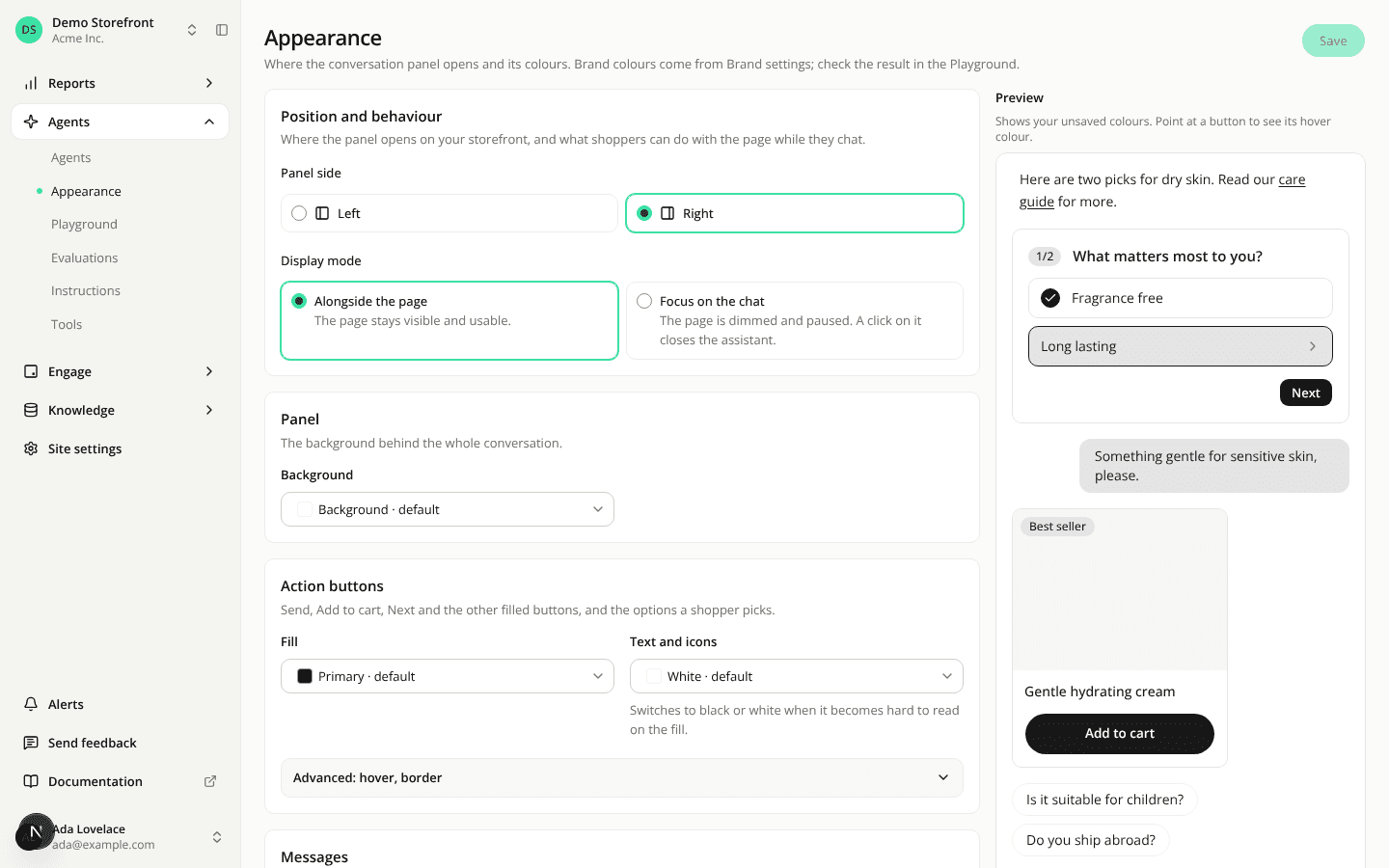
Choose the panel's side and how it opens on the Appearance page
ChangedA new Position and behaviour card on the Appearance page, under Agents in the sidebar. It sets two things for the panel your storefront's web tag opens:
- Panel side: Right (the default) or Left.
- Display mode: Alongside the page (the default) or Focus on the chat.
Click Save and the change reaches your storefront on its next page load, with nothing to change in your snippet. Changing it needs Sites: Edit; other members see the card read-only.
The snippet no longer sets the side or the backdrop. The two choosers are gone from the Install the tag card, and the tag now ignores position and backdrop in iadvize('set', …). If your snippet or your own code docks the panel on the left, it opens on the right from now on: choose Left on the Appearance page to keep it on the left. Same for a backdrop you turned on in the snippet: choose Focus on the chat.
The same settings are panelPosition and panelBackdrop on the site in the REST API (Update a site), and the set_site_panel_appearance MCP tool now takes them next to the colours.
Resources