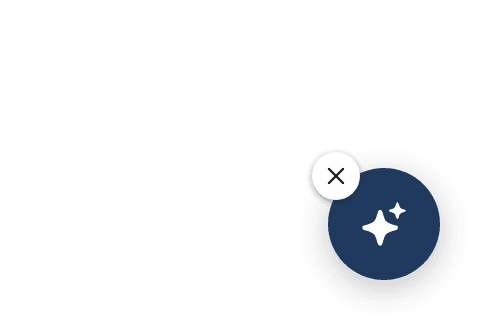
A button on every page brings shoppers back to their conversation
AddedShoppers find their conversation again on the next page. Once a shopper has written to the assistant, closing the panel or moving to another page of your site now leaves a small floating button in the corner of the screen: the Panel reduced state button. One click reopens the panel on the same conversation, with its history. It works on every page that loads the tag, including a site with no engagement widget and no button of your own. There's nothing to switch on.
It shows while the conversation is in progress. The button appears while the last message is less than 30 minutes old and the panel is closed. While it shows, your chat bubbles and question bars step aside, so the shopper sees one way back rather than two. Inline buttons and Starters widgets in your page stay where they are. After 30 minutes without a message, your widgets come back, and the conversation still resumes from them for 24 hours as before.
Shoppers can hide it. A small ✕ on the button hides it on every page of your site until the shopper opens the panel again. It never shows to a shopper who objected to measurement.
Place and style it on the Brand tab. A new Panel reduced state button card in Site settings → Brand sets its side and offsets, separate offsets for screens narrower than 768 px (to clear a mobile add-to-cart bar), and its background, icon colour, border, icon, size, corners and shadow. Left alone, it looks like a chat bubble you never styled, in your primary colour. The same settings are on the REST API (resumeButton on the site) and on the MCP server (set_site_resume_button).
Follow it in your own analytics. Three new JavaScript events, resume-button:shown, resume-button:clicked and resume-button:hidden, sit next to conversation:opened in the tag's command API, and the engagement report's exposure events list when the button was seen, used and hidden.
Resources