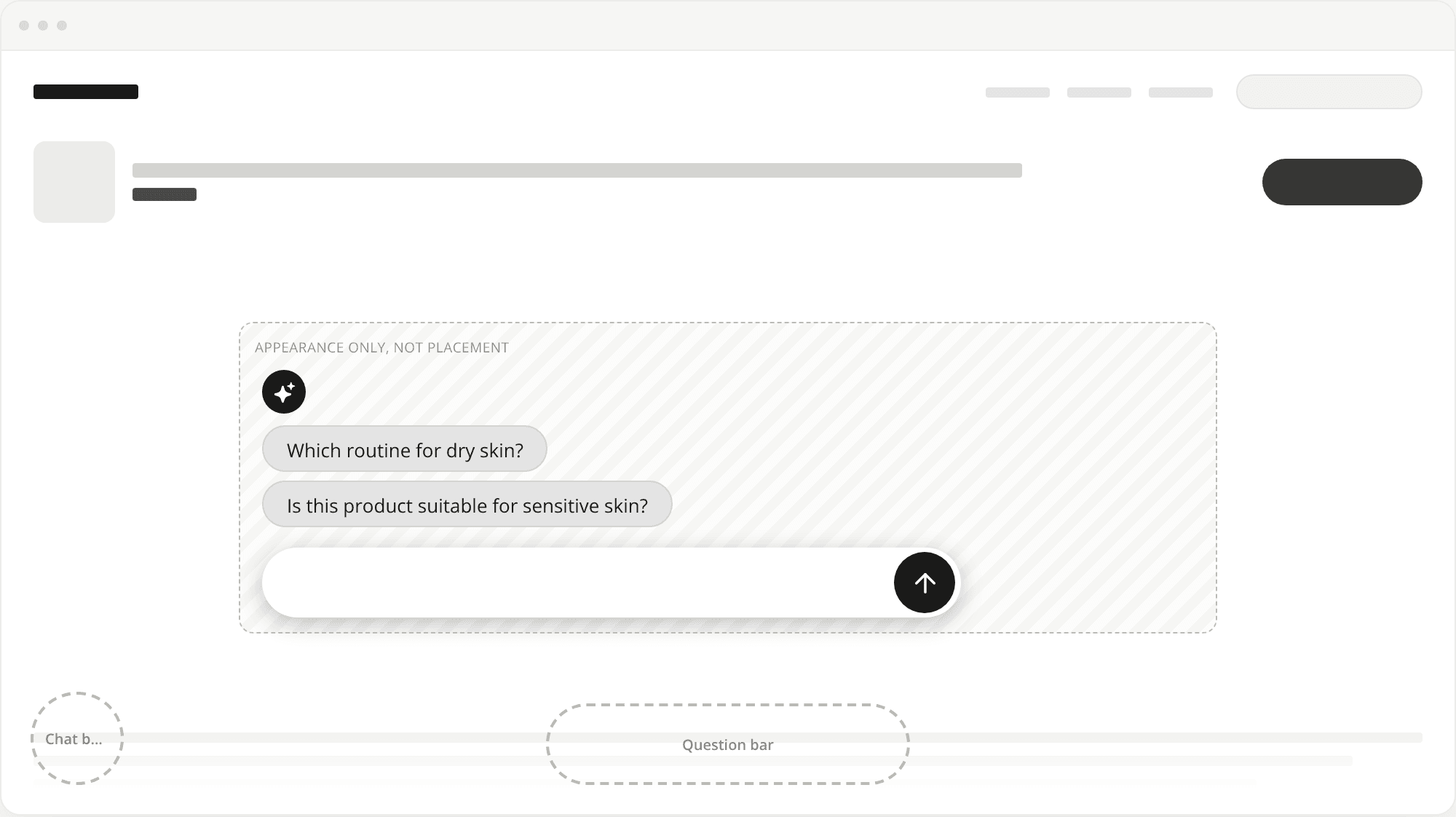
Button and Starters widgets show in full as soon as the preview opens
ChangedIn the widget editor, a Button or Starters widget used to sit partway down a long sample page. In a small preview column it could land below the fold, so you had to scroll to see the widget you were editing.
On the Sample store, these two formats now sit on a short excerpt of the page, exactly as tall as the preview. The widget is centred and visible in full when the preview opens. Around it you get just enough of the page to know which one you're simulating: the navigation, one hint above the widget (the hero on Home, an add-to-cart row on Product, and so on) and one faded hint below. Content and Blog pages now have hints of their own instead of the generic page.
If the preview is too short for the widget, for example in a small browser window, the hint above shrinks away first, then the preview scrolls. The widget is never cut off.
Chat bubble and Question bar keep the full page that scrolls under them, with its footer and, on Mobile, the pinned add-to-cart, so you can still check what they cover. Your site is unchanged.
Resources