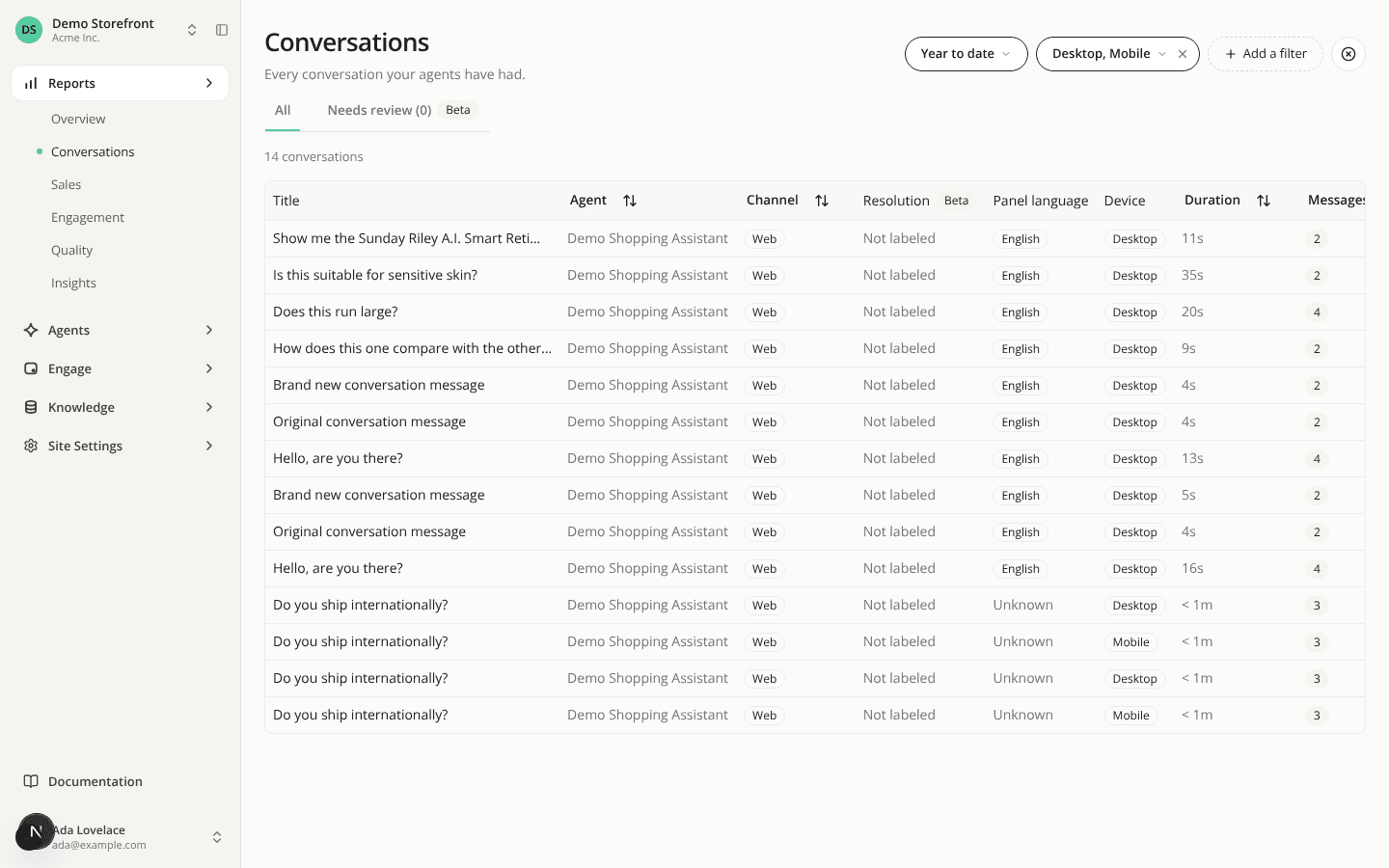
Filter your reports and conversations by device
AddedYou can now see how your assistant does on mobile compared with desktop. Open Add a filter and pick Device, then check any of Desktop, Mobile, Tablet and Unknown.
Where it is offered. On Overview, Insights, Quality (and its Feedback list), Engagement (and its Exposure events list) and Conversations. Sales has no filters yet. The selection follows you between these pages for your browser session, like the other filters. It is not in the default bar: you add it when you want it.
What it narrows. Every figure, chart, table and list on the page. On Overview, Insights, Quality and Conversations, a conversation counts under the device recorded when the shopper sent their first message. On Engagement, each event carries its own device. The Overview's engagement rate keeps showing a number under a device selection. Checking all four devices is the same as checking none, so the figures do not change.
One exception. The Running experiments section on Engagement is not narrowed, so its counts still match the widget's Experiment tab. While a device is selected it says "Experiment figures are not filtered by device."
A Device column in Conversations. Each row now shows its device as a badge. The column is not sortable.
Empty results. On Engagement, the by-device table and the page-type bar read "No data for these devices", the detail list reads "No exposure events for these devices", and the full Exposure events list reads "No exposure matches the selected devices". You can tell a filter from a lack of traffic.
Two things to know before you read the numbers:
- Unknown is often large. On the conversation views it counts every Hosted Page and Playground conversation, since only Web conversations record a device, plus Web conversations from before the device was recorded and any whose start wasn't recorded. A big Unknown bucket does not mean tracking is broken.
- Many iPads count as Desktop. Safari on iPadOS presents itself as a desktop browser, so those iPads cannot be told apart from a computer. Tablet undercounts as a result.
Resources