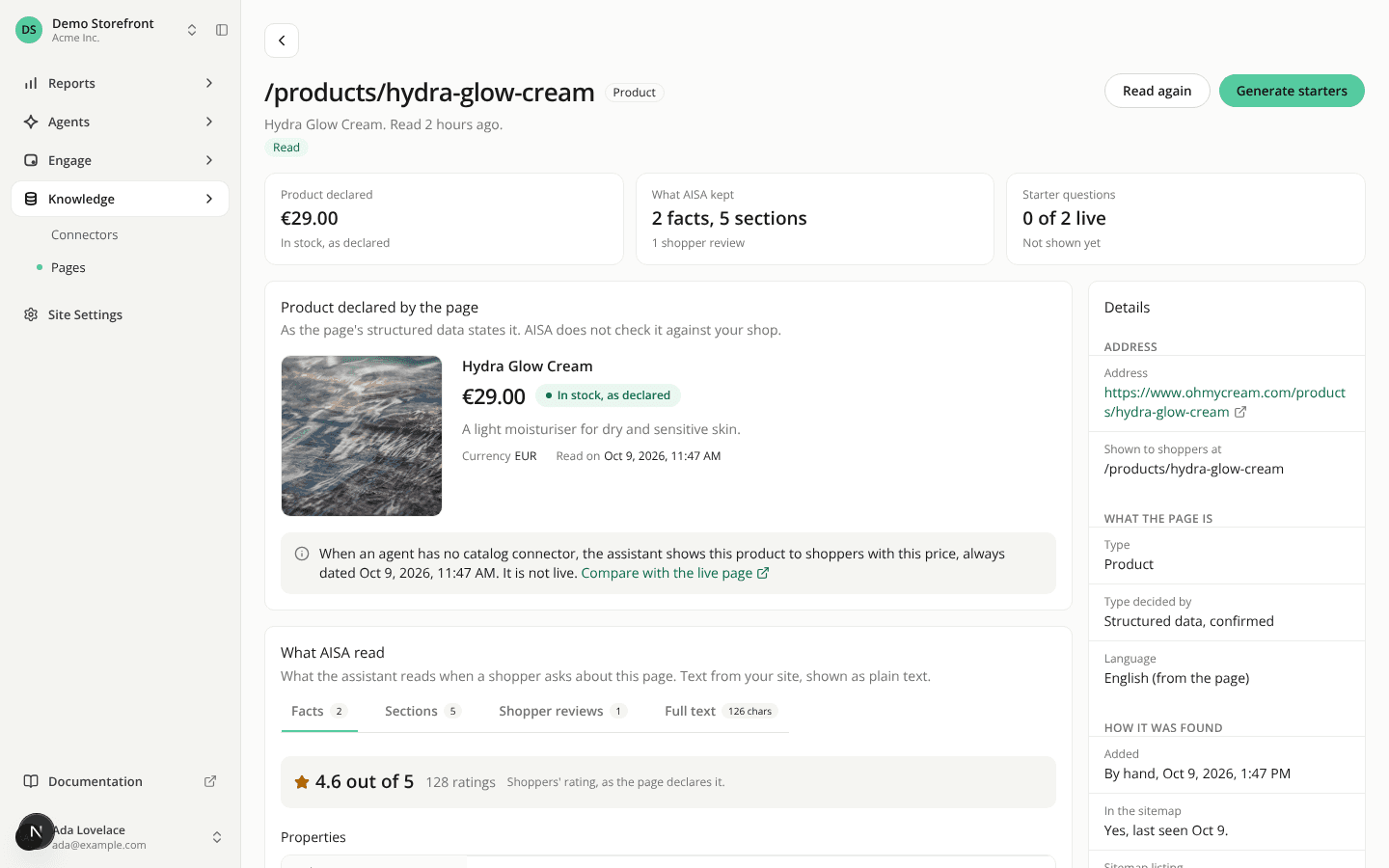
The page view shows the product a page declares and what AISA read in tabs
AddedA new card shows the product the page declares. On a page's view in Pages, Product declared by the page shows the image and thumbnails, the name, the description, the price in your language's format, whether the page declares it in stock or out of stock, and the date of the read. AISA does not check any of it against your shop. A note says what the assistant does with it: with no catalog connector, it shows this product to shoppers with this price, dated with the read, never as live. A product declared out of stock is not shown. A link opens the live page so you can compare. The card appears for a page of any type that has a valid product. A product page with no product AISA could read says so.
What AISA read is now in tabs. Facts, Sections, Shopper reviews and Full text, and only the ones that hold something. The reviews show three at first, then all on request. A page read before AISA kept facts and sections shows the full text with a note and a Read again button.
A summary and a type badge at the top. Tiles show the declared product, what AISA kept, the starter questions and the views over 30 days. Each links to its block. The page's type sits in a badge next to its path.
Details are grouped, with three new rows. Sitemap listing (which sitemap listed the page, with or without an image), Reached (directly, or through a partner reader when your site refused AISA's own reader) and Shopify product (the product number, with a copy button). For a home, content or blog page, Catalog record now reads "Not looked up", since only product and category pages have one.
Product cards from a page get a View product button. When the assistant shows a product it read from a page, the card has no Add to cart, so it now has View product, which opens the page in a new tab. This applies to the product carousel and the comparison.
The REST API and the MCP server return the same data for a single page: the declared product, how the read reached the page, the sitemap listing and the Shopify product id.
Resources