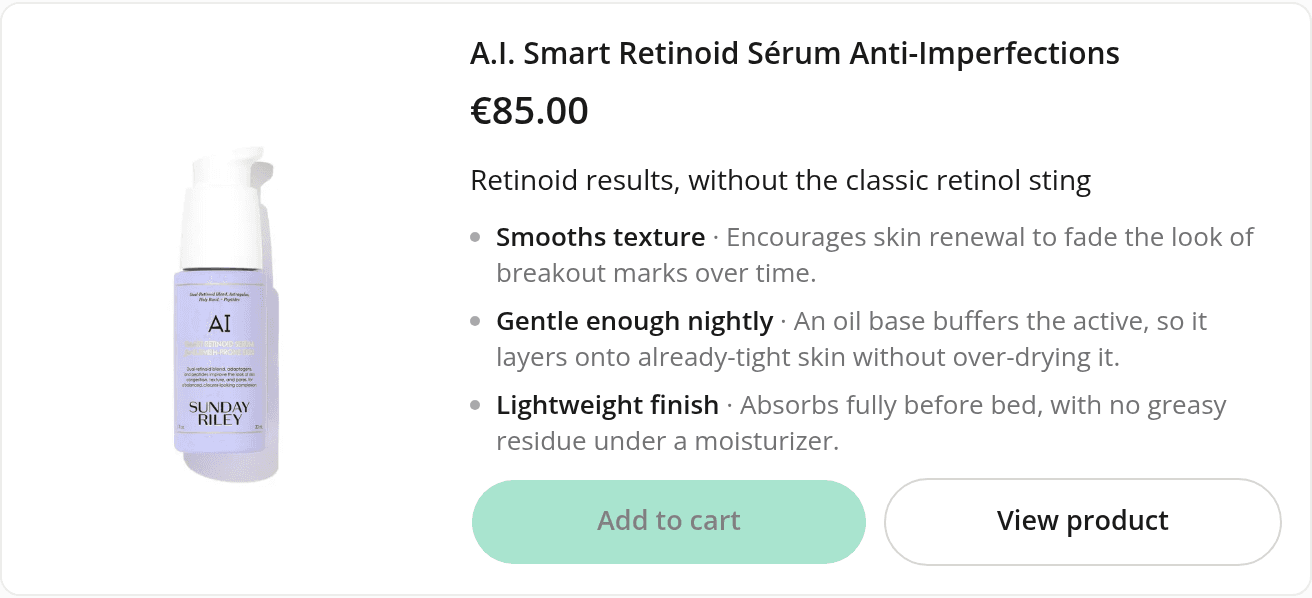
Product detail cards show the price and buttons next to the photo
ChangedWhen the assistant spotlights one product, shoppers in your storefront's chat panel used to get a large photo first, with the name, price and buttons pushed below it, often out of view. The card has been reworked so the essentials show at a glance.
- Photo beside the details. In the storefront chat panel, the photo now sits in a column on the left, with the name, price, pitch and buttons next to it. On a phone, where the card is narrow, the photo stays on top. Until now, the side-by-side layout only appeared on wide screens such as the playground, never in the storefront panel.
- A clearer reading order. Name and price come first, then the assistant's pitch, then the variant picker and the buttons.
- A shorter pitch. The assistant is now asked for a one-line hook and 3 short benefits, instead of a headline and up to 4 longer ones. The card never shows more than 3.
- Buttons share a row when they fit. "Add to cart" and "View product" share one row, at equal width when both labels fit in half of it. When they can't fit side by side, as with a longer translation on a narrow card, each button takes its own full row, so a label is never cut off. When a product can't be added to the cart, "View product" takes the whole row.
- The chosen variant's photo leads the gallery. Picking a variant used to replace the whole gallery with that variant's single photo. Its photo now comes first, followed by the product's other photos, leaving out the photos of the other variants. The first photo is shown whole rather than cropped, and with a mouse, arrows appear when the pointer is over the gallery.
Past conversations still display in the dashboard. A pitch saved with 4 benefits now shows its first 3.
Resources