Filter your analytics by agent version
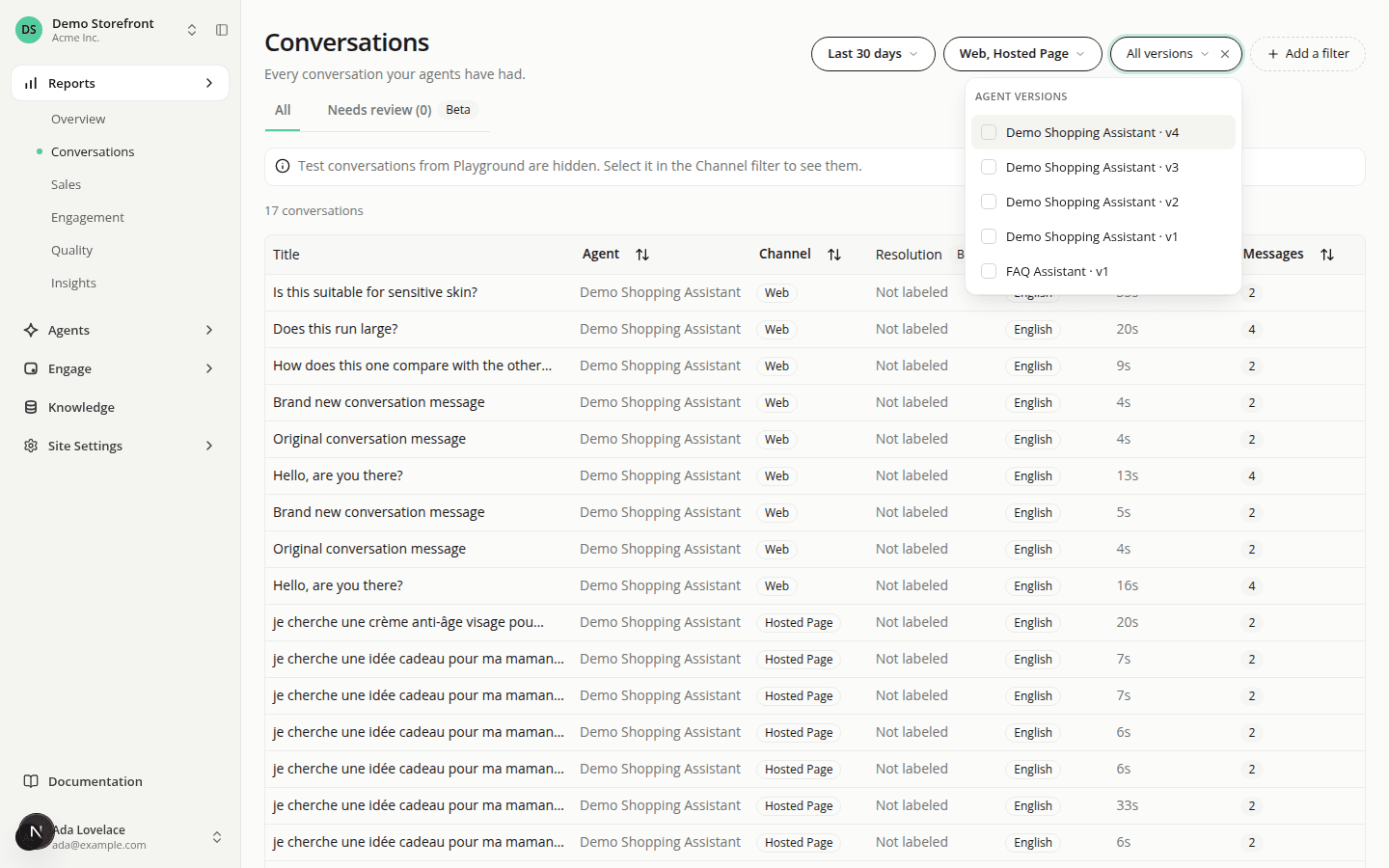
AddedThe filter bar now has an Agent versions filter, behind Add a filter. Pick one or more versions and the page only counts what those versions handled. It's how you check whether a new version of an agent did better or worse than the one before it.
Each option is named after its agent and version, like Support · v3, and older versions are listed too. The filter is available on Overview, Insights, Quality (and its Feedback list) and the Conversations list. It works alongside the Agents filter: a conversation has to match both. Sales and Engagement don't offer it.
An assistant connected through MCP can filter the same way: search_conversations and get_label_breakdown take an agentVersionIds list.
Two things to know:
- A draft or candidate version can only be tried in the Playground, and the default Channel selection hides Playground. To see those conversations, add Playground to the Channel filter. The Conversations list tells you when the selection is hiding some.
- On Overview, the Engagement rate tile shows "Doesn't reflect the current filters" while a version is selected, as it does for the other content filters.
With no version selected, nothing changes.
Resources