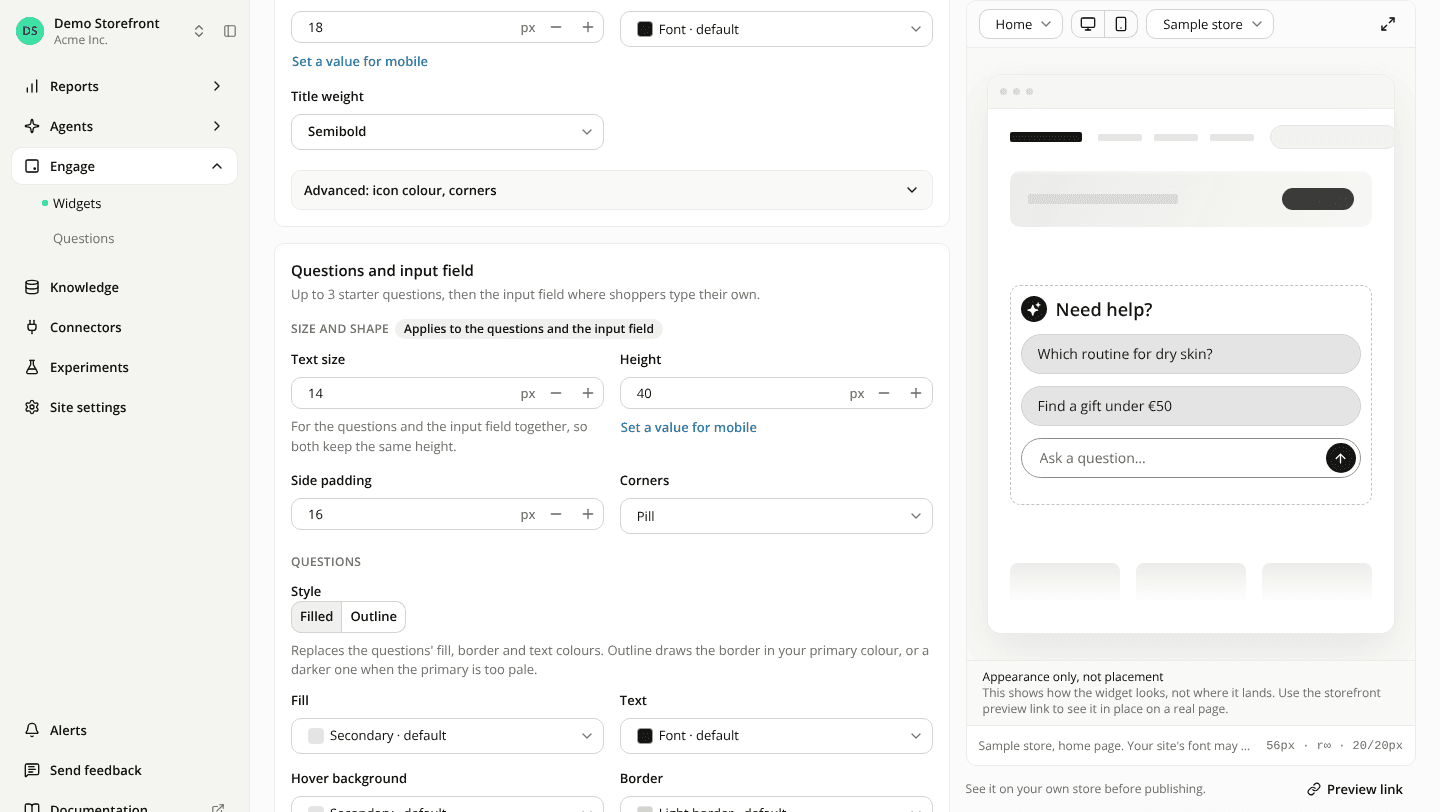
Set the height, padding, corners and spacing of your starter questions
ChangedThe starter questions of Starters, the chat bubble and the Question bar now share the same size and shape settings in the widget editor's Appearance tab.
- Height: a free value in pixels, 40 by default. The old 40 px minimum is gone. The editor warns under 32 px, or when the text is taller than the height, and still lets you save. On Starters you can set another height for screens under 768 px.
- Side padding: 0 to 32 px, 16 by default. It replaces the vertical padding setting.
- Corners: one menu, Pill, Rounded, Soft or Square, shared by the questions and the Starters input field. It replaces their two separate corner settings.
- Between elements: 8, 12, 16 or 24 px, 12 by default, in a new Spacing card on Starters. The spaces around the widget now show their desktop and mobile values side by side.
- Hover background: a colour for the questions under a mouse pointer. It defaults to the question's own background, so nothing changes until you pick one. The Starters input field's border also moves slightly on hover.
Two things change on live widgets without a save. Every element of a Starters card and every floating question is now 12 px apart, and the Starters input field is at most 360 px wide on a wide card, down from 480 px. A version saved before keeps its current heights, padding and corners until you save it again. Saving stores the height the widget renders with today (40 px on Starters at the default sizes, 32 px on the chat bubble, 37 px on the Question bar), a side padding of 16 px, the corner step nearest to its current corners (Pill when it has none) and a 12 px gap.
Resources