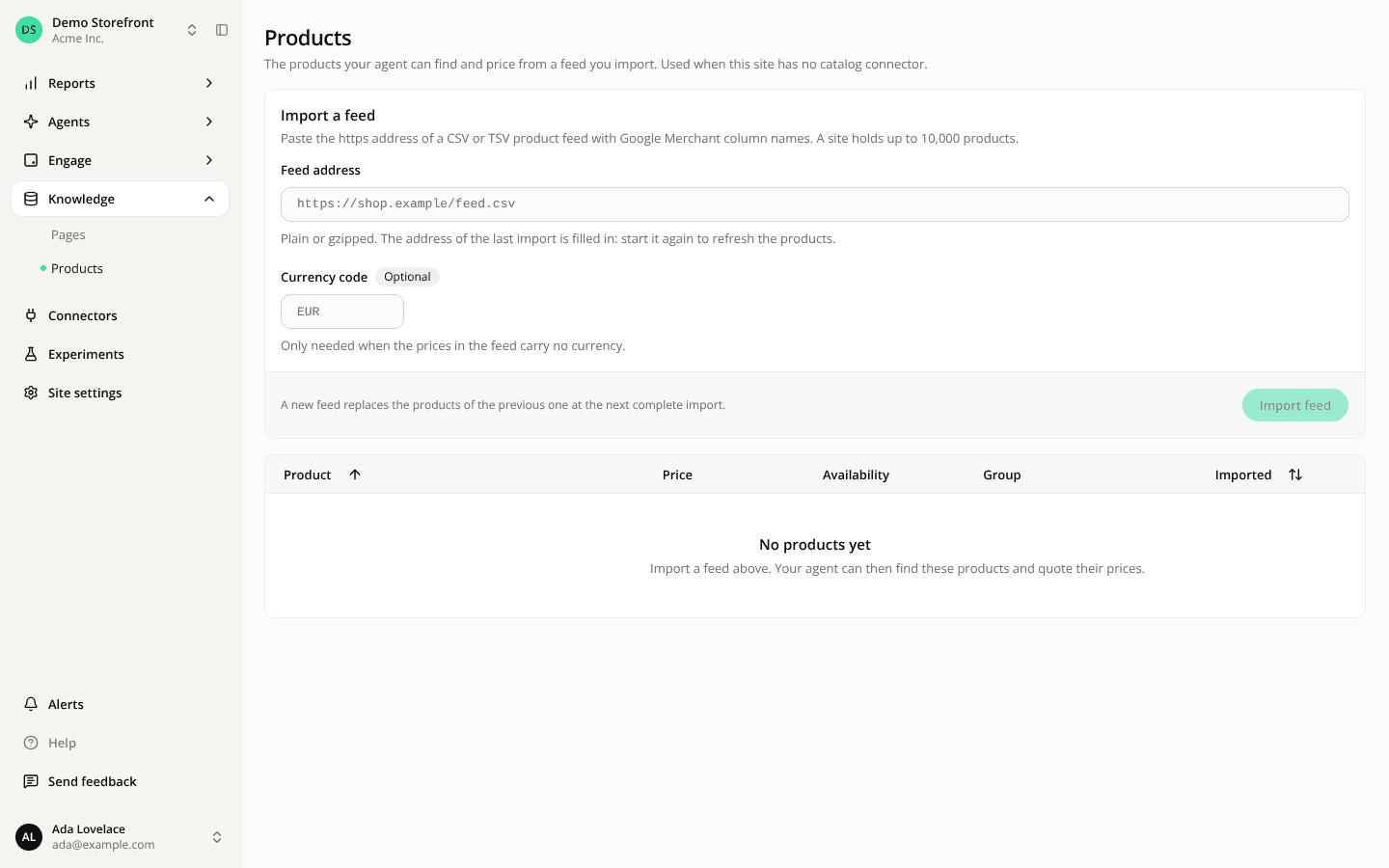
Import a product feed so the agent can find and price your products
AddedWithout a catalog connector, the agent only knew the products it could read on your pages. It had no reliable list of what you sell or what it costs.
Knowledge now has a Products page. Paste the https address of a CSV or TSV product feed with Google Merchant column names, plain or gzipped, and select Import feed. The import runs in the background and the products appear in the list with their price, availability and import date. A site holds up to 10,000 products, a group of variants counting as one.
The agent can then search them. A new Site product search chat tool finds products by name, brand, reference or description, with price and availability filters. The agent shows them as cards that link to your product pages, with no Add to cart button, and quotes each price as of the import date. It is on by default for new Shopping agent versions and only applies to a site with no catalog connector.
A few things to know:
- Existing agent versions do not get the tool. Tick it under Chat tools, save a new version and put it live.
- The feed address is stored with the import. The Last import card shows it and the form fills it in, so a refresh is one click. Anyone who can read the site's pages sees it, so never put a token in it. There is no scheduled refresh yet.
- A product missing from a complete import is marked absent, and the agent stops finding it. It is deleted after 30 days.
- An import can be held when more than 5% of the feed does not parse or more than 30% of your products would go absent. The last import card says what happened for each outcome.
- XML feeds and links to PDFs are not supported yet.
Starting an import needs Site pages: Edit. The REST API and the MCP server can start an import and list the stored products too: see the import_site_products and list_site_products tools and the API reference.
Resources