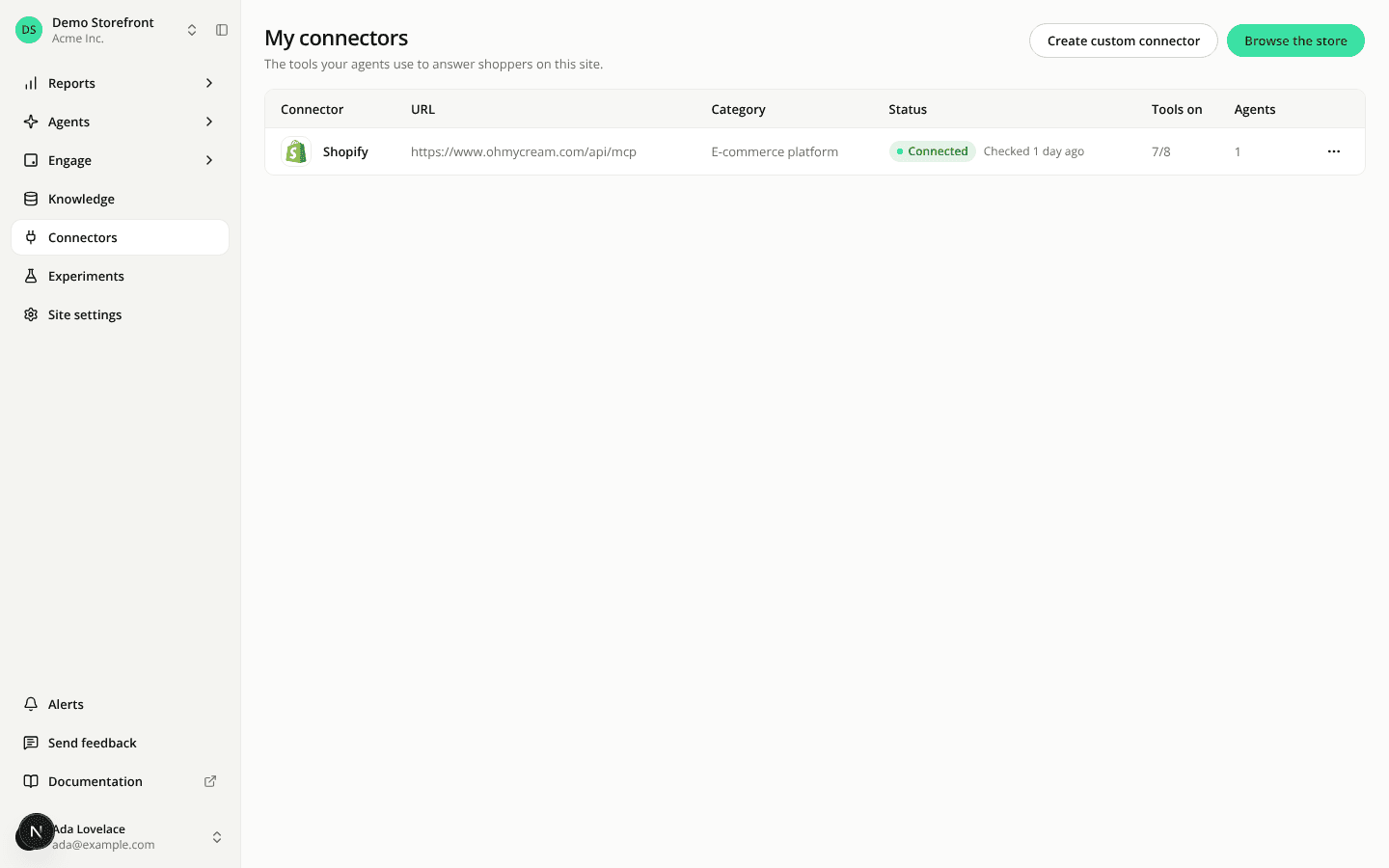
Connectors has its own sidebar entry and shows each connector's status
ChangedConnectors is now its own entry in the site's sidebar, right below Knowledge. Knowledge now holds only your site's pages, so it opens them directly.
The page is now called My connectors, and each row tells you whether the connector works:
- Status: Connected, Not responding (a connector alert is open, so the agent answers shoppers without its tools, or none of the connector's checks has ever succeeded, so it has not been confirmed to work), Not checked yet, or Not used (the agent your site serves doesn't use it). Next to it, the time of the last check, or Checked on request for a connector that isn't used.
- Tools on: the tools switched on out of the connector's tools, for example
7/8. - Agents: how many of the site's agents have a live version that uses the connector.
- The platform's logo, or the initials of a Custom connector, its pre-release badge (Beta or Early access) and its category.
- URL: the connector's MCP server URL, right after its name. A long URL is cut to fit; hover it to read it in full.
The Created column is gone. Rows are sorted by name.
New connector is replaced by two buttons: Browse the store, to pick a platform from the connector store, and Create custom connector, which needs the Connectors: Edit permission. A site with no connector shows No connector yet with a link to the store.
When a connector stops answering, the red banner that already showed on Overview, Widgets and Agents now shows on this page too.
Resources