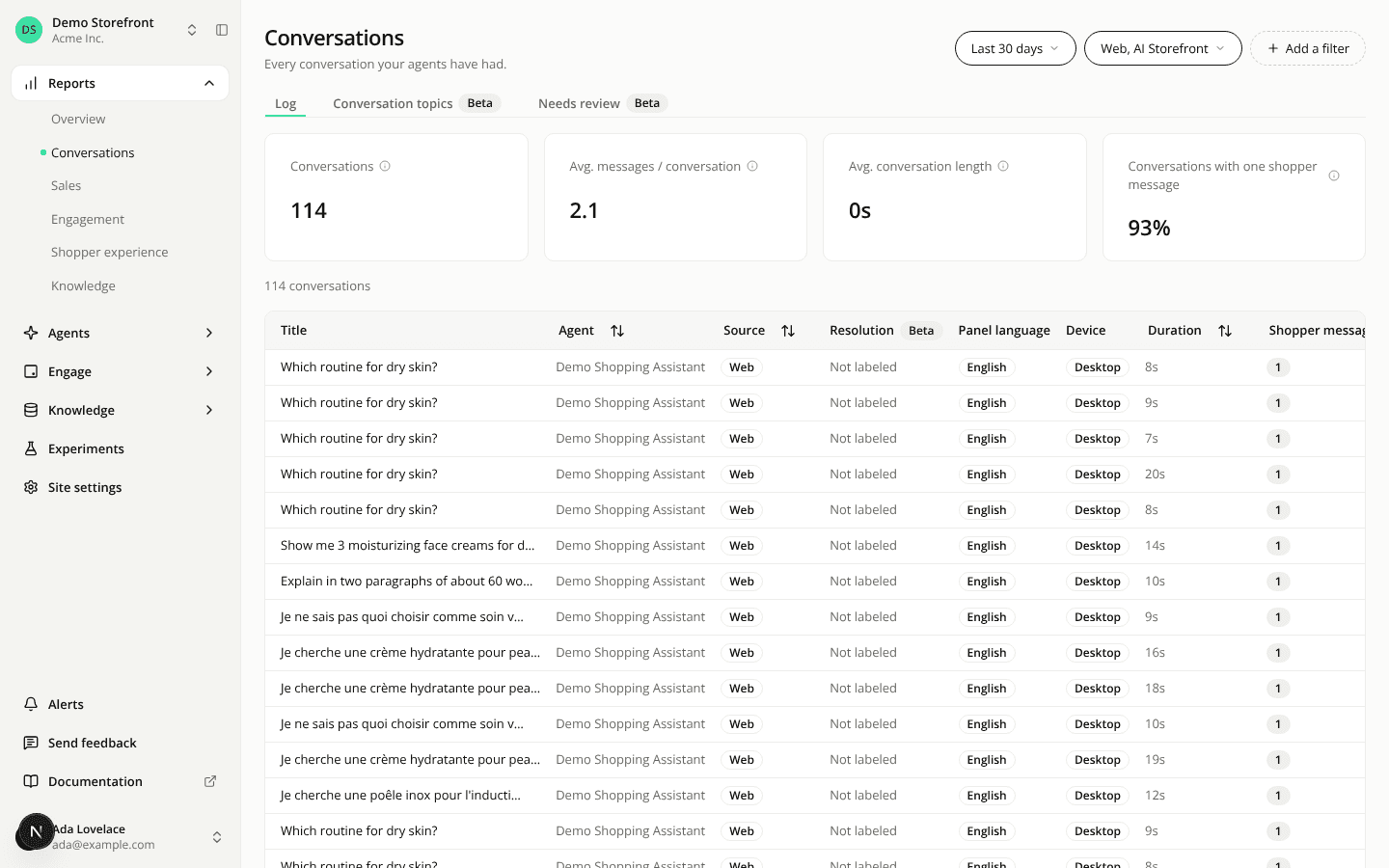
Reports reorganized, with Knowledge as its own report
ChangedThe Reports section now reads Overview, Conversations, Sales, Engagement, Shopper experience and Knowledge. Old links still work: each removed address redirects to where its content went.
Activity is removed. Its Assisted rate tile and Peak activity card are on Overview. Its Impressions & clicks card is on Engagement. /reports/activity and /reports/insights open Overview.
Quality is now Shopper experience. It keeps two tabs: Satisfaction and Resolution (the old Conversations tab). The report's address is the same.
Knowledge is its own report, last in the section. It has the same figures as the old Knowledge tab of Quality.
Needs review is a tab of Conversations, beside Log and Conversation topics. The Key figures tab is gone: its figures now sit above the Log, with a new Conversations count next to the two averages and the one-shopper-message share. They are hidden while the Only one shopper message or Opened from a starter switch is on, and for a range with no conversation.
Feedback is no longer a page. The See all link of the ratings list on Shopper experience opens the Conversations list, filtered on conversations that have any feedback.
Exposures moved to Site settings. The raw tag events table is now the Exposure tab of the site settings, no longer a tab of Engagement.
Running experiments left Engagement. The Widget tab of the Experiments page lists the tests that are running.
The Engagement report's Page views tab no longer has a description under its title.
Resources