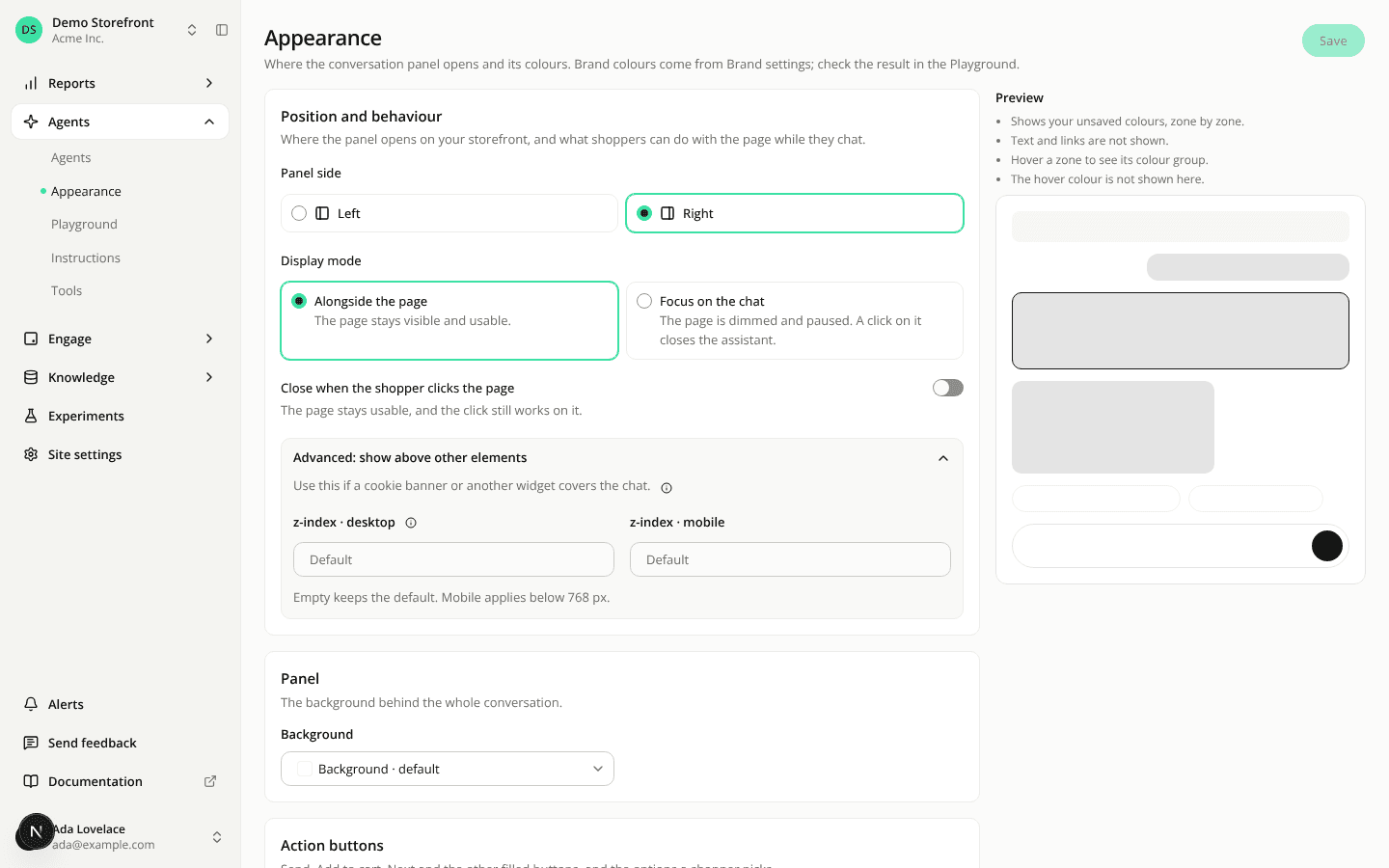
Keep the chat panel above a consent banner
AddedThe panel no longer has to sit under another widget. A script on your storefront, such as a cookie consent banner, could use a higher CSS z-index than the chat panel and cover it, mostly on mobile. You can now raise the panel's z-index above that widget.
Where to set it. On the Appearance page, the Position and behaviour card has a new Advanced: show above other elements part with two fields: z-index · desktop, a whole number from 2147483000 to 2147483647, and z-index · mobile, which replaces it below 768 px wide. Left empty, z-index · desktop keeps the default and z-index · mobile follows the desktop value. An (i) button, Which element covers the chat?, says how to find the z-index to beat, and the docs show how to read it with the browser's inspector, and what happens when it already uses 2147483647, the highest z-index browsers allow.
Nothing changes until you set it. Left empty, the panel keeps its current z-index. Only the panel and its backdrop move: your engagement widgets and the Panel reduced state button stay where they are. The change reaches your storefront on the next page load. The same settings are panelZIndex and panelZIndexNarrow on the site in the REST API, and on the MCP server's set_site_panel_appearance tool.
Resources