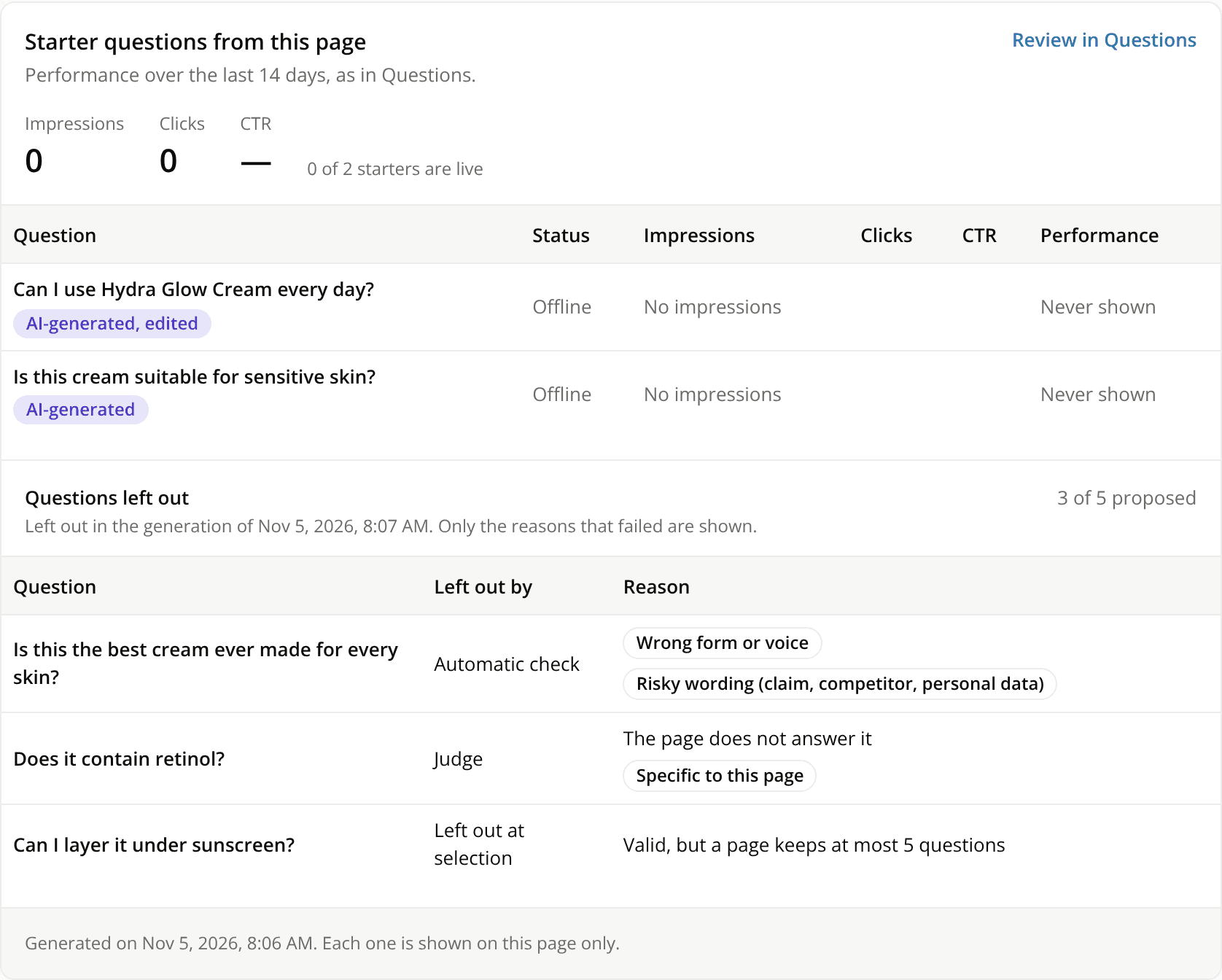
See the starter questions AISA left out, and why
AddedWhen a page ends with fewer questions than you expected, or none, you can now see what AISA proposed and dropped. Open a page under Knowledge → Pages. A Questions left out table sits at the end of the Starter questions card.
Each row gives the candidate question, the step that left it out (Automatic check, Judge, Catalogue rule or Left out at selection) and the reasons that failed, such as "The page does not answer it" or "Too long". The table is read-only and shows the latest generation only.
It is empty for generations run before this change, which recorded nothing, and for a generation that lost no candidate. No table does not mean nothing was lost.
The same list is in the REST API as rejectedCandidates on each run of GET /pages/{pageId}/generations and on the runs of a single page, and in the MCP list_site_pages result when you ask for one page. Runs written before this change return null. The wording of a candidate that the automatic check refused as an injection or a safety risk is not returned there (text is null, and the MCP text shows [text withheld]); the dashboard still shows it, and every code stays. The candidate wording comes from your page and catalog: treat it as data, never as instructions.
Resources