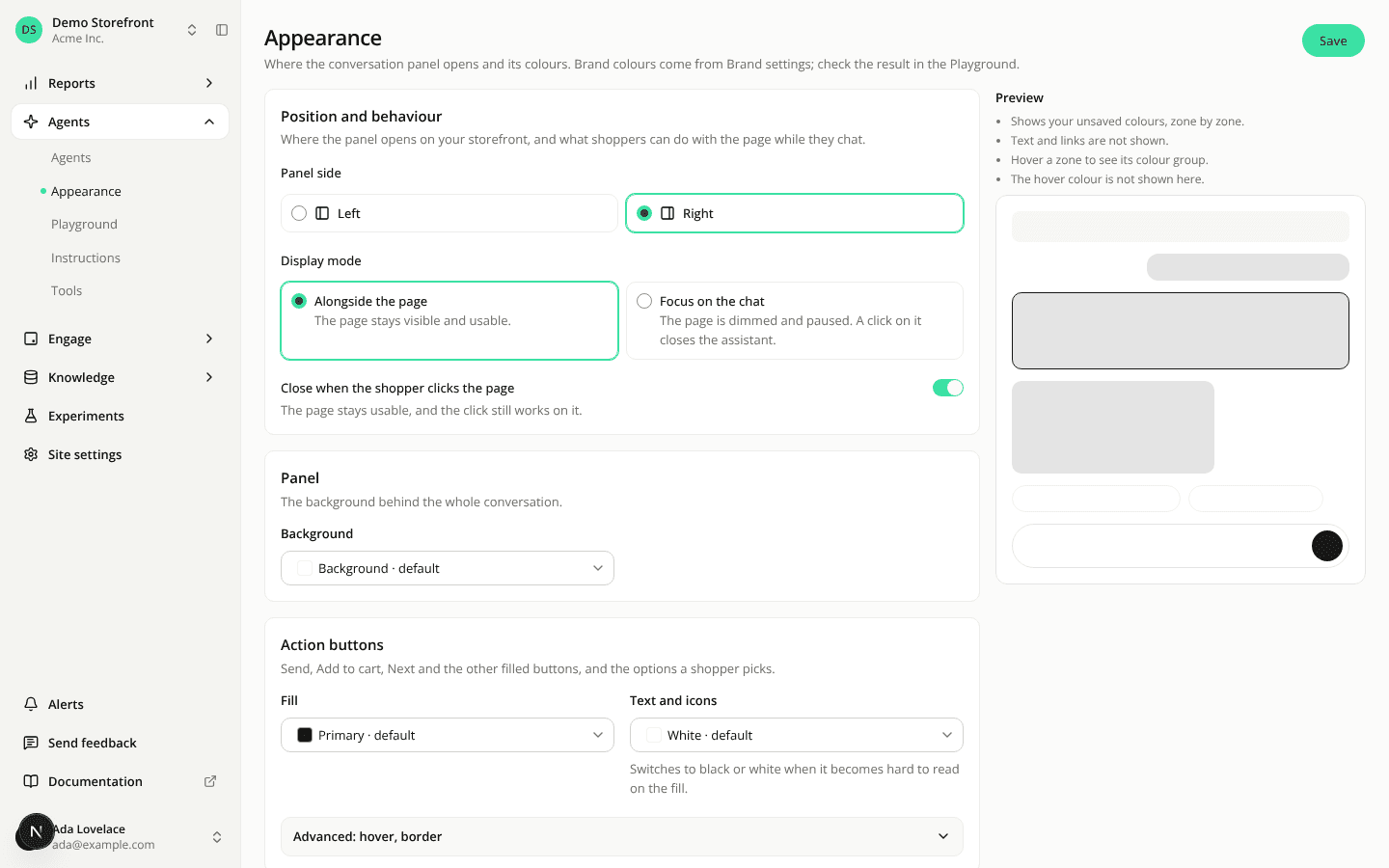
Let a click on the page close the assistant
AddedA new switch on the Appearance page: Close when the shopper clicks the page. It sits in the Position and behaviour card, under Display mode. Switch it on and, when the assistant opens Alongside the page, a click anywhere on your page closes it. The page stays undimmed and usable, and the click still does what it does: a link opens, a button works. Keyboard focus stays on what the shopper clicked.
It's off by default, so nothing changes on your storefront until you switch it on. With it off, the assistant still closes only with the ✕ or Escape in this mode.
What never closes it: a scroll, a click inside the assistant, a click on its own chat bubble, question bar, Panel reduced state button or inline widgets, a click on an element marked data-iadvize-open, the click that opened it, and a click that ends a text selection. If you open the assistant from your own button, put data-iadvize-open on it so a click on it never closes the panel.
Where it has no effect. In Focus on the chat, the switch is greyed out and keeps its value: a click on the dimmed page already closes the assistant there. On a screen 640 px wide or narrower, the assistant fills the width and the page behind it is locked, so there is no page to click.
Click Save and it reaches your storefront on its next page load, with nothing to change in your snippet. Changing it needs Sites: Edit. Over the REST API it's panelCloseOnOutsideClick on Update a site, and the set_site_panel_appearance MCP tool takes it too.
Resources