Onboarding now ends with Go live, and new assistants start offline
ChangedOnboarding used to make your new assistant the one that answers on your site as soon as it was created. It no longer does. A new assistant starts offline, and it answers shoppers only once a member confirms Go live and the tag is installed on your storefront.
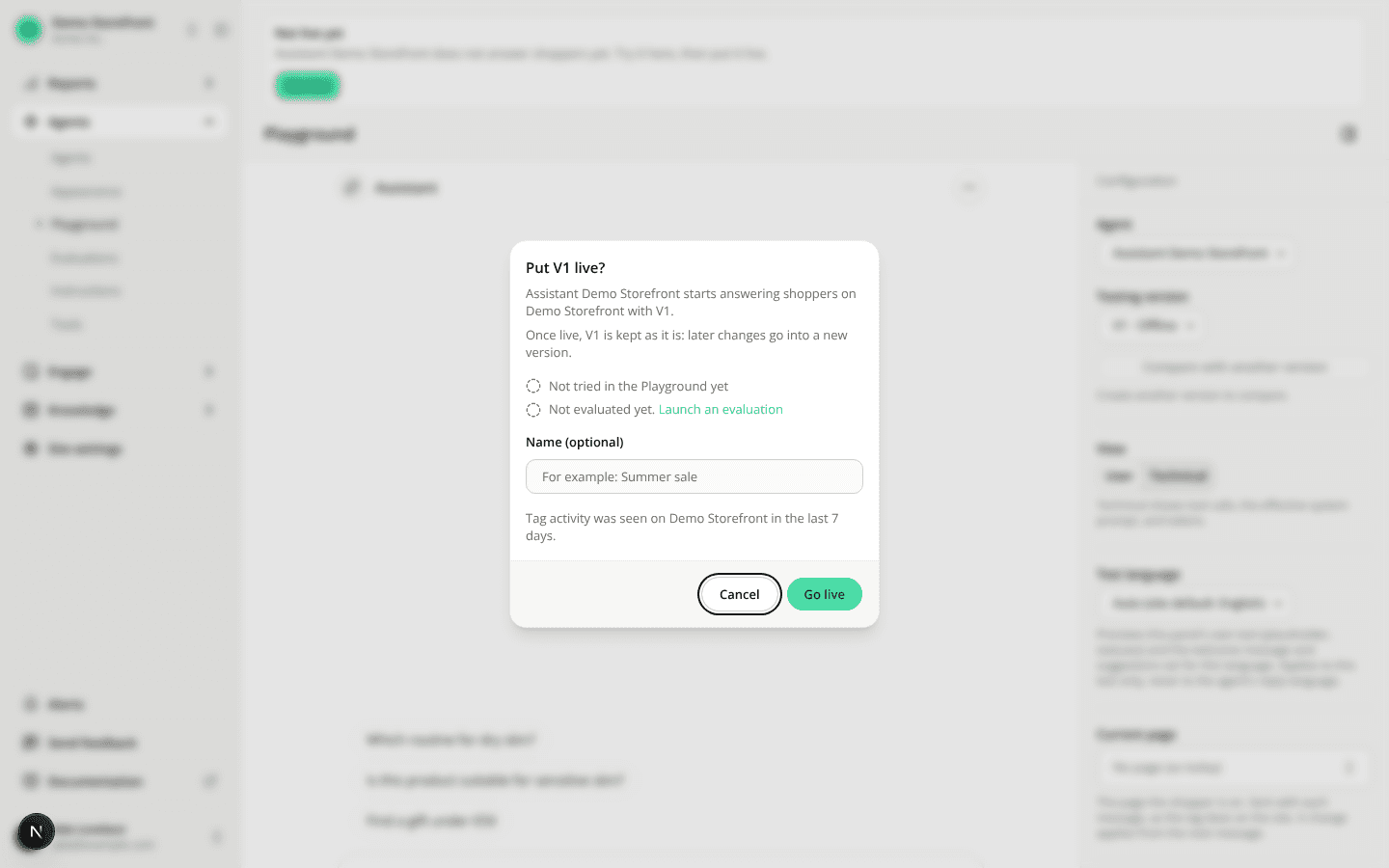
- Onboarding ends on Go live. The review screen's button now reads Try my assistant, then put it live. It takes you to the Playground with your assistant selected and the Go live confirmation open. Confirm to put it live, or close it and try the assistant first.
- The confirmation tells you about the tag. Every Go live confirmation now says whether tag activity was seen on the site in the last 7 days. When none was, it links to Site settings → Installation to install the tag. It never blocks going live.
- "Not live yet" says why nothing answers. If you close the confirmation, a Not live yet bar stays above the Playground with a Go live button, or with the reason you can't go live (a missing permission, or a site with no enabled language). An agent that was never live also shows Not live yet next to Go live on its own pages.
- Renaming during onboarding changes nothing shoppers get. The assistant name you save on the review screen applies once that version goes live.
The same holds for every new agent, created with New agent, Create site or the REST API: it can be tried in the Playground straight away, and its V1 stays editable (Save on V1) until it first goes live. An agent that already answers on your site keeps answering as before: renaming it on the review screen saves a new offline version, and the live version stays until you put the new one live.
Resources