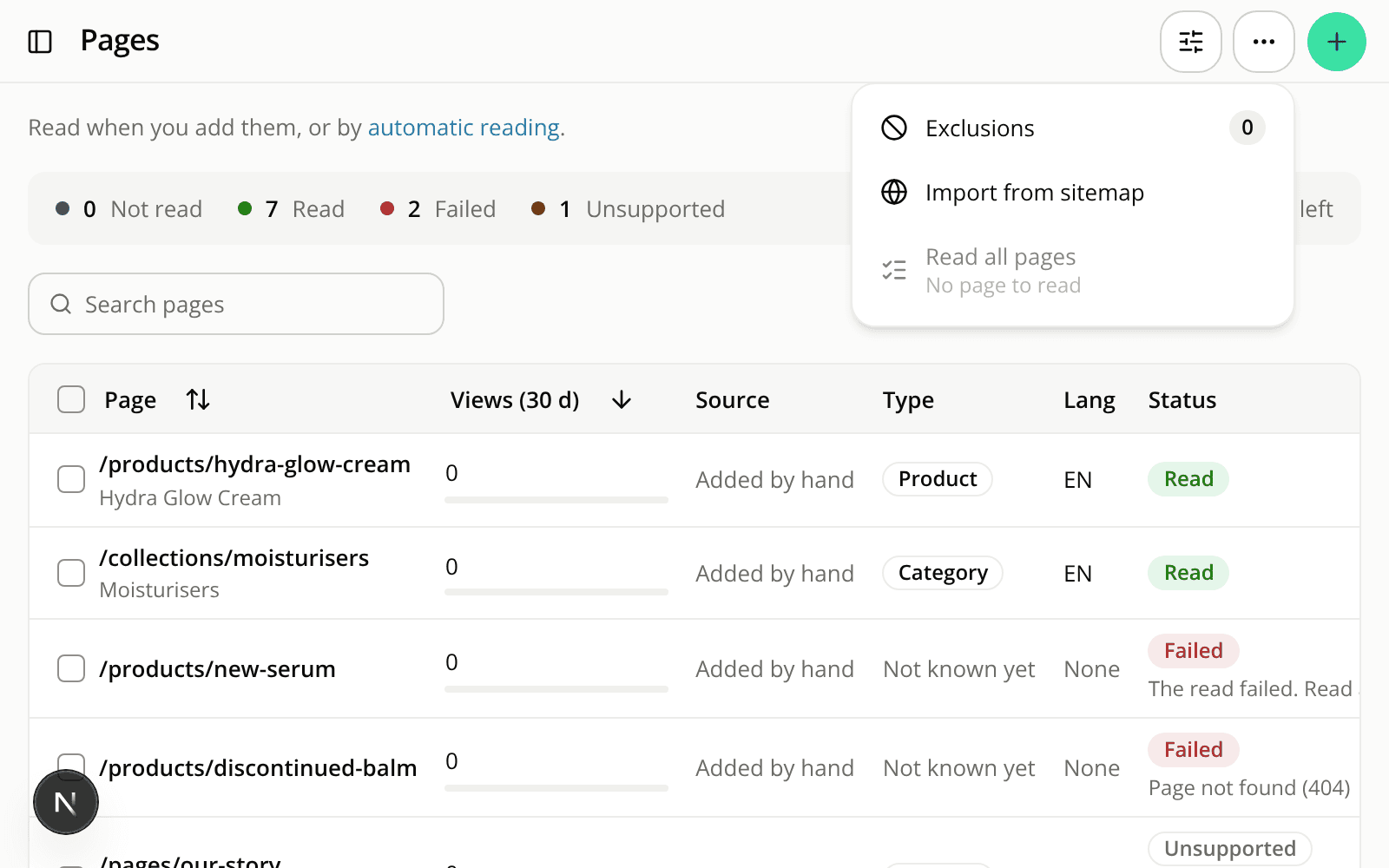
On a phone, the page title and its actions move into the top bar
ChangedOn a screen narrower than 860 px, the dashboard used to stack a title block, its buttons and its filters above the content. On a phone, that pushed the list or the form below the fold. The title and the controls now sit in the top bar, next to the menu button, and the content starts right under it.
On lists
- The page title is the bar's heading. A list's description stays available to screen readers but is no longer drawn.
- Creating something is a round + button at the right of the bar. It keeps the name of the button it replaces ("New agent", for example) for screen readers and as a tooltip. Agents, Instructions and Connectors work this way.
- The Pages list keeps its secondary actions (exclusions, import from sitemap, read all pages) in a ⋯ menu named "More actions". An action you cannot use right now stays in the menu, greyed out, with the reason on a second line.
- The filters of Engagement widgets, Starter questions and Pages are one filter icon. It opens a side sheet with one row per filter showing its current value. Tap a row to pick a value, which applies at once. Done closes the sheet, and Reset clears every filter that is not on its default. The icon shows how many filters are active.
On reports
The period shows as a compact chip in the bar, and the other filters sit behind the filter icon, in the same kind of side sheet. On a screen narrower than 640 px, the chip opens a bottom drawer. It lists the presets in a grid, with a Custom range button that switches to a calendar. Tap a start day and an end day, then Apply. From 640 px, the period keeps its popover.
On the agent and widget editors
The bar holds the object's name menu with its status line, the one action you can use right now, and a ⋯ menu.
- In the agent editor, the button is Save while you have unsaved changes and Go live when the version is saved and not live. The menu holds the other action, greyed with its reason, and, while the agent answers on its site, View on site and Take offline.
- In the widget editor, the button is Save draft or Publish. The menu holds the other one, greyed with its reason, Preview on storefront and the Active switch.
- Nothing is shown for a widget you cannot edit.
Other pages
The back arrow is hidden below 860 px. Use your browser's back control or the menu. The conversation page puts its title, the previous and next controls and Details in the bar. The playground puts its title and its controls (settings, and New conversation when you compare two agents) there.
From 860 px up, nothing changes: the titles, buttons and filters stay where they were.
Resources