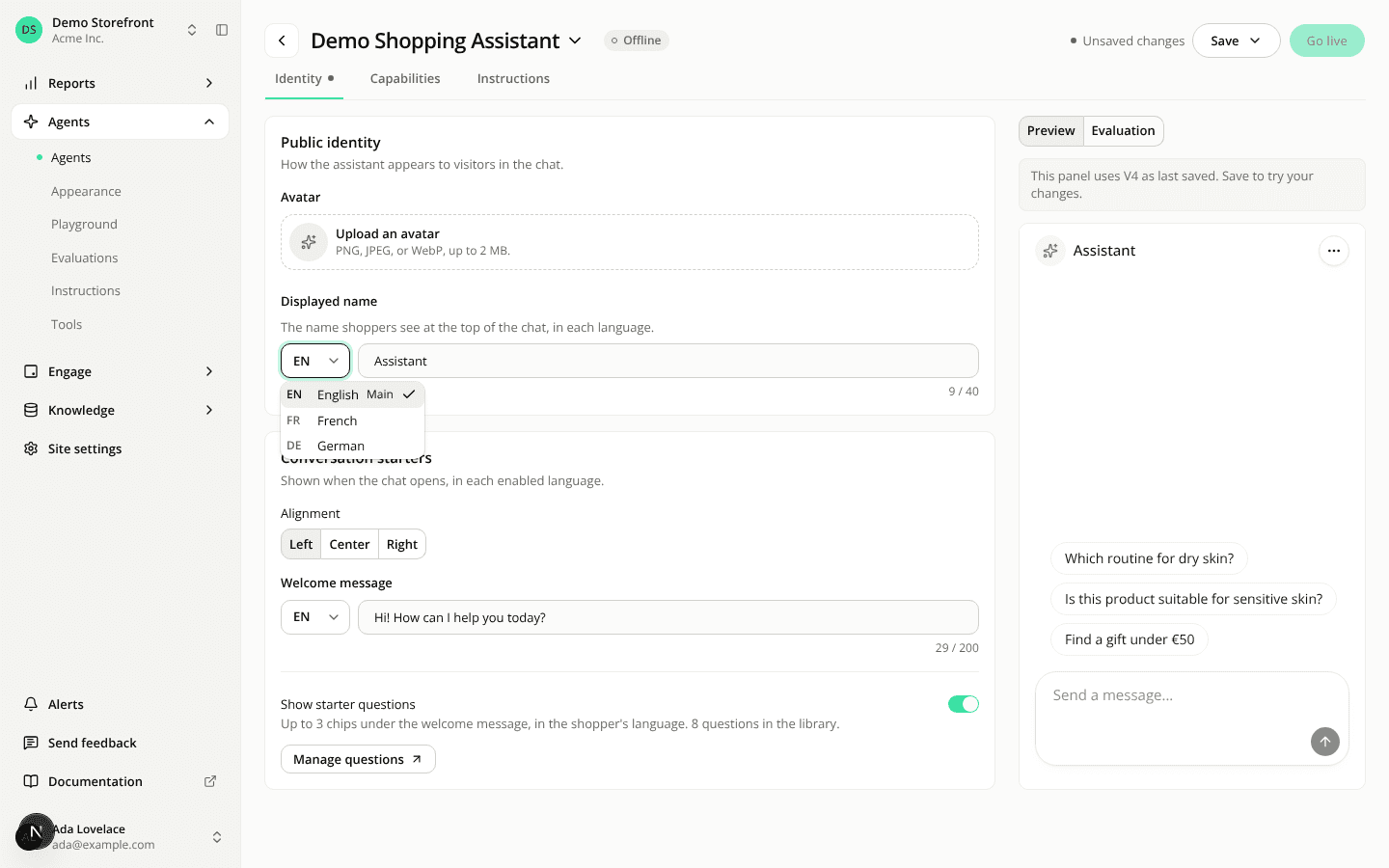
Text in several languages gets a language list, and starts written
ChangedOne layout for text in several languages. The agent's display name and welcome message, an instruction's indicator message, a starter question's wording, and a widget's text, heading, placeholder and first message used to show one tab per language code, in some places even on a site with a single language. They now all work the same way.
One language, one field. On a site with a single language, the field is just a field.
Several languages: a short list before the field. It shows the code of the language on screen (EN, FR, DE). Open it and every language is listed by code and name, your site's default language first, marked Main. The form opens on it.
Texts every shopper needs start written. The display name, the welcome message, a conditional instruction's indicator message, a button's text, a Starters heading while it's switched on, and the placeholder of a question bar or a Starters widget open with a base text in every empty language: "Assistant", "Hi! How can I help you today?", "Ask a question", "Need help?" and their French, German, Italian, Spanish and Dutch versions. It shows as an unsaved change: nothing is stored, or reaches shoppers, until you save. Text you already wrote stays.
And they can't be saved empty. Empty one in a language and the list shows a red dot, even while another language is on screen, the menu marks that language Empty, and the field reads "Required in French" under it, beside the character count The save waits until every language is filled. The indicator message used to be optional; it's now required on a conditional block.
Optional texts stay optional. A chat bubble's text, a button's first message and a starter question's wording are never filled in for you and never block a save. Under an empty language, a line still says what its shoppers get: "Empty, shoppers see the English text", or "Not offered in French" on a starter question.
Changing a widget's format swaps the untouched base text. A button you turn into a Starters widget goes from "Ask a question" to "Need help?" if you hadn't changed it.
Language names in your own language, everywhere. The dashboard used to name a language in that language ("Deutsch") or by its code ("DE"). It now names it in the language of your dashboard profile: "German" for an English profile, "Allemand" for a French one. That covers these fields, the site's language settings, the widget preview's language picker, the playground's Test language, the conversations list, its filter and a conversation's details, the language chart in reports, the setup review screen, and a starter question's status hint ("Shows in French only").
No language picker in the playground on a one-language site. With a single enabled language there is nothing to choose, so the Test language field is gone and the playground tests in that language.
Over the REST API, creating an agent or an agent version still accepts a name or welcome message in only some languages, and saves the base text in each language left out. A text you send is never replaced, and a version that omits its welcome messages keeps the previous ones.
Resources